Type text, add images, blackout confidential details, add comments, highlights and more.
02. Sign it in a few clicks
Draw your signature, type it, upload its image, or use your mobile device as a signature pad.
03. Share your form with others
Send junior permit via email, link, or fax. You can also download it, export it or print it out.
How to use or fill out junior permit with our platform
Ease of Setup
DocHub User Ratings on G2
Ease of Use
DocHub User Ratings on G2
Click ‘Get Form’ to open the junior permit application in the editor.
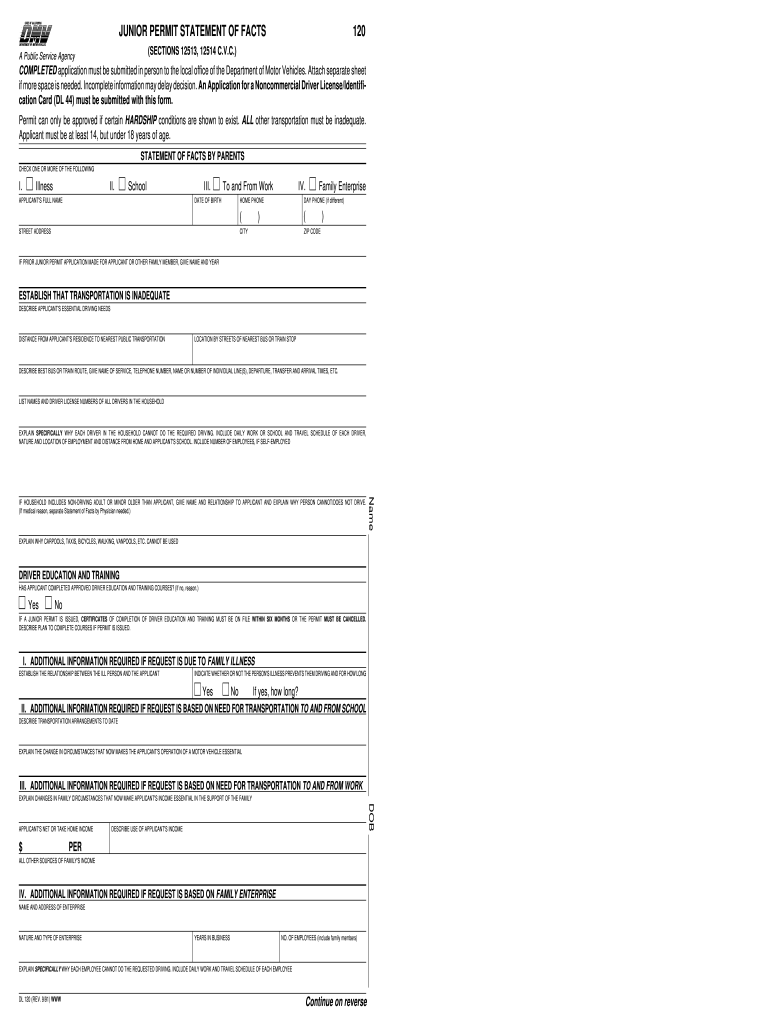
Begin by entering the applicant's full name and date of birth in the designated fields. Ensure accuracy as this information is crucial for identification.
Select one or more hardship conditions that apply, such as illness or school needs, by checking the appropriate boxes.
Provide detailed descriptions of the applicant's essential driving needs and explain why existing transportation options are inadequate. This includes distances to public transport and specific routes.
Complete the section regarding driver education and training. Indicate whether the applicant has completed approved courses and outline plans for completion if not.
Ensure both parents sign the authorization and certification section, confirming all statements are true under penalty of perjury.
Start filling out your junior permit application today using our platform for free!
Texas learners permit over 18Permit test appointment DMVApply for learner permit onlineDriving permit rules over 18Schedule permit test onlinePermit application DMVTexas learners permit over 25NY DMV permit test online
Security and compliance
At DocHub, your data security is our priority. We follow HIPAA, SOC2, GDPR, and other standards, so you can work on your documents with confidence.
You must be at least 16 years old to get a DC DMV learner permit, and you must pass vision screening and knowledge tests and provide documentation that provesRead more
Cookie consent notice
This site uses cookies to enhance site navigation and personalize your experience.
By using this site you agree to our use of cookies as described in our Privacy Notice.
You can modify your selections by visiting our Cookie and Advertising Notice.