Lb 0792-2026

Get Form
lb 0792 Preview on Page 1

Here's how it works

01. Edit your lb 0792 online
Type text, add images, blackout confidential details, add comments, highlights and more.

02. Sign it in a few clicks
Draw your signature, type it, upload its image, or use your mobile device as a signature pad.

03. Share your form with others
Send lwd tn govt support via email, link, or fax. You can also download it, export it or print it out.

How to use or fill out lb 0792 with DocHub

Form edit decoration
9.5
Ease of Setup
DocHub User Ratings on G2
9.0
Ease of Use
DocHub User Ratings on G2
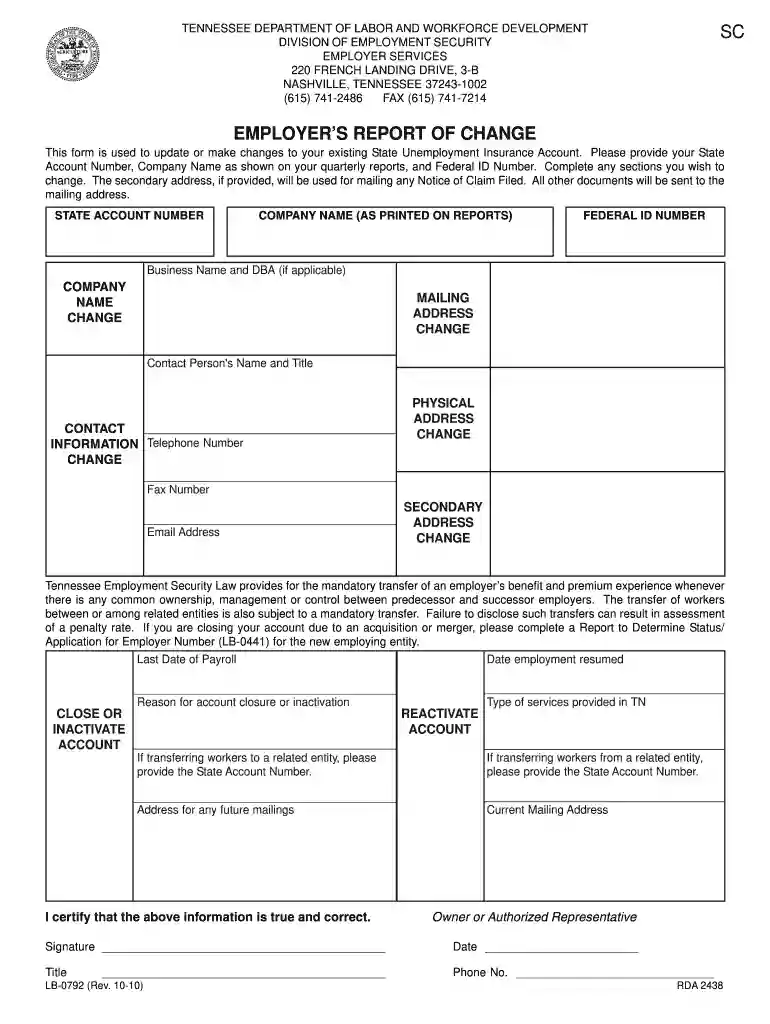
  1. Click ‘Get Form’ to open lb 0792 in our editor.
  2. Begin by entering your State Account Number, Company Name as shown on your quarterly reports, and Federal ID Number in the designated fields.
  3. If applicable, provide your Business Name and DBA. For any changes to your company name or mailing address, check the corresponding boxes and fill in the new information.
  4. Complete the Contact Information section by entering the Contact Person's Name, Title, Telephone Number, Fax Number, and Email Address.
  5. If you are closing or inactivating your account, indicate the Last Date of Payroll and provide a reason for closure. If reactivating an account, fill in the necessary details as required.
  6. Finally, certify that all provided information is true by signing and dating the form at the bottom before submitting it through our platform.

Start using our platform today to easily complete lb 0792 for free!

be ready to get more

Complete this form in 5 minutes or less

Get form

Got questions?

We have answers to the most popular questions from our customers. If you can't find an answer to your question, please contact us.
Contact us
New Company Registration for Tennessee Go to TN.gov. Under Obtain and Employer Number, select the link for your business type. Complete Report to Determine Status Application for Employer Account Number. Submitting this form will determine the status of your liability for unemployment insurance.
When you return to work simply stop certifying for benefits. Dont wait until your first paycheck to stop your benefits. Instead, stop certifying the Sunday after you begin your job.
To contact the Department of Labor and Workforce Development, please call toll free 1-844-224-5818. Here is a link to our directory on our home page.
Employers who have closed their business or who no longer have payroll in Tennessee should notify the Agency to make their Employer Account inactive. Requests to make an account inactive should be made using the Employers Report of Change form (LB-0792).
The Department of Revenue is always happy to answer any questions you may have. Please reach out to them at 615-253-0700 during business hours Monday through Friday or email revenue.support@tn.gov.

Security and compliance

At DocHub, your data security is our priority. We follow HIPAA, SOC2, GDPR, and other standards, so you can work on your documents with confidence.

Learn more
ccpa2
pci-dss
gdpr-compliance
hipaa
soc-compliance
be ready to get more

Complete this form in 5 minutes or less

Get form

People also ask

For more information on state unemployment taxes, contact the Tennessee Department of Labor and Workforce Development at 615-741-2486 or visit .tn.gov.
What services or resources does this agency provide? The Workforce Services Division is responsible for delivering the departments employment and educational services to employers and job seekers in the local American Job Centers, partner agencies and online at .jobs4tn.gov.

Related links