Schedule - Torontomls.net 2026

Get Form
torontomls met Preview on Page 1

Here's how it works

01. Edit your torontomls met online
Type text, add images, blackout confidential details, add comments, highlights and more.
02. Sign it in a few clicks
Draw your signature, type it, upload its image, or use your mobile device as a signature pad.
03. Share your form with others
Send trontomls via email, link, or fax. You can also download it, export it or print it out.

How to use or fill out Schedule - Torontomls.net with our platform

Form edit decoration
9.5
Ease of Setup
DocHub User Ratings on G2
9.0
Ease of Use
DocHub User Ratings on G2
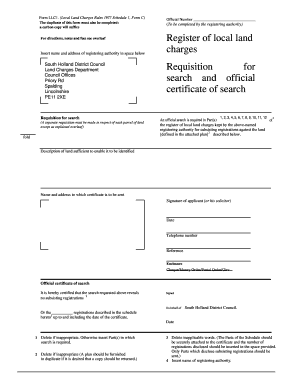
  1. Click ‘Get Form’ to open the Schedule - Torontomls.net in the editor.
  2. Begin by entering the name of the TENANT (Lessee) in the designated field. Ensure that all names are spelled correctly for accuracy.
  3. Next, fill in the name of the LANDLORD (Lessor) in the corresponding section. This is crucial for identifying both parties involved in the lease agreement.
  4. In the lease details section, provide a clear description of the property being leased. Include any relevant specifics that define the rental space.
  5. Indicate the date of the agreement by filling in 'the ............... day of ..........................................................., 20...............' with accurate information.
  6. Ensure that all parties initial where indicated: INITIALS OF TENANTS and INITIALS OF LANDLORD(S). This step is essential for validating the agreement.

Start using our platform today to easily complete your Schedule - Torontomls.net form online, for free!

be ready to get more

Complete this form in 5 minutes or less

Get form

Got questions?

We have answers to the most popular questions from our customers. If you can't find an answer to your question, please contact us.
Contact us

Electronic document approval requires a software solution that complies with data security and eSignature laws. DocHub is a great tool for that, since it meets all the aforementioned requirements. Whatever method you like to sign your torotomls in DocHub, your electronic signature will be legally binding and court-admissible.

You may find and modify your torotnomls online by using DocHub. Its simple yet feature-rich design enables you to start effective work right after you register your account. Create your profile and add your document, then our user interface will guide you via our stress-free form completion experience.

Appointment Scheduling Log on to the One Network system. To find your shipment, click on Search. A Search By field and a Retrieve For field appears. Type your PO number in the Search box. After entering the PO number, press the Enter key. A list of matching PO numbers is displayed.
Surprisingly, scheduling appointments is indeed considered a soft skill. It involves more than just setting up a meeting on a calendar. It requires organizational prowess, time management, communication abilities, and adaptability.
Login to the One Network system. Type in your PO number in the Search box. An Appointment screen will then be displayed with a list of available appointment times.

Security and compliance

At DocHub, your data security is our priority. We follow HIPAA, SOC2, GDPR, and other standards, so you can work on your documents with confidence.

Learn more
ccpa2
pci-dss
gdpr-compliance
hipaa
soc-compliance
be ready to get more

Complete this form in 5 minutes or less

Get form

People also ask

10 Tips for Writing an Effective Appointment Confirmation Text Use text templates. Make it personal. Identify yourself. Confirm important details. Include a phone number. Give customers the option to reply. Send confirmation texts at the right time. Keep it short and sweet.
The 10 Best Scheduling Apps Of 2025 Calendly. SimplyBookMe. Square Appointments. Doodle. OnceHub. Setmore. Google Calendar. Clockwise. A smart calendar assistant that helps you manage time better with features like focus time scheduling, automatic rescheduling of meetings, and detailed productivity insights.
Schedule C. The tenant is responsible for any damages to the property caused by the tenant or the tenants guests, not resulting from normal use. This also includes any common areas.

torotnmls