Writing Nuclear Equations - Evan's Regents Chemistry Corner 2025

Get Form
evans chemistry corner Preview on Page 1

Here's how it works

01. Edit your evans chemistry corner online
Type text, add images, blackout confidential details, add comments, highlights and more.
02. Sign it in a few clicks
Draw your signature, type it, upload its image, or use your mobile device as a signature pad.
03. Share your form with others
Send writing nuclear equations worksheet via email, link, or fax. You can also download it, export it or print it out.

How to use or fill out Writing Nuclear Equations - Evan's Regents Chemistry Corner with DocHub

Form edit decoration
9.5
Ease of Setup
DocHub User Ratings on G2
9.0
Ease of Use
DocHub User Ratings on G2
  1. Click ‘Get Form’ to open it in the editor.
  2. Begin by entering your name and date at the top of the form. This personalizes your document and ensures proper identification.
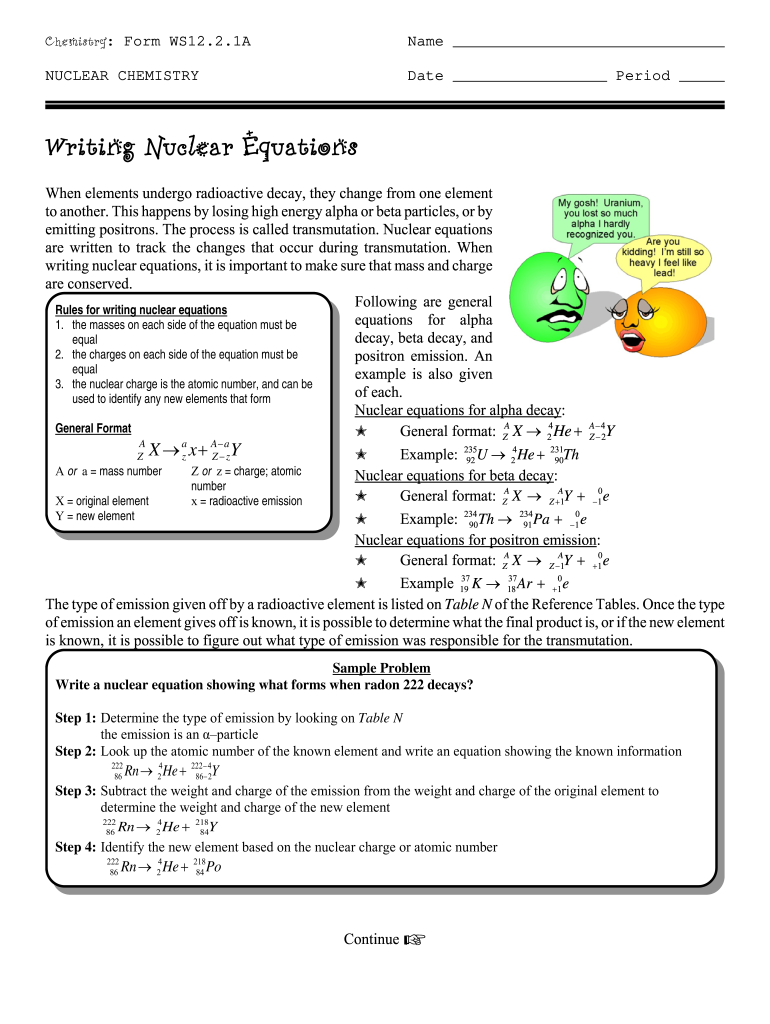
  3. Review the section on writing nuclear equations. Familiarize yourself with the general rules for alpha decay, beta decay, and positron emission as outlined in the document.
  4. Use the provided examples to guide you in writing your own nuclear equations. Follow the formats given for each type of decay.
  5. Answer the questions at the bottom of the form based on your understanding and reference Table N for accurate information regarding emissions.
  6. Once completed, save your work directly within our platform or export it for submission.

Start using our editor today to effortlessly complete your Writing Nuclear Equations form!

be ready to get more

Complete this form in 5 minutes or less

Get form

Got questions?

We have answers to the most popular questions from our customers. If you can't find an answer to your question, please contact us.
Contact us

Sure, and it’s really easy! DocHub is an online PDF editor with advanced document management features that allow you quickly adjust your forms, fill out blank fields and add new ones for other people to fill out, and create eSignatures in several ways. Import your nuclear chemistry regents questions, give information as required, and select how you want to eSign your template - by typing your name, drawing your signature, uploading its picture, or using a QR code.

You can quickly complete, edit, and even eSign your chemistry corner answer key utilizing DocHub. Create a new profile and begin your free trial. After that, you can add the document with the form and simply make all the necessary edits. No need to print on paper or use a third-party application to sign it, as you can place your electronic signature on your document quicker through DocHub.

be ready to get more

Complete this form in 5 minutes or less

Get form