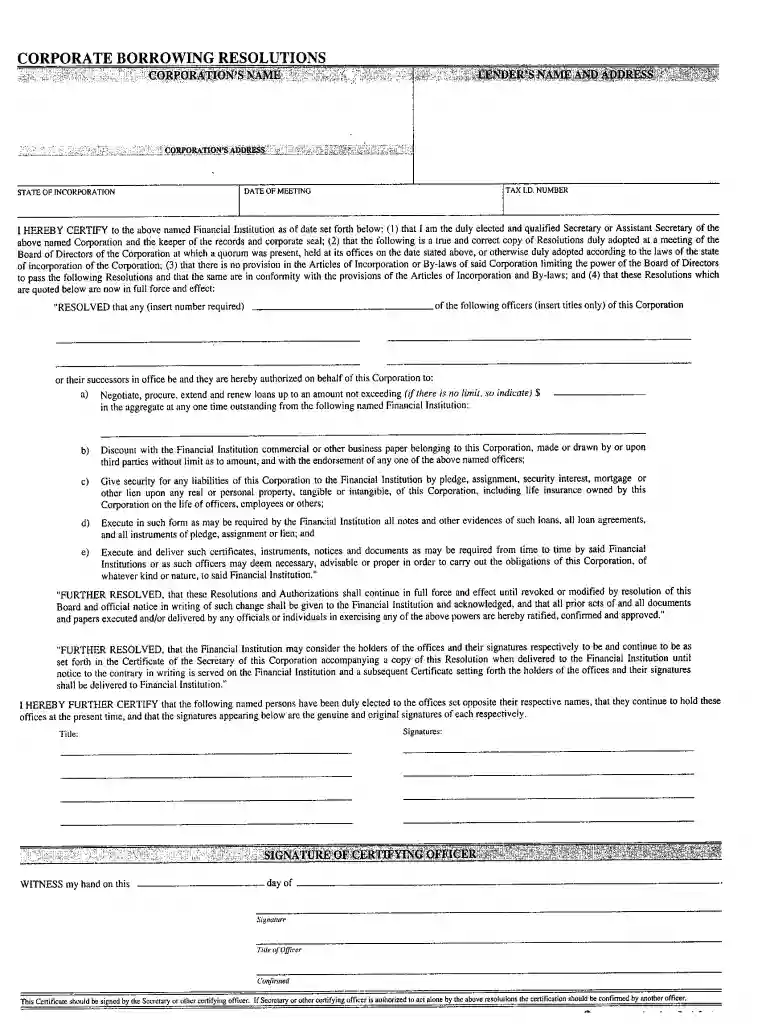
01. Edit your corporate borrowing resolution pdf online
Type text, add images, blackout confidential details, add comments, highlights and more.

02. Sign it in a few clicks
Draw your signature, type it, upload its image, or use your mobile device as a signature pad.

03. Share your form with others
Send corporate resolution to borrow via email, link, or fax. You can also download it, export it or print it out.

How to use or fill out corporate borrowing resolution pdf with our platform
Ease of Setup
DocHub User Ratings on G2
Ease of Use
DocHub User Ratings on G2
Click ‘Get Form’ to open the corporate borrowing resolution PDF in the editor.
Begin by entering the date at the top of the form. This is crucial as it establishes when the resolution is effective.
Next, fill in the name of your corporation in the designated field. Ensure that it matches exactly as registered to avoid any discrepancies.
Proceed to specify the amount of borrowing being authorized. This should be clearly stated to reflect your corporation's financial needs.
In the section for signatures, designate individuals who are authorized to sign on behalf of your corporation. Make sure they are aware and prepared to sign electronically.
Finally, review all entered information for accuracy before saving or exporting your completed document. This ensures that all details are correct and ready for distribution.
Start using our platform today for free and streamline your document editing process!
Fill out corporate borrowing resolution pdf online It's free
Our corporate headquarters, including certain of our research and development operations are located in the Silicon Valley area of Northern California, aRead more
Cookie consent notice
This site uses cookies to enhance site navigation and personalize your experience.
By using this site you agree to our use of cookies as described in our Privacy Notice.
You can modify your selections by visiting our Cookie and Advertising Notice.