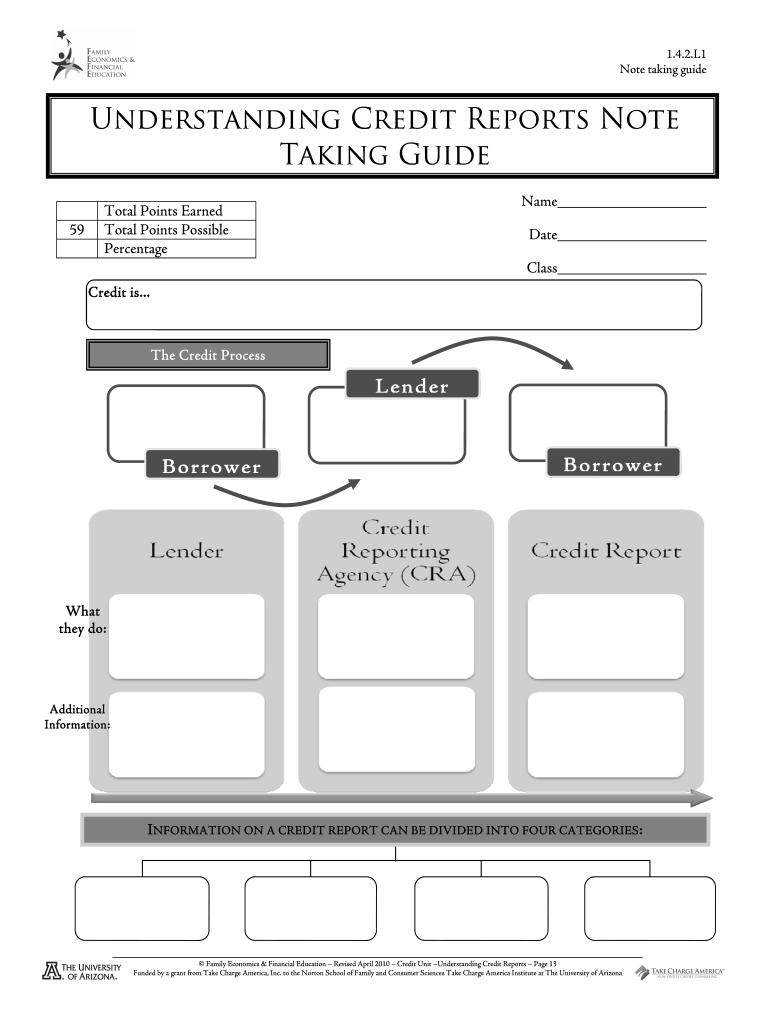
Note taking guide Family Economics and 2026

Get Form
types of insurance note taking guide Preview on Page 1

Here's how it works

01. Edit your types of insurance note taking guide online
Type text, add images, blackout confidential details, add comments, highlights and more.
02. Sign it in a few clicks
Draw your signature, type it, upload its image, or use your mobile device as a signature pad.
03. Share your form with others
Send it via email, link, or fax. You can also download it, export it or print it out.

How to use or fill out Note taking guide Family Economics and with our platform

Form edit decoration
9.5
Ease of Setup
DocHub User Ratings on G2
9.0
Ease of Use
DocHub User Ratings on G2
  1. Click ‘Get Form’ to open the Note taking guide Family Economics in the editor.
  2. Begin by entering your name at the top of the form. This personalizes your document and helps keep track of your progress.
  3. Fill in the date and class information. This is essential for organizing your notes and ensuring they are relevant to your current studies.
  4. Proceed to the sections on credit reports. For each category listed (Personal Information, Accounts Summary, Public Record Items, Credit Inquiries), summarize key points based on your understanding or class discussions.
  5. Utilize the space provided for additional information about credit impacts, both positive and negative. Reflect on examples discussed in class.
  6. Complete any worksheets included in the guide by answering questions related to credit history and strategies for building credit. Ensure you provide thoughtful responses.

Start using our platform today to enhance your learning experience with interactive document editing!

be ready to get more

Complete this form in 5 minutes or less

Get form

Got questions?

We have answers to the most popular questions from our customers. If you can't find an answer to your question, please contact us.
Contact us

You need to use only trustworthy software solutions with strong security compliance to approve your documents electronically. DocHub is just the type of editor you need! It stores data on Amazon Web Servers and complies with all essential security requirements and eSignature regulations, so it’s a reliable way to electronically sign your Note taking guide Family Economics and or other documents with this tool.

Document editing with DocHub is equally convenient on desktop and mobile devices. You only need an internet browser to modify your Note taking guide Family Economics and on Android. Open our site and sign in to access the tools you require. Add your file and introduce your intended changes. After that, you can keep your form in your file storage or send it out right away.

Security and compliance

At DocHub, your data security is our priority. We follow HIPAA, SOC2, GDPR, and other standards, so you can work on your documents with confidence.

Learn more
ccpa2
pci-dss
gdpr-compliance
hipaa
soc-compliance
be ready to get more

Complete this form in 5 minutes or less

Get form