




01. Edit your front porch musical theater online
Type text, add images, blackout confidential details, add comments, highlights and more.

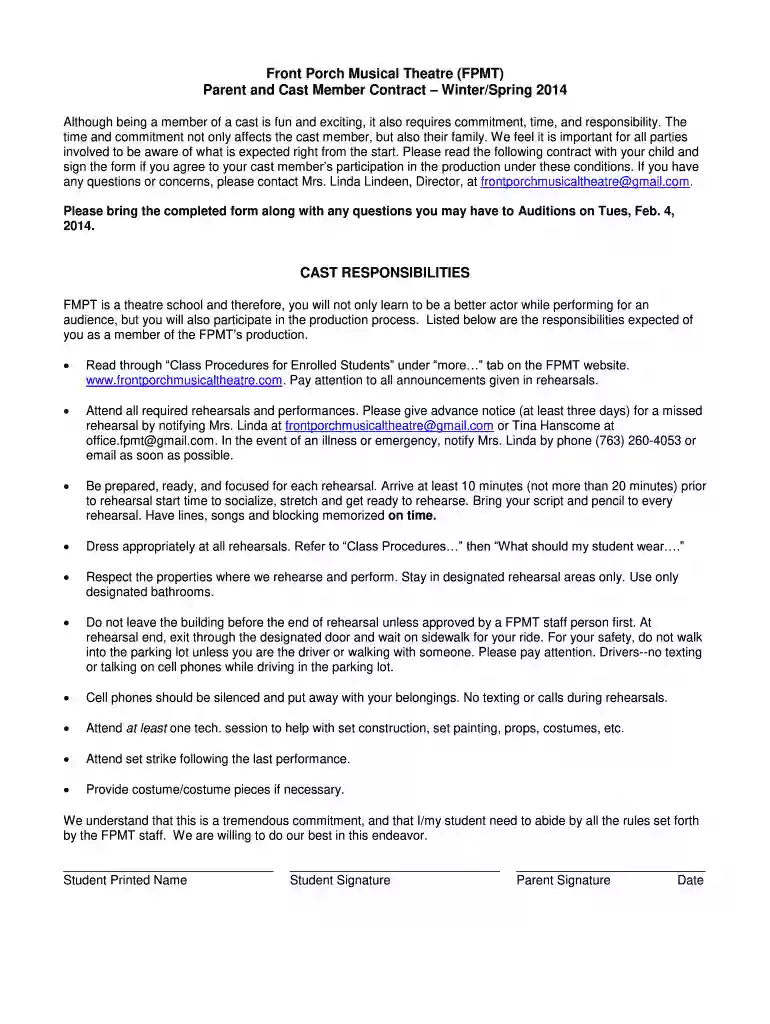
Type text, add images, blackout confidential details, add comments, highlights and more.

Draw your signature, type it, upload its image, or use your mobile device as a signature pad.

Send front porch musical theatre via email, link, or fax. You can also download it, export it or print it out.

Start using our platform today to easily complete and submit your Parent and Cast Member Contract!
At DocHub, your data security is our priority. We follow HIPAA, SOC2, GDPR, and other standards, so you can work on your documents with confidence.
Mar 18, 2026 The Center for the Performing Arts spoke with actor Elizabeth DAiuto to talk about her national tour debut in the role of Marian, her journey,Read more
current resident-home contract indicating the date of admission to the new home and stating that the terms of the previously signed contract remain the same.Read more


