




Here's how it works



How to use or fill out phases of the moon gizmo answer key

- Click ‘Get Form’ to open it in the editor.
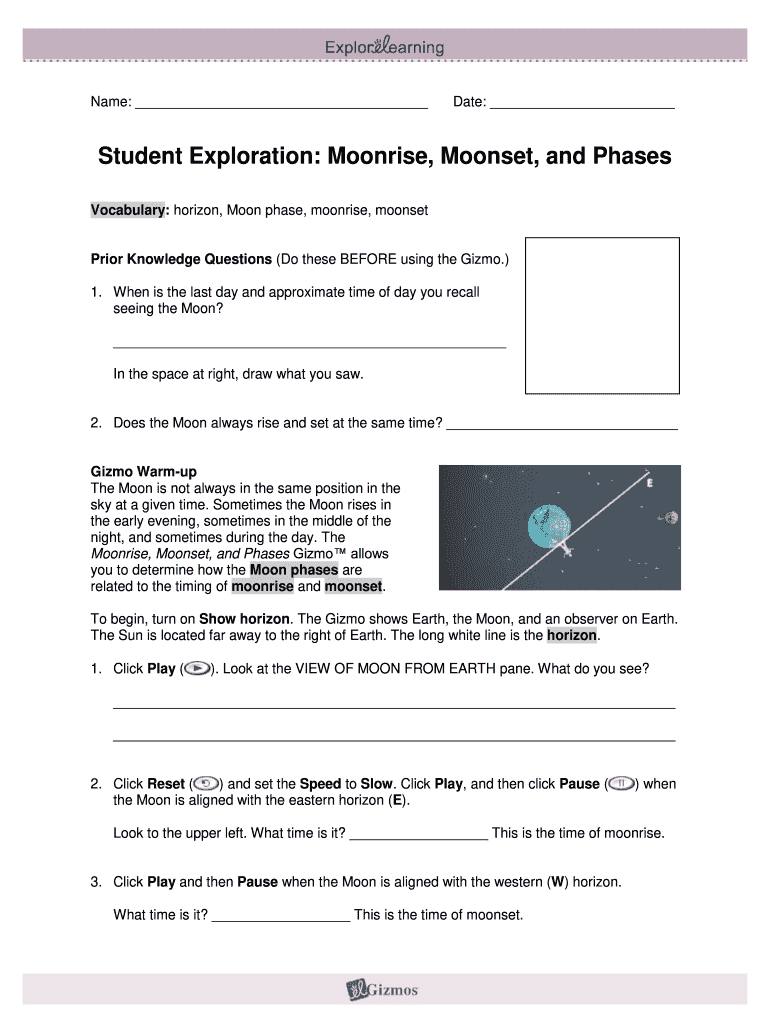
- Begin by entering your name and date at the top of the form. This personalizes your document and helps keep track of submissions.
- For the Prior Knowledge Questions, respond thoughtfully to each question. Use the space provided to draw what you saw during your last moon observation.
- In the Gizmo Warm-up section, follow instructions to observe moonrise and moonset times. Record these observations in the designated fields.
- Complete the Activity section by dragging the Moon in the Gizmo and noting down times for each phase in the table provided. Ensure all data is accurately filled out.
- Finally, analyze your data and answer any additional questions regarding patterns or predictions about moonrise and moonset timings.
Start using our platform today for free to enhance your learning experience with interactive forms!
It's free
Got questions?
Is it secure to sign my gizmo phases of the moon answer key electronically?
You need to use only trustworthy software solutions with strong data protection compliance to sign your paperwork electronically. DocHub is just the type of service you need! It stores data on Amazon Web Servers and complies with all essential security standards and eSignature regulations, so it’s a trusted way to electronically sign your gizmo phases of the moon answer key or other documents with this tool.
How do you edit phases of the moon gizmo in Chrome?
If you use Chrome, there are two simple ways to modify your phases of the moon gizmo online. First, go to the DocHub site, add your document, and modify it utilizing our toolbar. You can also install our Chrome extension and modify any document by dragging and dropping it in your browser tab.
Why do u think we see phases of the moon?
What is a Moon simple explanation?
Do you think we always see the same side of the Moon?
Security and compliance
At DocHub, your data security is our priority. We follow HIPAA, SOC2, GDPR, and other standards, so you can work on your documents with confidence.
Learn more




