




01. Edit your medical certificate from ob gyn online
Type text, add images, blackout confidential details, add comments, highlights and more.

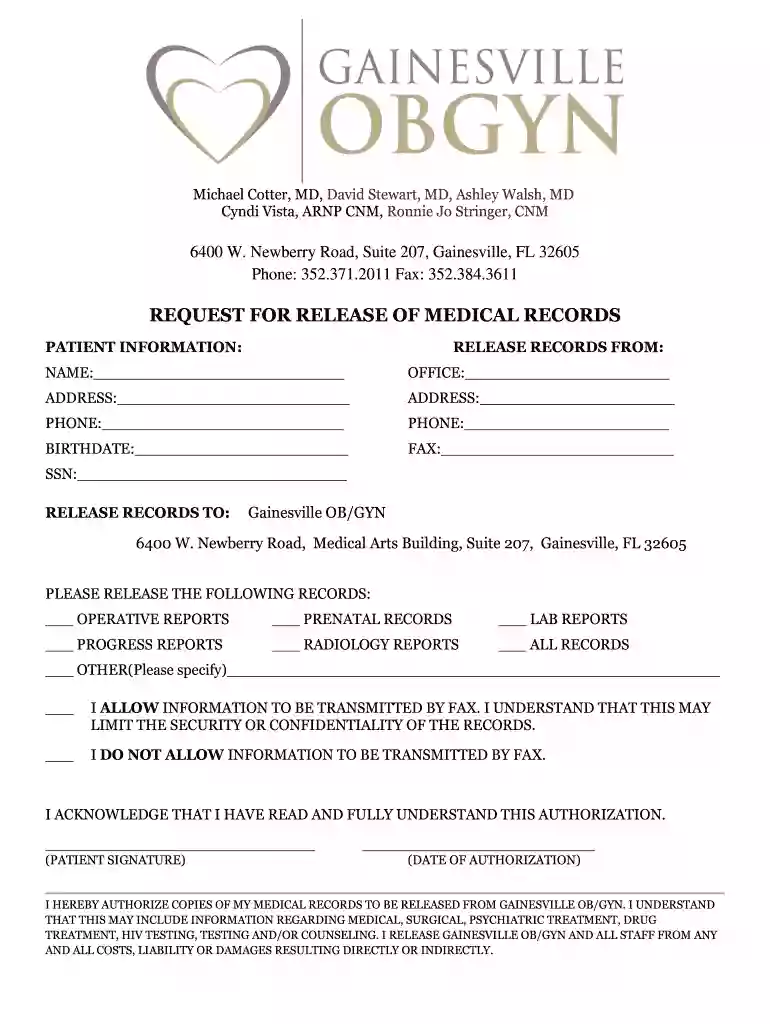
Type text, add images, blackout confidential details, add comments, highlights and more.

Draw your signature, type it, upload its image, or use your mobile device as a signature pad.

Send ob gyne medical certificate via email, link, or fax. You can also download it, export it or print it out.
Understanding how to navigate the Gainesville OB/GYN medical records release form is crucial for patients. This document is used to authorize the release of medical records related to a patient's treatment. It is designed to ensure compliance with legal guidelines while maintaining patient confidentiality.
Patient Information: This section requires personal details such as name, date of birth, and contact information. Providing accurate data ensures that the right records are accessed.
Types of Records: Patients must specify which records they wish to be released. This can include general medical records, specific treatment notes, lab results, and any other relevant sources of information. Clearly stating the desired records may speed up the processing time.
Authorization: Patients must provide explicit consent for their medical records to be shared. This is typically done through a signature, demonstrating that the patient understands who will access the information and for what purpose.
Complete the Form: Carefully fill out all sections to avoid delays.
Submit the Form: Depending on the clinic's procedures, this may involve sending the form via fax, email, or traditional mail.
Follow Up: Patients should verify that their request has been received and ask about the anticipated timeline for receiving the records.
HIPAA Compliance: The form must comply with the Health Insurance Portability and Accountability Act (HIPAA), ensuring that patient information is handled securely and confidentially.
Revocation of Consent: Patients retain the right to revoke their consent for the release of medical records at any time, provided that the request is submitted in writing and meets any specific clinic requirements.
A medical certificate from OB/GYN professionals serves various purposes, such as:
Employment Verification: Necessary for employers who require proof of health status or medical leave.
School Requirements: Institutions may ask for a medical certificate for enrollment or participation in activities.
Insurance Claims: Patients often need medical certificates to support claims for treatment or reimbursement.
Legal Documentation: In certain cases, a medical certificate may serve as a legal document, establishing the patient’s health status.
Incomplete Forms: Missing signatures or unchecked boxes for required fields can delay processing.
Incorrect Information: Ensure accuracy when filling out personal details and specifying types of records to prevent miscommunication.
Lack of Authorization: Always include an appropriate signature to avoid rejection of the request.
Sensitive Health Information: Be aware of the nature of information being released. Only authorize what is necessary to maintain your privacy.
Multiple Recipients: If the records are needed by various entities, ensure to list each separately in the designated section and check their specific requirements.
Following the submission of the release form, be prepared for the following:
Record Review: The OB/GYN office may review the request and the relevance of the records.
Processing Time: Understand that processing can take time. Inquire about any expected wait times.
Receiving Records: Decide if you prefer to receive the documents electronically or as physical copies and ensure the form specifies your choice.
Providing thorough and accurate information on the Gainesville OB/GYN medical records release form facilitates a smoother process while safeguarding patient rights and privacy.
Sure, it is possible with DocHub. This trustworthy and compliant online service has a phone-based signing option. Once you log in to your DocHub account and add your ob gyn medical certificate to our editor, complete all blank areas and use the Sign tool on the top barf. Click on Create your signature and choose Phone from the available options. Here, you scan a QR code using your smartphone and draw your signature on your phone display, as you normally do when signing physical papers. If you access DocHub right from your mobile device, you can eSign your form by drawing your electronic signature, adding its image, or simply with a typed name.
You can complete and eSign your gynecologist medical report online, even on a tight deadline. All you need to access top-notch editing instruments on any device is a DocHub account, that you can register in just a few moments. When you register, upload your file or find what you are looking for in our catalog, complete it using the editing instruments you want, and put your electronic signature on it at the end.
At DocHub, your data security is our priority. We follow HIPAA, SOC2, GDPR, and other standards, so you can work on your documents with confidence.
Contact Us. Academic Offices (352) 273-7660. All Clinical Needs (352) 265-8200. Mailing Address: University of Florida PO Box 100294. Gainesville, FL 32610-Read more
Visiting Professor, University of Florida, Gainesville, FL - 2014. Acute Pain Management in the Opioid Tolerant Patient. Visiting Professor, Cedars SinaiRead more
Status, Active ; Authorized Official Information, Name: ANGELA Y ANDERSON Title: Practice Administrator Phone: 7705311515 ; Mailing Address, 668 LANIER PARK DRRead more


