




01. Edit your form online
Type text, add images, blackout confidential details, add comments, highlights and more.

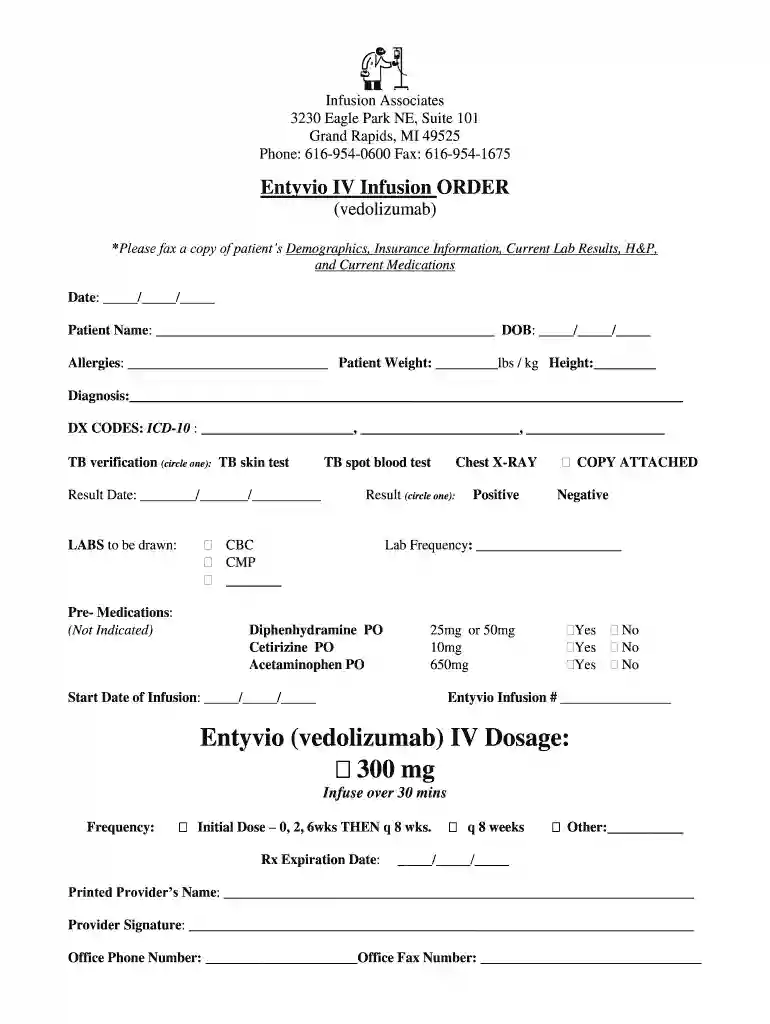
Type text, add images, blackout confidential details, add comments, highlights and more.

Draw your signature, type it, upload its image, or use your mobile device as a signature pad.

Send it via email, link, or fax. You can also download it, export it or print it out.

Start using our platform today to streamline your iv infusion documentation process for free!
At DocHub, your data security is our priority. We follow HIPAA, SOC2, GDPR, and other standards, so you can work on your documents with confidence.
Feb 14, 2023 Intravenous (IV) Neonates: 0.01-0.05 mg/kg q12-48h Infants/Children: 0.01-0.1 mg/kg/dose q6-24h. Max 10 mg/day; study of infants (0-6 mo)Read more
Jul 29, 2024 While the benefits of IV fluids on demand are unproven and the medical risks are low (but real), the financial costs are clear. For example, oneRead more


