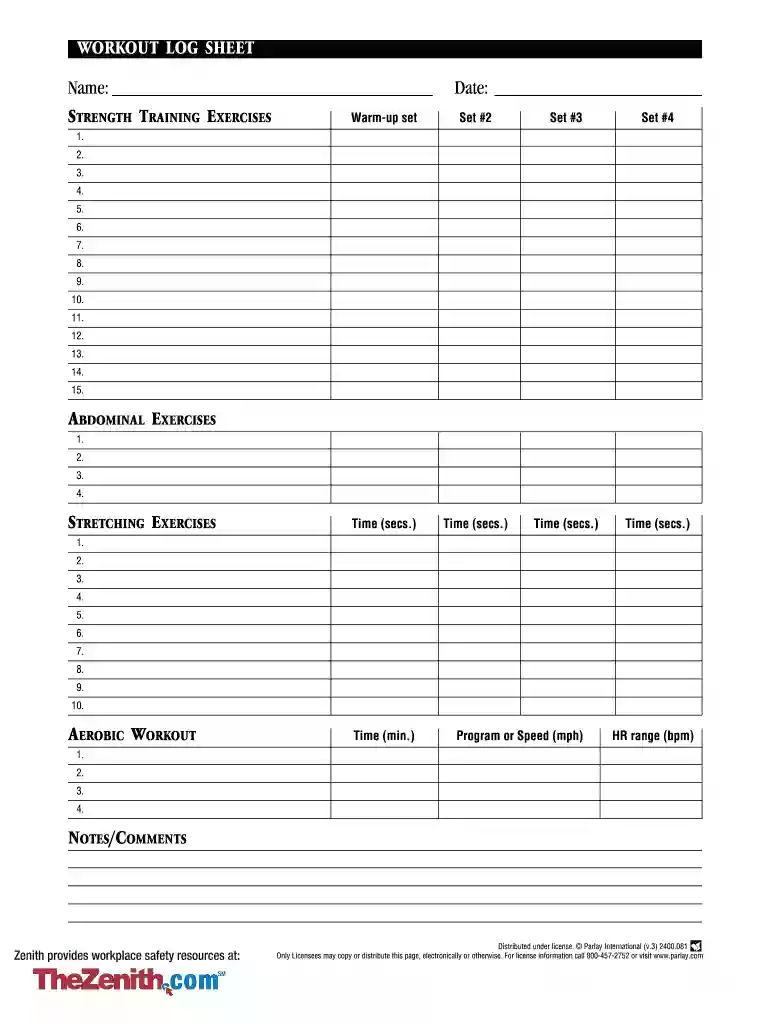
editable workout template Preview on Page 1

Editable workout template 2026

Here's how it works

  • 01. Edit your editable workout template online

    Type text, add images, blackout confidential details, add comments, highlights and more.

  • 02. Sign it in a few clicks

    Draw your signature, type it, upload its image, or use your mobile device as a signature pad.

  • 03. Share your form with others

    Send excel weightlifting template via email, link, or fax. You can also download it, export it or print it out.

How to Use or Fill Out Editable Workout Template

Form edit decoration
9.5
Ease of Setup
DocHub User Ratings on G2
9.0
Ease of Use
DocHub User Ratings on G2
  1. Click ‘Get Form’ to open the editable workout template in our platform.
  2. Begin by entering your name at the top of the form. This personalizes your workout log and helps track your progress.
  3. In the 'Strength Training Exercises' section, fill in the date and record your warm-up set followed by sets #2 to #4. For each set, input the time taken in seconds.
  4. List up to 15 exercises you plan to perform under 'Strength Training Exercises'. This allows for a comprehensive overview of your workout.
  5. Move on to 'Abdominal Exercises' and list up to four exercises you will include in your routine.
  6. In the 'Stretching Exercises' section, document up to ten stretches that will help improve flexibility post-workout.
  7. For the 'Aerobic Workout', specify the time spent in minutes, program or speed (in mph), and heart rate range (bpm) for up to four activities.
  8. Finally, use the 'Notes/Comments' section for any additional thoughts or observations about your workout session.

Start using our platform today for free and take control of your fitness journey with ease!

be ready to get more

Complete this form in 5 minutes or less

Got questions?

We have answers to the most popular questions from our customers. If you can't find an answer to your question, please contact us.

With DocHub, it’s quite simple. The service offers users an add-on called DocHub for Gmail, which you can locate in the Google Workspace Marketplace free of charge. Set it up and give it access to your Google account. Open your email with your workout plan template excel attached and click on the add-on button in the right-side panel. Log in to your DocHub account, and upload the file to our editor, where you can fill it out and sign.

You can find the latest and most relevant version of the zenith training in our DocHub forms library. Search it by categories or use the search field to get the exact template that fits your situation. You can open this form for editing once you find it.

Security and compliance

At DocHub, your data security is our priority. We follow HIPAA, SOC2, GDPR, and other standards, so you can work on your documents with confidence.

google sheets workout template

1-SERIES

Different bike workouts require different setup procedures. This section provides details for settling up any workout program. 1) Begin to pedal the bike. 2)Read more

Learn more
workout-log-template.pdf

No information is available for this page.

Learn more
If you believe that this page should be taken down, please follow our DMCA take down process here