Type text, add images, blackout confidential details, add comments, highlights and more.
02. Sign it in a few clicks
Draw your signature, type it, upload its image, or use your mobile device as a signature pad.
03. Share your form with others
Send m5 cashback claim via email, link, or fax. You can also download it, export it or print it out.
How to use or fill out m5 cashback claim with our platform
Ease of Setup
DocHub User Ratings on G2
Ease of Use
DocHub User Ratings on G2
Click ‘Get Form’ to open the m5 cashback claim in the editor.
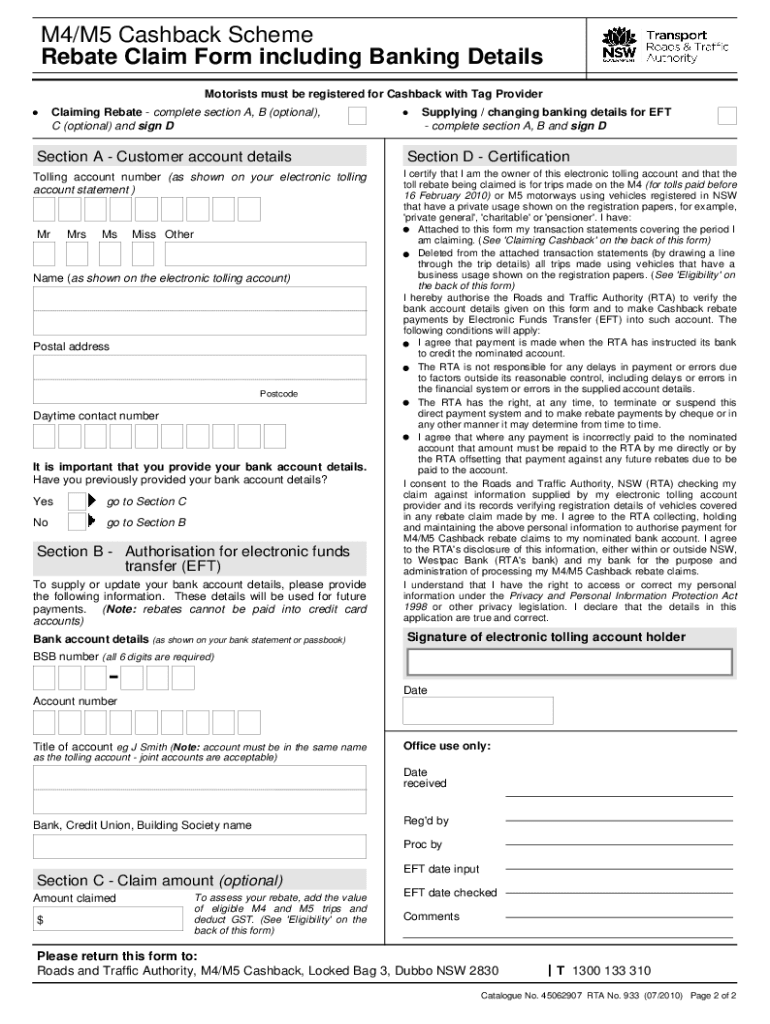
Begin by filling out Section A with your customer account details, including your tolling account number, name, postal address, and daytime contact number.
If you have not previously provided your bank account details, proceed to Section B to authorize electronic funds transfer (EFT) by entering your bank account information.
In Section C (optional), calculate the amount claimed by adding the value of eligible M4 and M5 trips and deducting GST.
Finally, review all sections for accuracy, sign Section D to certify your claim, and attach any necessary transaction statements before submitting.
Start using our platform today to easily complete your m5 cashback claim for free!
Strategies for Leveraging Financial Technology to Improve
by PN Iwegbu 2023 Cited by 2 M5. What is the effectiveness of the strategies adopted as a cashback incentive policy for use of any new banks channel, a loyaltyRead more
Cookie consent notice
This site uses cookies to enhance site navigation and personalize your experience.
By using this site you agree to our use of cookies as described in our Privacy Notice.
You can modify your selections by visiting our Cookie and Advertising Notice.