




01. Edit your benq rma online
Type text, add images, blackout confidential details, add comments, highlights and more.

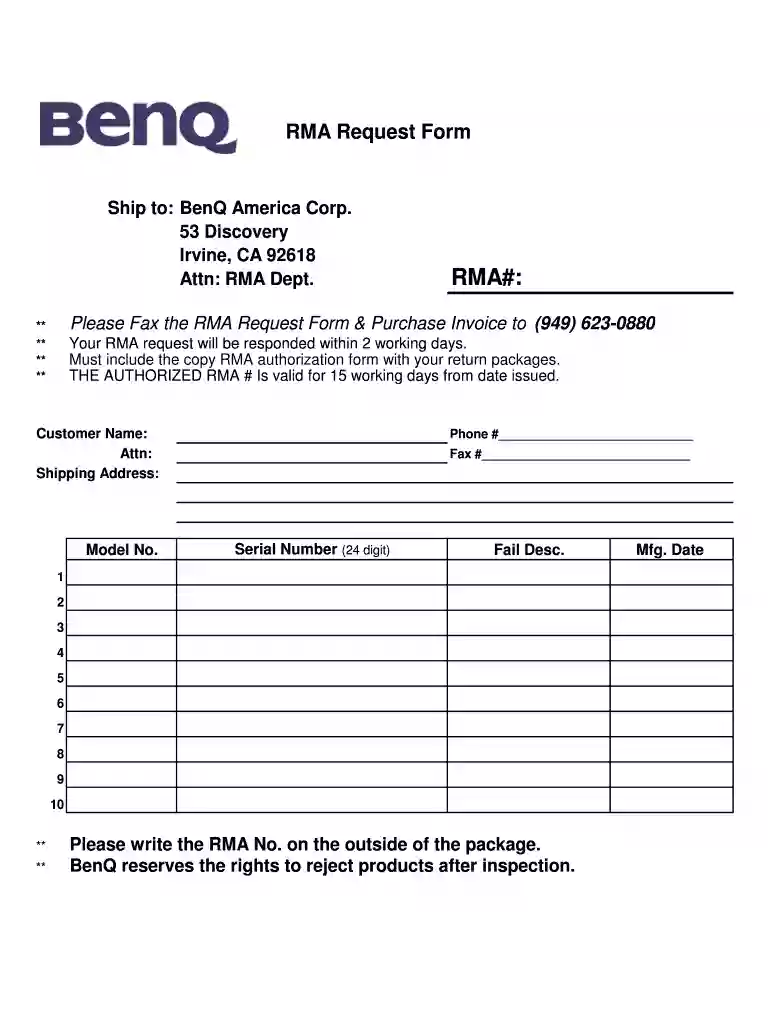
Type text, add images, blackout confidential details, add comments, highlights and more.

Draw your signature, type it, upload its image, or use your mobile device as a signature pad.

Send it via email, link, or fax. You can also download it, export it or print it out.

Start using our platform today to streamline your RMA process for free!
Most eSignature services require users to have a paid subscription. With DocHub, there are two options for you to create an electronic signature to your RMA Request Form Ship to: BenQ America Corp free of charge:
The second option, though, has limitations on the number of signatures, sign requests, emails, and documents for editing available per month. You can check for full details here.
If you need to edit your RMA Request Form Ship to: BenQ America Corp online swiftly, it does not matter what internet browser you use. DocHub’s straightforward editing tools are available using any internet browser. Simply open the appropriate tab in the editor, add your document, and fill it out without stress.
At DocHub, your data security is our priority. We follow HIPAA, SOC2, GDPR, and other standards, so you can work on your documents with confidence.
BENQ AMERICA CORP. Bento Inc. Berry Global. Berryman Products, Incorporated These costs represent CAAs estimates of the cost to the deliver the RMA mandatedRead more
RMA#). The. RMA# must appear on the outside of the package and the items must be shipped to Raritan using the provided labels. Raritan cannot accept collectRead more
ship back. Guess im out the $.,None,None N82E16882241133,82-241-133,12/21 RMA a $10 cable.,None,None 9SIA5M11T34614,1DG-000P-00014,1/17/2016 7:19Read more


