Type text, add images, blackout confidential details, add comments, highlights and more.
02. Sign it in a few clicks
Draw your signature, type it, upload its image, or use your mobile device as a signature pad.
03. Share your form with others
Send florida crash portal gov via email, link, or fax. You can also download it, export it or print it out.
How to use or fill out FLORIDA TRAFFIC CRASH REPORT DO NOT WRITE IN THIS SPACE - download gannett edgesuite with DocHub
Ease of Setup
DocHub User Ratings on G2
Ease of Use
DocHub User Ratings on G2
Click ‘Get Form’ to open it in the editor.
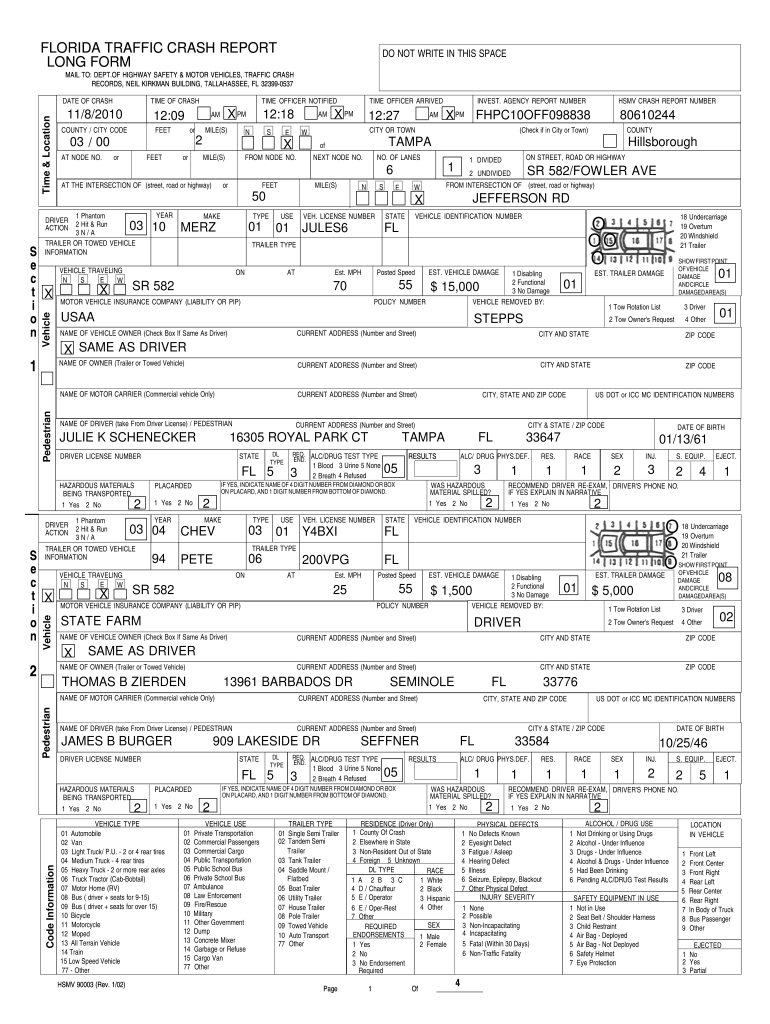
Begin by entering the 'Date of Crash' and 'Time of Crash' in the designated fields. Ensure accuracy as this information is crucial for record-keeping.
Fill in the 'County/City Code' and provide details about the vehicles involved, including 'Make', 'Type', and 'Vehicle Identification Number'.
Complete the sections regarding driver information, including names, addresses, and any injuries sustained. This is vital for insurance and legal purposes.
In the narrative section, describe the events leading up to the crash clearly and concisely. Use our platform's editing tools to ensure clarity.
Review all entries for accuracy before submitting. Utilize our platform’s features to save your progress or make adjustments as needed.
Start using our platform today to streamline your form completion process for free!
Fill out FLORIDA TRAFFIC CRASH REPORT DO NOT WRITE IN THIS SPACE - download gannett edgesuite online It's free
[JPRT, 111th Congress] [From the U.S. Government Publishing Office] CONGRESSIONAL OVERSIGHT PANEL SEPTEMBER OVERSIGHT REPORT* THE USE OF TARP FUNDS INRead more
We are honored to bring you a world-class program and cutting-edge exhibit hall to foster an environment of peer and company networking, and to promoteRead more
Cookie consent notice
This site uses cookies to enhance site navigation and personalize your experience.
By using this site you agree to our use of cookies as described in our Privacy Notice.
You can modify your selections by visiting our Cookie and Advertising Notice.