




01. Edit your nikah nama pdf online
Type text, add images, blackout confidential details, add comments, highlights and more.

Type text, add images, blackout confidential details, add comments, highlights and more.

Draw your signature, type it, upload its image, or use your mobile device as a signature pad.

Send nikah nama form via email, link, or fax. You can also download it, export it or print it out.
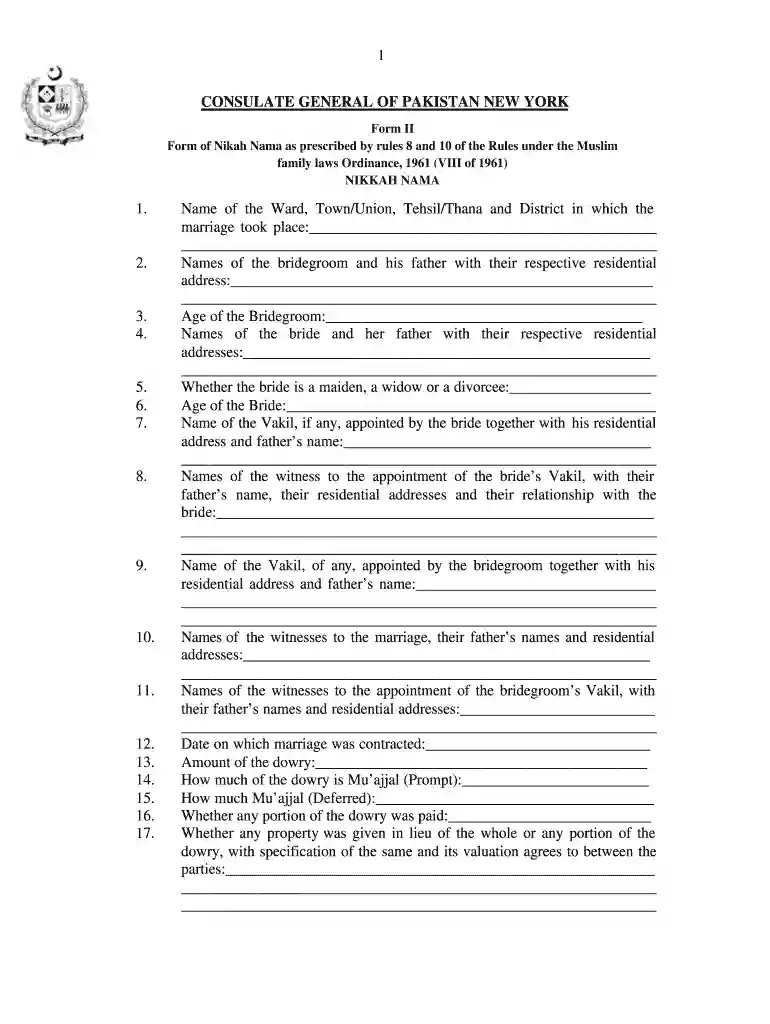
The nikah nama PDF, also known as the marriage certificate form, is a vital document that outlines the details of a Muslim marriage in compliance with the Muslim Family Laws Ordinance of 1961. It is essential for legitimizing marriages in Pakistan and serves as a legal record of the union. This form includes key information about the bride and groom, as well as witnesses, fulfilling both cultural and legal requirements.
The nikah nama form encompasses various sections that collect important information. These sections include:
The nikah nama PDF serves multiple purposes, including:
The nikah nama form can be downloaded in various formats to accommodate diverse needs. Users can find it in:
Completing the nikah nama PDF involves the following steps:
The nikah nama has significant legal and cultural implications:
The nikah nama form can be used in various scenarios, including:
There are different versions and formats of the nikah nama to cater to various needs:
The nikah nama PDF is a fundamental document for formalizing Muslim marriages. Its comprehensive structure and accessibility allow for a clear understanding of the marriage process, making it essential for both legal compliance and cultural practices.
Of course, electronically drawing your signature is acceptable, but only if you utilize a tool that complies with industry regulations and policies. Try DocHub, which ensures eSignature validity under ESIGN and UETA requirements. All you need to approve your nikah nama form in urdu pdf download electronically is an account with DocHub and an internet connection. Once you open your document in our editor, click Sign and select the Draw tool.
If you store your files in Google Drive, there is no need to download your nikah nama form pdf on the computer and upload it back to our editor. A significantly easier way is to install a browser extension developed by DocHub to streamline this flow. The extension allows editing PDFs in your browser. Alternatively, you may integrate your DocHub and Gmail accounts for more efficient modifying.
At DocHub, your data security is our priority. We follow HIPAA, SOC2, GDPR, and other standards, so you can work on your documents with confidence.


