




Here's how it works

01. Edit your addc online
Type text, add images, blackout confidential details, add comments, highlights and more.

02. Sign it in a few clicks
Draw your signature, type it, upload its image, or use your mobile device as a signature pad.

03. Share your form with others
Send it via email, link, or fax. You can also download it, export it or print it out.
How to use or fill out system addc with our platform

- Click ‘Get Form’ to open the system addc in the editor.
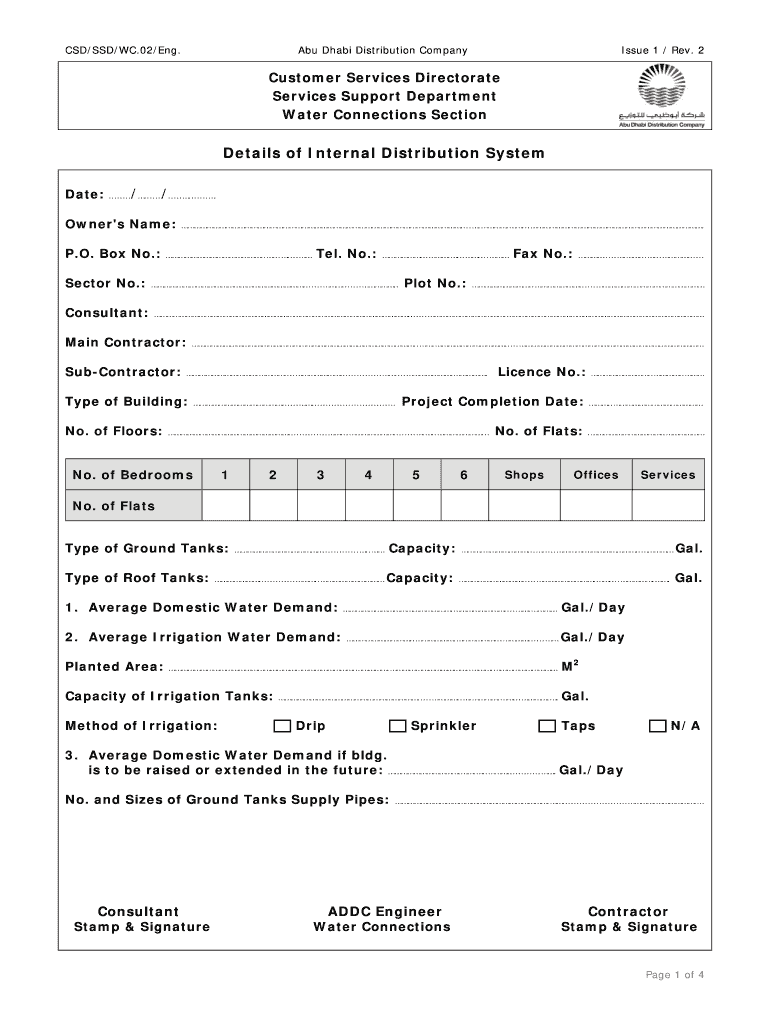
- Begin by entering the 'Date' at the top of the form. Ensure you format it correctly as DD/MM/YYYY.
- Fill in the 'Owner's Name', 'P.O. Box No.', and 'Sector No.' in their respective fields. This information is crucial for identification.
- Provide contact details including 'Tel. No.' and 'Fax No.' to facilitate communication regarding your application.
- Complete sections on building specifications, such as 'Type of Building', 'No. of Floors', and 'No. of Flats'. Be precise to avoid delays.
- For water demand calculations, input values for average domestic and irrigation water demands, ensuring accuracy for effective planning.
- Review all entries carefully before submitting to ensure all required fields are completed accurately.
Start using our platform today for free to streamline your document editing and form completion!
Fill out system addc online
It's free
It's free
Security and compliance
At DocHub, your data security is our priority. We follow HIPAA, SOC2, GDPR, and other standards, so you can work on your documents with confidence.
Learn more


