




01. Edit your pov inspection army online
Type text, add images, blackout confidential details, add comments, highlights and more.

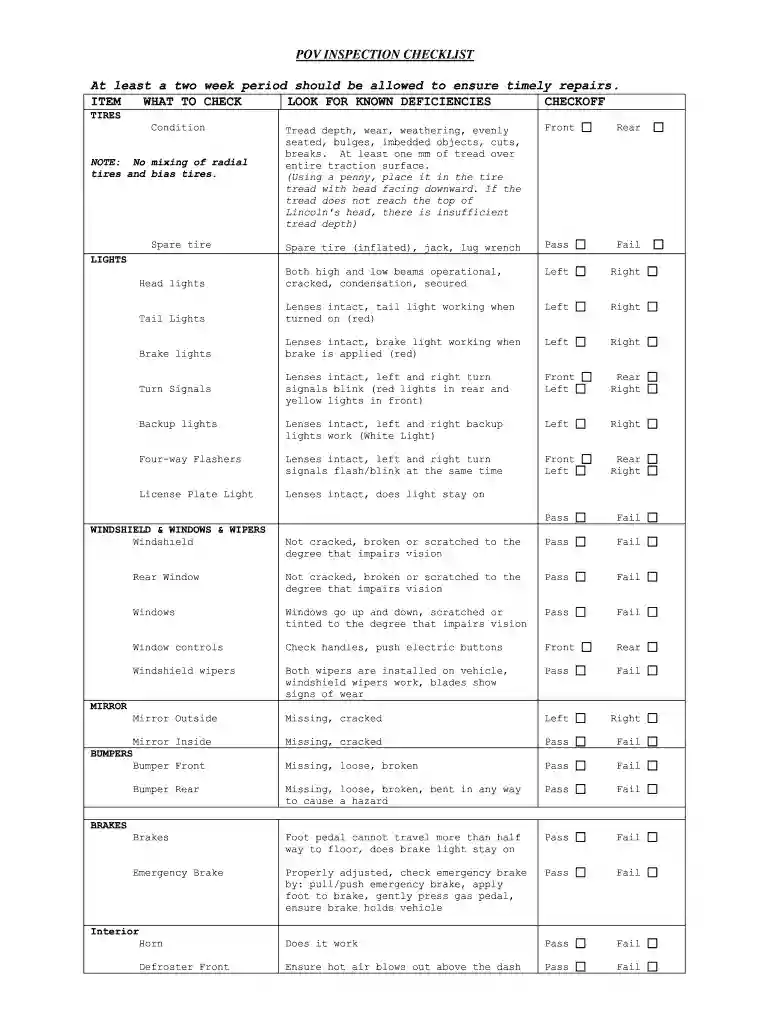
Type text, add images, blackout confidential details, add comments, highlights and more.

Draw your signature, type it, upload its image, or use your mobile device as a signature pad.

Send army pov inspection checklist via email, link, or fax. You can also download it, export it or print it out.

Start using our platform today to streamline your army POV inspections for free!
At DocHub, your data security is our priority. We follow HIPAA, SOC2, GDPR, and other standards, so you can work on your documents with confidence.
(e) Possess current proof of compliance with local vehicle emission inspection if required by the state, and maintenance requirements. (f) Vehicles withRead more
DD Form 2220 will be used to identify registered POVs on Army, Navy, Air Force, Marine Corps, and DLA installations or facilities. The form is produced inRead more


