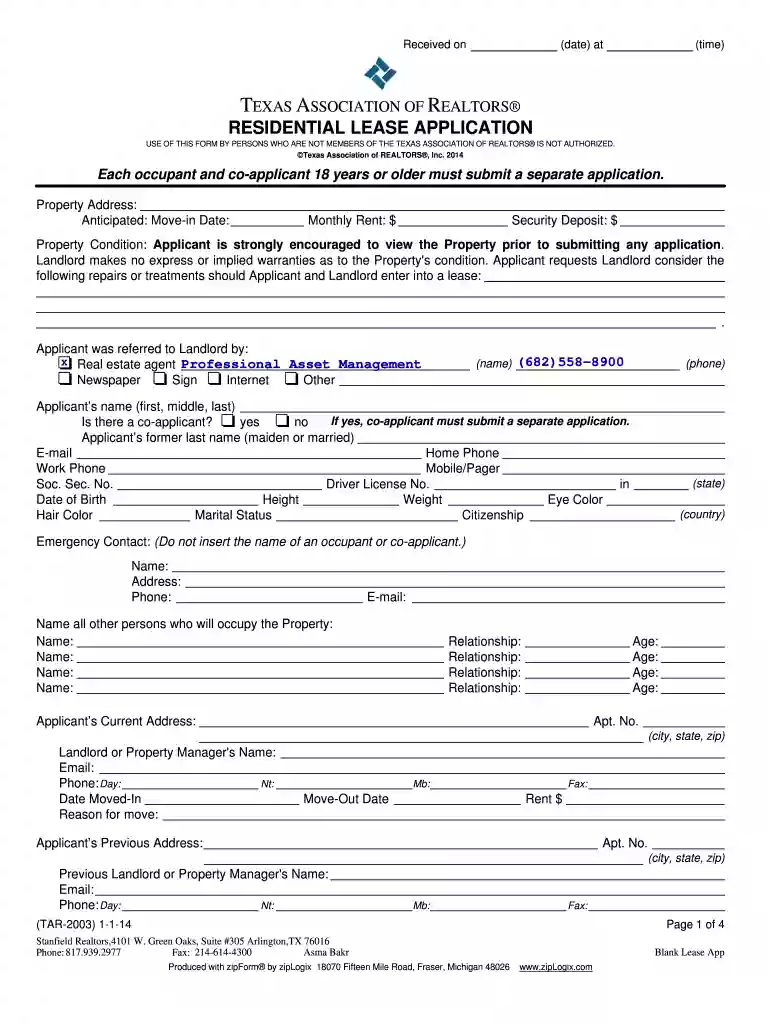
PdfConvertResidential Lease Application #3 - 1/1/14 Preview on Page 1

PdfConvertResidential Lease Application #3 - 1/1/14 2026

Here's how it works

  • 01. Edit your form online

    Type text, add images, blackout confidential details, add comments, highlights and more.

  • 02. Sign it in a few clicks

    Draw your signature, type it, upload its image, or use your mobile device as a signature pad.

  • 03. Share your form with others

    Send it via email, link, or fax. You can also download it, export it or print it out.

How to use or fill out PdfConvertResidential Lease Application #3 - 1/1/14 with our platform

Form edit decoration
9.5
Ease of Setup
DocHub User Ratings on G2
9.0
Ease of Use
DocHub User Ratings on G2
  1. Click ‘Get Form’ to open the PdfConvertResidential Lease Application #3 - 1/1/14 in the editor.
  2. Begin by entering the property address and anticipated move-in date at the top of the form. Ensure accuracy as this information is crucial for your application.
  3. Fill in your personal details, including your name, contact information, and social security number. If applicable, indicate if there is a co-applicant and provide their details on a separate application.
  4. Complete the employment section by providing your current employer's information, including gross monthly income. If self-employed, be prepared to submit additional documentation.
  5. List all occupants who will reside at the property along with their ages and relationships to you. This helps landlords assess potential tenants.
  6. Review all sections carefully before signing. Ensure that all information is accurate and complete to avoid delays in processing your application.

Start filling out your lease application today for free using our platform!

be ready to get more

Complete this form in 5 minutes or less

Got questions?

We have answers to the most popular questions from our customers. If you can't find an answer to your question, please contact us.

Electronic document approval demands a software solution that works in compliance with data security and eSignature laws. DocHub is a perfect tool for that, since it fulfills all the above mentioned requirements. Whatever method you like to sign your PdfConvertResidential Lease Application #3 - 1/1/14 in DocHub, your electronic signature will be legally binding and court-admissible.

You may find and modify your PdfConvertResidential Lease Application #3 - 1/1/14 online by using DocHub. Its straightforward but feature-rich design allows you to start productive work right after you sign up your account. Create your account and add your document, then our user interface will guide you through our stress-free form completion experience.

Security and compliance

At DocHub, your data security is our priority. We follow HIPAA, SOC2, GDPR, and other standards, so you can work on your documents with confidence.

Related links

2015 Warranty and Consumer Information Manual

Jan 3, 2014 Date of First Service means the first date the Kia Vehicle is delivered to the first retail purchaser, is leased or is placed into service asRead more

Learn more
SF424 (RR) Application Guide for NIH and Other PHS

PDF generating software. Avoid scanning text attachments to convert to PDF since that causes problems for the agency handling the application. AdditionalRead more

Learn more
If you believe that this page should be taken down, please follow our DMCA take down process here