Type text, add images, blackout confidential details, add comments, highlights and more.
02. Sign it in a few clicks
Draw your signature, type it, upload its image, or use your mobile device as a signature pad.
03. Share your form with others
Send sta forms via email, link, or fax. You can also download it, export it or print it out.
How to use or fill out sta paperwork with our platform
Ease of Setup
DocHub User Ratings on G2
Ease of Use
DocHub User Ratings on G2
Click ‘Get Form’ to open the STA paperwork in the editor.
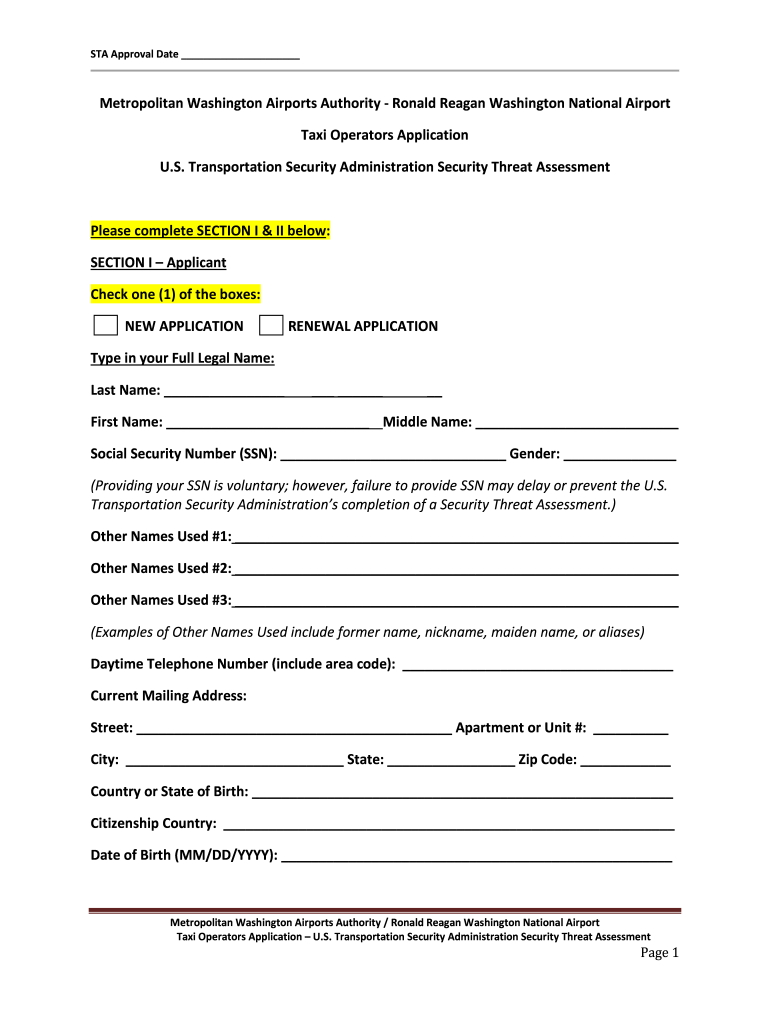
Begin with SECTION I – Applicant. Select either 'NEW APPLICATION' or 'RENEWAL APPLICATION' by checking the appropriate box.
Fill in your Full Legal Name, including Last Name, First Name, and Middle Name. Provide your Social Security Number (SSN) if comfortable, as it may expedite processing.
Complete the fields for Other Names Used, Daytime Telephone Number, Current Mailing Address, Country or State of Birth, Citizenship Country, and Date of Birth.
Proceed to SECTION II – Identification (ID) and Work Authorization. List two forms of unexpired identification; ensure one is a government-issued photo ID.
Sign and date the application at the bottom of SECTION II to confirm accuracy and completeness.
Start filling out your STA paperwork online for free today!
STA application requirementsSTA application onlineWhat information may be provided on the STA application for an applicant born abroadSTA TSA applicationTSA Form 419FWho signs your sta application as the validating signatureSTA application processTSA security threat assessment (STA)
Security and compliance
At DocHub, your data security is our priority. We follow HIPAA, SOC2, GDPR, and other standards, so you can work on your documents with confidence.
The Residency Questionnaire must be submitted via the Dynamic Forms portal. Documents will be reviewed in the order they are received and may take up to 14Read more
TSA Form 419F - Indirect Air Carrier Management System
Each individual must successfully complete a security threat assessment or comparable security threat assessment described in part 1540 subpart C of thisRead more
Cookie consent notice
This site uses cookies to enhance site navigation and personalize your experience.
By using this site you agree to our use of cookies as described in our Privacy Notice.
You can modify your selections by visiting our Cookie and Advertising Notice.