




01. Edit your make subpoena online
Type text, add images, blackout confidential details, add comments, highlights and more.

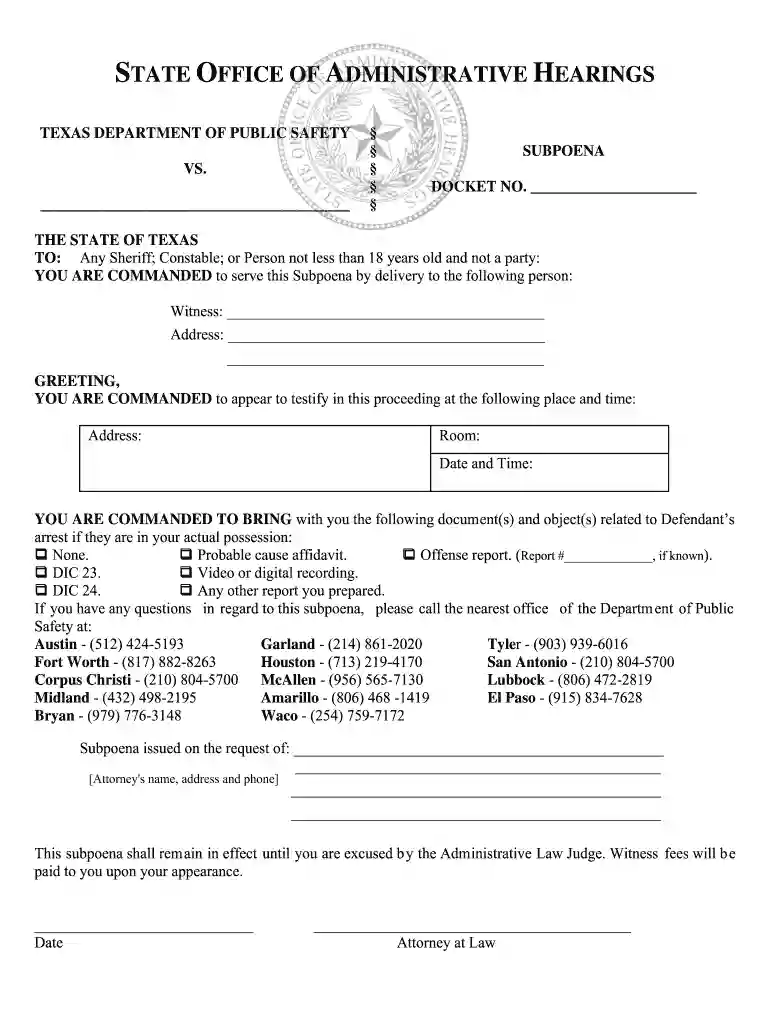
Type text, add images, blackout confidential details, add comments, highlights and more.

Draw your signature, type it, upload its image, or use your mobile device as a signature pad.

Send hearing texas via email, link, or fax. You can also download it, export it or print it out.

Start using our platform today to streamline your document editing and signing process for free!
At DocHub, your data security is our priority. We follow HIPAA, SOC2, GDPR, and other standards, so you can work on your documents with confidence.
(Also see 58 ALR Fed 719 Authority of District Court to order telephone company to assist law enforcement agents in tracing telephone calls, and MichiganRead more
(1) A subpoena may command a person to give testimony for an ALR hearing and/or produce designated documents or tangible things in the actual possession of thatRead more
This subpoena shall remain in effect until you are relieved by the Administrative Law Judge. Witness fees will be paid to you upon your appearance.Read more


