World vision registration online 2026

Get Form
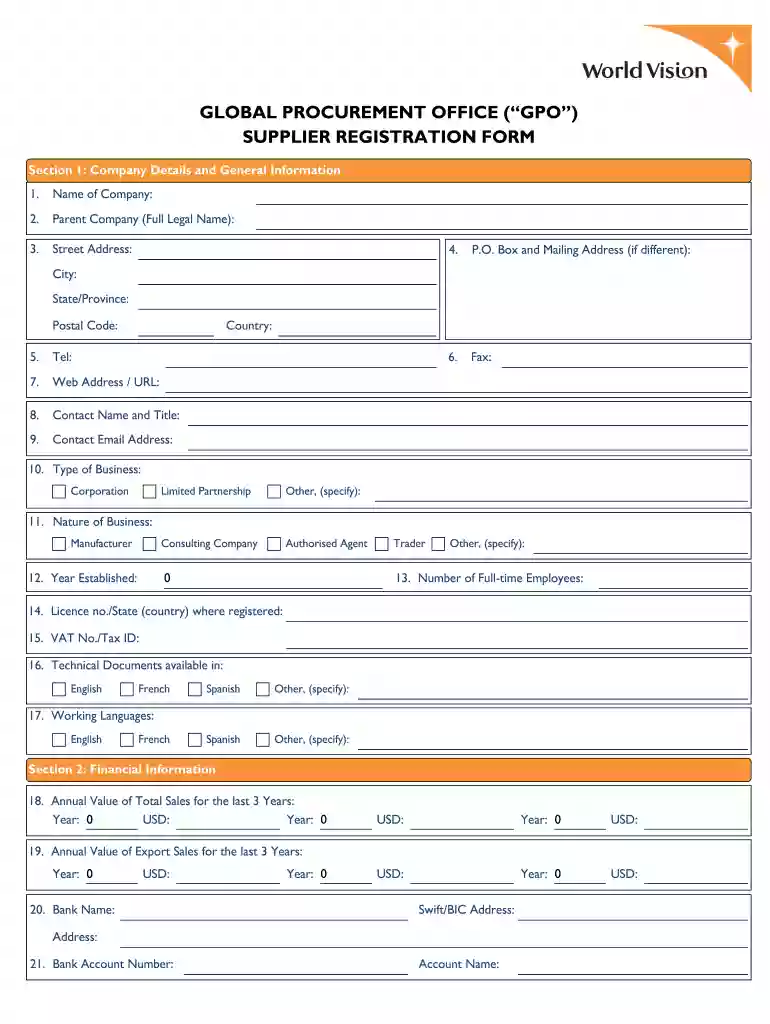
world vision application form pdf Preview on Page 1

Here's how it works

01. Edit your world vision application form pdf online
Type text, add images, blackout confidential details, add comments, highlights and more.

02. Sign it in a few clicks
Draw your signature, type it, upload its image, or use your mobile device as a signature pad.

03. Share your form with others
Send gpo forms for world vision via email, link, or fax. You can also download it, export it or print it out.

How to use or fill out world vision registration online with our platform

Form edit decoration
9.5
Ease of Setup
DocHub User Ratings on G2
9.0
Ease of Use
DocHub User Ratings on G2
  1. Click ‘Get Form’ to open the world vision registration online form in the editor.
  2. Begin by filling out Section 1: Company Details and General Information. Provide your company name, parent company name, address, contact details, and type of business. Ensure all fields are completed accurately.
  3. Move to Section 2: Financial Information. Enter your annual sales figures for the last three years and provide your bank details. If available, attach your most recent financial report.
  4. In Section 3: Technical Capability, indicate if you offer a secure ordering system and list any quality certifications. Describe up to five core goods/services offered.
  5. Complete Section 4: Experience by detailing recent contracts with international organizations and countries where you have exported goods or managed projects.
  6. Finally, review Section 5 for any disputes and certify that the information provided is correct before submitting the form electronically or by mail.

Start using our platform today to streamline your world vision registration process for free!

be ready to get more

Complete this form in 5 minutes or less

Get form

Got questions?

We have answers to the most popular questions from our customers. If you can't find an answer to your question, please contact us.
Contact us
You can find your account number on the top left side of your welcome letter!
If your bank has a sort code, please provide that information in the Comment box. NOTE: Please do not put space or any special characters or it will prompt an error. STEP 3: Submit your form. You MUST click Submit to send your information to World Vision. STEP 4: Approval.
Others Attributes A heart for vulnerable, marginalised communities and committed to the ministry of World Vision; Be highly networked and/or influential, and be able to help advance World Visions work in the country. Be of good reputation;
Sponsoring a Child with World Vision For $39 a month, youll help that child and other vulnerable children in their community to stand tall, free from poverty. Starting with the choice to choose you as their sponsor. Be chosen by a child.

Security and compliance

At DocHub, your data security is our priority. We follow HIPAA, SOC2, GDPR, and other standards, so you can work on your documents with confidence.

Learn more
ccpa2
pci-dss
gdpr-compliance
hipaa
soc-compliance
be ready to get more

Complete this form in 5 minutes or less

Get form