Rlau 2026

Get Form
rlau Preview on Page 1

Here's how it works

01. Edit your form online
Type text, add images, blackout confidential details, add comments, highlights and more.
02. Sign it in a few clicks
Draw your signature, type it, upload its image, or use your mobile device as a signature pad.
03. Share your form with others
Send it via email, link, or fax. You can also download it, export it or print it out.

How to use or fill out rlau with our platform

Form edit decoration
9.5
Ease of Setup
DocHub User Ratings on G2
9.0
Ease of Use
DocHub User Ratings on G2
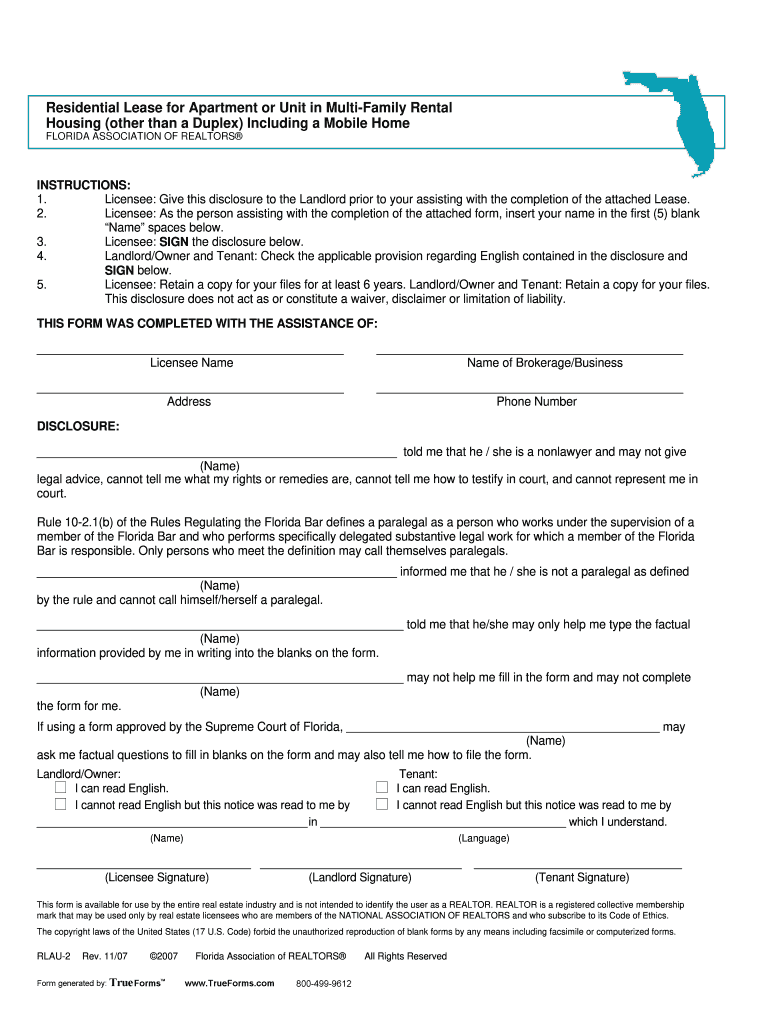
  1. Click 'Get Form' to open the Residential Lease for Apartment or Unit in the editor.
  2. Begin by filling in the 'Name' fields with your name as the Licensee, ensuring you complete all five blank spaces.
  3. Sign the disclosure section below your name to confirm your assistance in completing the lease.
  4. Landlord and Tenant should check the applicable provision regarding English comprehension and sign accordingly.
  5. Fill in details such as the lease term, property address, and rental payment amounts in their respective sections.
  6. Complete any additional provisions regarding deposits, maintenance responsibilities, and utilities as required.
  7. Review all entries for accuracy before saving or exporting your completed form for records.

Start using our platform today to streamline your document editing and signing process for free!

be ready to get more

Complete this form in 5 minutes or less

Get form

Got questions?

We have answers to the most popular questions from our customers. If you can't find an answer to your question, please contact us.
Contact us

Yes, and it’s really easy! DocHub is an online PDF editor with advanced document management functions that allow you rapidly modify your documents, fill out empty fields and drop new ones for other people to fill out, and create electronic signatures in several ways. Upload your rlau, give information as requested, and choose how you want to eSign your template - by typing your name, drawing your signature, uploading its image, or utilizing a QR code.

With a swift editing system like DocHub, you do not need anything but a web browser and connection to the internet to edit your rlau on the internet swiftly. Add your document or get the relevant form in DocHub’s catalog, open our editor with a single click, and finish it digitally. To edit your forms anytime, register a free account with DocHub.

Security and compliance

At DocHub, your data security is our priority. We follow HIPAA, SOC2, GDPR, and other standards, so you can work on your documents with confidence.

Learn more
ccpa2
pci-dss
gdpr-compliance
hipaa
soc-compliance
be ready to get more

Complete this form in 5 minutes or less

Get form