Type text, add images, blackout confidential details, add comments, highlights and more.
02. Sign it in a few clicks
Draw your signature, type it, upload its image, or use your mobile device as a signature pad.
03. Share your form with others
Send 8710 form via email, link, or fax. You can also download it, export it or print it out.
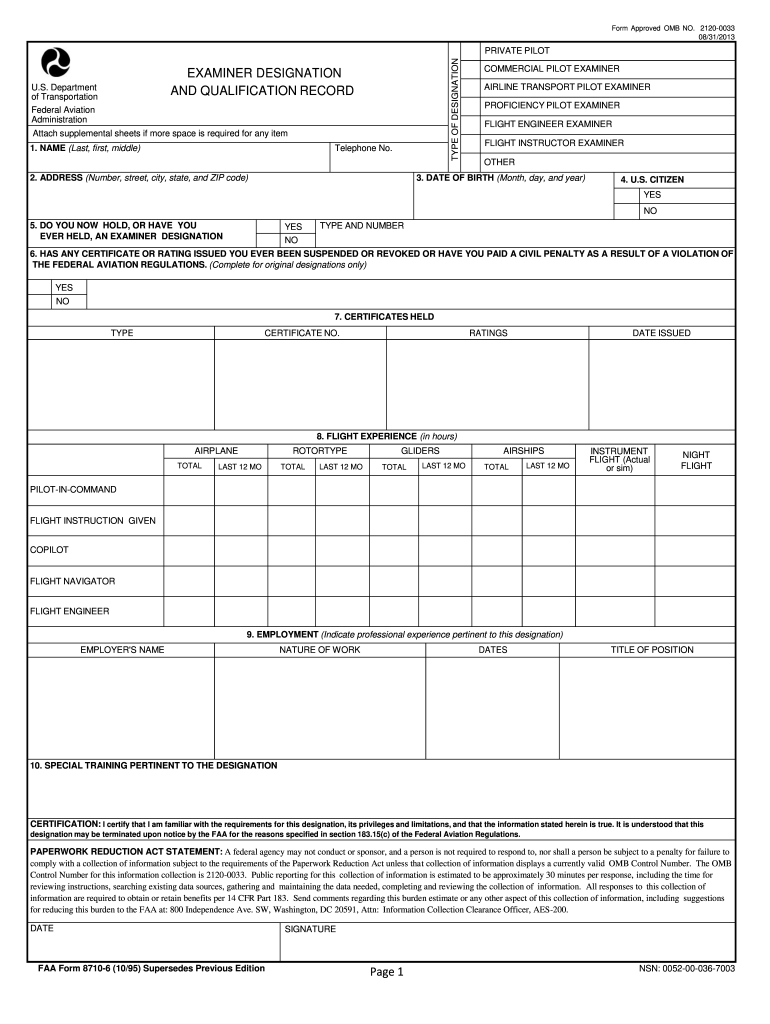
The best way to modify Faa form 8710 6 online
Ease of Setup
DocHub User Ratings on G2
Ease of Use
DocHub User Ratings on G2
With DocHub, making adjustments to your documentation takes only some simple clicks. Make these fast steps to modify the PDF Faa form 8710 6 online for free:
Sign up and log in to your account. Log in to the editor with your credentials or click on Create free account to test the tool’s capabilities.
Add the Faa form 8710 6 for editing. Click the New Document button above, then drag and drop the file to the upload area, import it from the cloud, or using a link.
Modify your template. Make any adjustments needed: add text and images to your Faa form 8710 6, underline details that matter, remove sections of content and replace them with new ones, and add symbols, checkmarks, and areas for filling out.
Finish redacting the template. Save the updated document on your device, export it to the cloud, print it right from the editor, or share it with all the people involved.
Our editor is very user-friendly and efficient. Try it now!
The information you submit on the attached FAA Form 8710-1, Airman Certificate and/or. Rating Application, will be used by the Administrator of the Federal Aviation Administration as. part of the basis for issuing an airman certificate, rating, or inspection authorization to you.
What is the purpose of the airman certification standards?
The Airmen Certification Standards, commonly known at the ACS are a series of documents that define how testing for pilot certificates and ratings is conducted. There are separate documents for the various certificates, ratings and categories of aircraft for which a pilot can be qualified.
What form is used for a pilot applying for a license?
Form FAA 8710-1 - Airman Certificate And/or Rating Application.
What is an 8710 form used for?
The information collected on this form is necessary to determine applicant eligibility for airman ratings.
What is the primary purpose of FAA Form 8130 6?
Authority: The authority for collecting this information on FAA Form 8130-6, Application for U.S. Airworthiness Certificate is contained in 49 U.S.C. 44103 as implemented by 14 CFR Part 21. Purpose: The purpose of this information is to evaluate an applicants eligibility for a U.S. Airworthiness Certificate.
SPORT PILOT Its the easiest and least restrictive license for pilots who want only light aircraft, at low altitudes in their local area! For this reason, its popular among new flyers because you can earn your wings without having any previous experience or coursework required before taking flight training classes.
What forms do you complete for a remote pilot certificate?
Step 4: Complete Form 8710-13 for a remote pilot certificate (FAA Airman Certificate and/or Rating Application) in IACRA . Sign the application electronically and submit for processing.
What is the FAA form for major alterations?
The person who performs or supervises a major repair or major alteration should prepare FAA Form 337. The form is executed at least in duplicate and is used to record major repairs and major alterations made to an aircraft, an airframe, powerplant, propeller, appliance, or spare part.
faa form 8710
FAA Form 8710-1, Airman Certificate and/or Rating
The information collected on this form is necessary to determine applicant eligibility for airman ratings. We estimate it will take 30.
(4) The applicant must complete and sign an Airman Certificate and/or Rating Application, FAA Form 8710-1, and present the application to a Flight Standards
This site uses cookies to enhance site navigation and personalize your experience.
By using this site you agree to our use of cookies as described in our Privacy Notice.
You can modify your selections by visiting our Cookie and Advertising Notice.... Read more...Read less