




Here's how it works

01. Edit your l t mutual fund empanelment online online
Type text, add images, blackout confidential details, add comments, highlights and more.

02. Sign it in a few clicks
Draw your signature, type it, upload its image, or use your mobile device as a signature pad.

03. Share your form with others
Send distributor empanelment online via email, link, or fax. You can also download it, export it or print it out.
How to use or fill out l t mutual fund online empanelment

- Click ‘Get Form’ to open the l t mutual fund online empanelment in our editor.
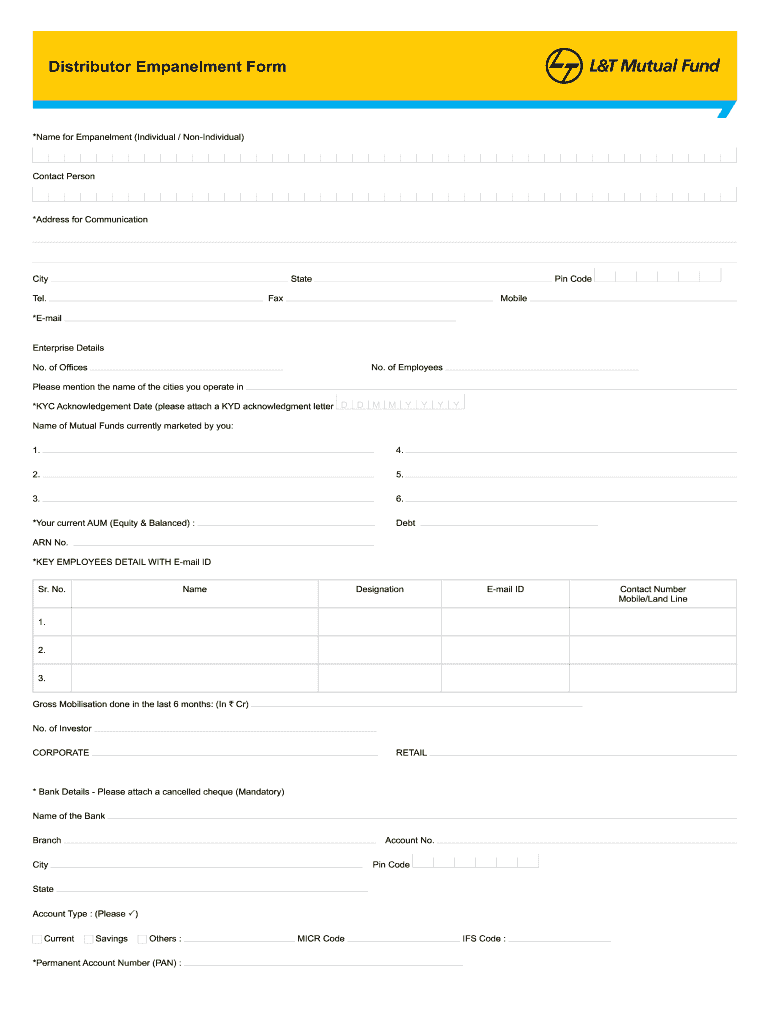
- Begin by filling in your name for empanelment, ensuring you specify whether you are an individual or non-individual. Provide a contact person’s details and address for communication.
- Complete the enterprise details section, including the number of employees and offices. List the cities where you operate.
- Attach the KYC acknowledgment letter and fill in the KYC Acknowledgement Date. Specify the mutual funds currently marketed by you.
- Provide your current Assets Under Management (AUM) for both equity and debt categories.
- List key employees' details along with their email IDs, and provide gross mobilization figures from the last six months.
- Fill in bank details, ensuring to attach a cancelled cheque as it is mandatory. Include your PAN number and other relevant banking information.
- If applicable, complete nomination details for brokerage commission, especially if a nominee is a minor.
- Review all entries for accuracy before signing the declaration at the end of the form.
Start using our platform today to streamline your l t mutual fund online empanelment process effortlessly!
Fill out l t mutual fund online empanelment online
It's free
It's free
Security and compliance
At DocHub, your data security is our priority. We follow HIPAA, SOC2, GDPR, and other standards, so you can work on your documents with confidence.
Learn more


