




Here's how it works
How to use or fill out Affidavit of Complaint for Unlawful Towing - Clark County Courts

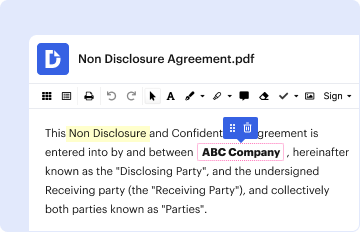
- Click ‘Get Form’ to open it in the editor.
- Begin by entering your name, address, city, state, ZIP code, and telephone number in the designated fields. This identifies you as the Plaintiff.
- In the section labeled 'Defendant', provide the name of the person or entity that authorized the towing of your vehicle.
- Fill in the date of towing and specify where your vehicle was towed from. Include all relevant details about your vehicle such as make, model, year, color, and license plate number.
- Clearly state your belief that the towing was unlawful and outline any demands made to the Defendant regarding outstanding fees.
- Request an order from the court by specifying what you seek: a finding of unlawful towing, payment for fees, and immediate release of your vehicle.
- Complete the declaration section by signing and dating it to affirm that all information provided is true.
Start using our platform today to easily complete your Affidavit of Complaint for Unlawful Towing!
It's free
Got questions?
How can I create an electronic signature in my Affidavit of Complaint for Unlawful Towing - Clark County Courts - clarkcountycourts on Android?
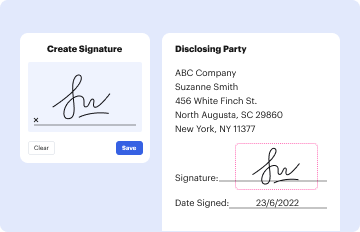
Approving paperwork on a mobile device is fast, straightforward, and doesn’t require software installation if you have an account with DocHub. Sign in from any browser, complete your blank fields with your data, and click on Sign → Create your signature. You can draw your electronic signature the same way you usually do on paper, add its picture to your Affidavit of Complaint for Unlawful Towing - Clark County Courts - clarkcountycourts, or type in your name and stylize its look. Whatever option you choose, your paperwork will be valid.
How do you complete Affidavit of Complaint for Unlawful Towing - Clark County Courts - clarkcountycourts on Android?
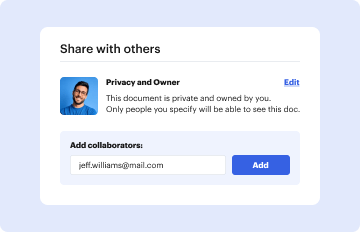
It is a no-brainer on a computer or via a mobile device to complete a Affidavit of Complaint for Unlawful Towing - Clark County Courts - clarkcountycourts with DocHub. All you need to do is open any installed internet browser on your smartphone and go to the DocHub website. Once authenticated, add your document and open it in editing mode. Use our toolbar to make your edits and save adjustments. Optionally, keep your file in your files or send it to a recipient immediately.
Security and compliance
At DocHub, your data security is our priority. We follow HIPAA, SOC2, GDPR, and other standards, so you can work on your documents with confidence.
Learn more


