




Here's how it works



How to use or fill out License Clerk - CT 304.724.4809 2013 License Application Fax ... with DocHub

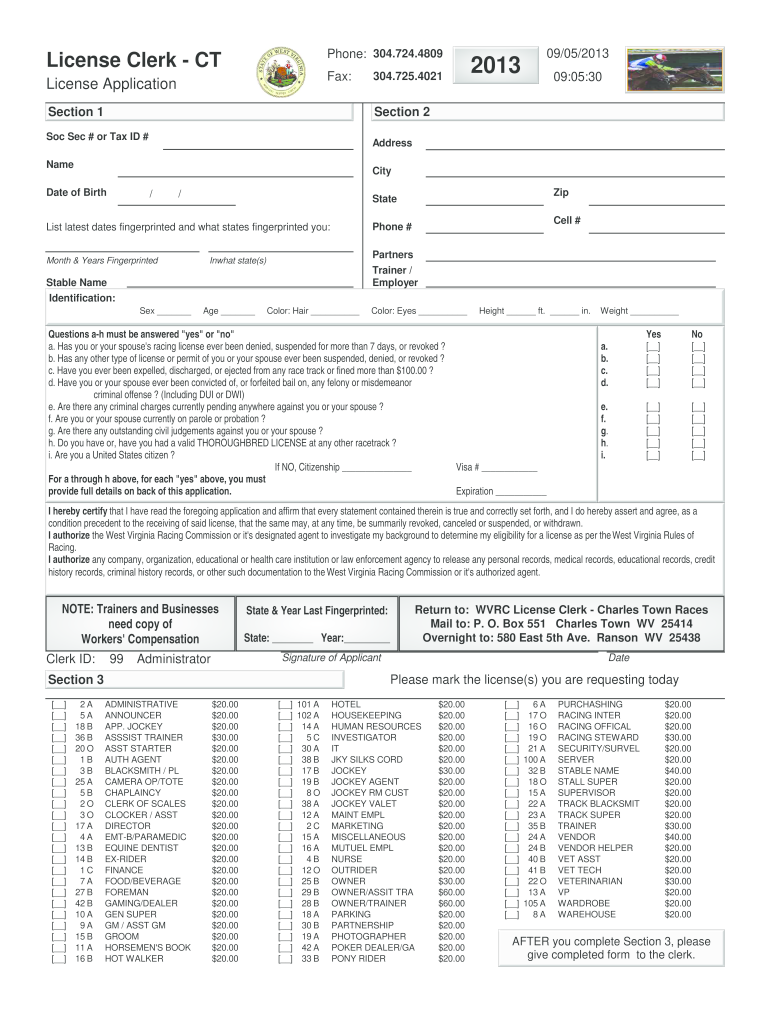
- Click ‘Get Form’ to open the License Clerk - CT 304.724.4809 2013 License Application in our editor.
- Begin by filling out Section 1, which includes your Social Security Number or Tax ID, Name, Date of Birth, Address, City, State, Zip Code, and Phone Number.
- In Section 2, mark the license(s) you are requesting today and list the latest dates you were fingerprinted along with the states where this occurred.
- Carefully read and complete the certification statement at the bottom of Section 2. Ensure that all information is accurate as it may affect your application.
- Answer questions a-h in Section 3 with 'yes' or 'no'. If any answers are 'yes', provide full details on the back of the application.
- Finally, sign and date the application before submitting it to ensure your application is processed smoothly.
Start using our platform today for free to streamline your document editing and form completion!
It's free
Got questions?
Can I sign my License Clerk - CT 304.724.4809 2013 License Application Fax ... on a mobile?
Sure, you’ll find many different apps for this on the web. Nevertheless, if you need to eSign your License Clerk - CT 304.724.4809 2013 License Application Fax ... without installing extra software, DocHub is the optimum choice you can make. This powerful editor works on mobile devices just as on desktops. Open our editor in any internet browser, register or sign in to your account, and start processing your forms.
Do I need to set up software to modify my License Clerk - CT 304.724.4809 2013 License Application Fax ...?
If you edit your License Clerk - CT 304.724.4809 2013 License Application Fax ... with DocHub, you only require a stable web connection and virtually any web browser installed on your device. No need to install any third-party applications or study tutorials. Simply open a tab with DocHub, drag and drop your file, and modify it immediately.
Security and compliance
At DocHub, your data security is our priority. We follow HIPAA, SOC2, GDPR, and other standards, so you can work on your documents with confidence.
Learn more




