
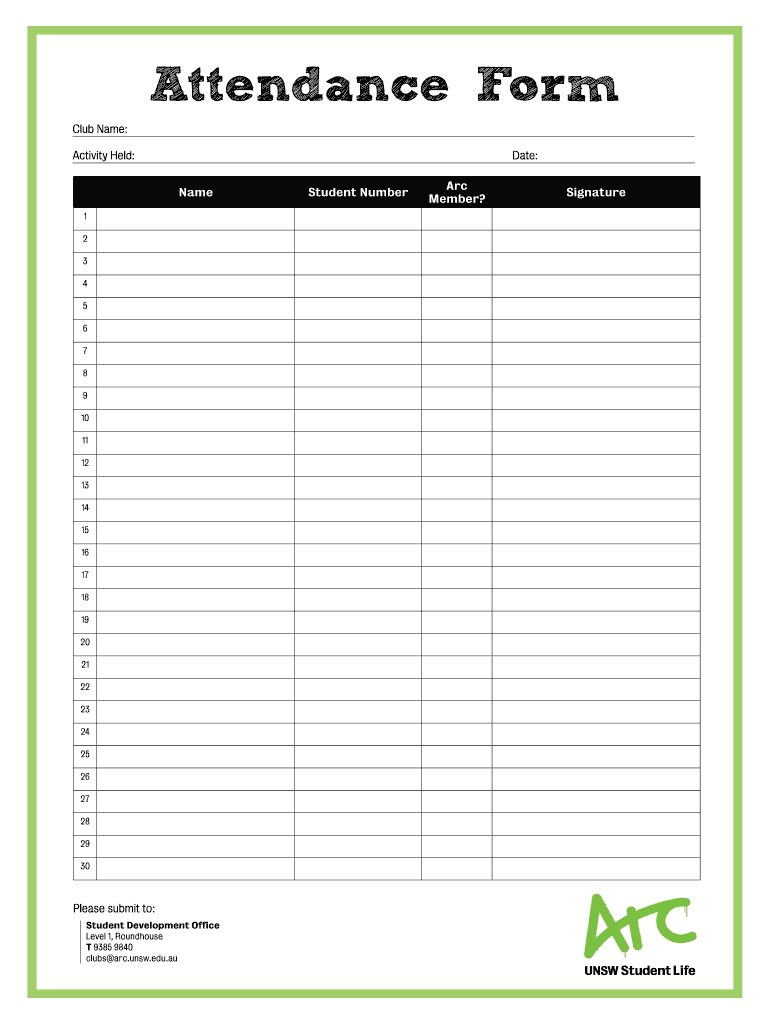







Definition & Meaning of Attendance Form
An attendance form is a document used to track the participation of individuals within a given event or activity. It collects vital information such as names, identification numbers, and signatures, serving as proof of attendance. Attendance forms can be utilized in various contexts, including educational institutions, corporate meetings, seminars, workshops, and clubs. By maintaining a record of who attended, organizations ensure accountability, create contact lists, and collect data for future analysis.
Key Components of an Attendance Form
- Participant Details: Typically includes fields for the name, student or employee number, and signature of attendees. This data helps verify individual participation.
- Event Information: The form usually lists details about the event being attended, such as date, time, location, and purpose. This context is crucial for record-keeping and future reference.
- Submission Instructions: Clear directions on where and how to submit the completed form ensure that attendees know their responsibilities upon completion.
Steps to Complete an Attendance Form
Completing an attendance form is straightforward, but attention to detail is essential. Here are the steps typically involved:
- Collect Information: Gather necessary details of each attendee, including name and identification.
- Fill in the Form: Each participant should write their information in the designated fields. It's important to ensure legibility to avoid confusion later.
- Sign the Form: Every attendee should sign the form to confirm their presence. This signature serves as an endorsement of their attendance.
- Submit the Form: Follow the submission instructions carefully, ensuring that the completed form is sent to the appropriate office or individual.
Example Scenario
In a club activity, for instance, the attendance form will include fields tailored to the club members. Each member fills in their information, signs, and submits it to the Student Development Office, helping the club keep track of who participated for future events.
Importance of Attendance Forms in Organizations
Attendance forms serve multiple purposes that enhance organizational effectiveness:
- Accountability: They ensure that individuals are held responsible for their presence, which is particularly significant in academic or workplace settings.
- Data Collection: Organizations can collect valuable data regarding attendance patterns that may inform future planning and resource allocation.
- Compliance: Many institutions require attendance documentation for legal or regulatory purposes. These forms may prove beneficial during audits or evaluations.
Practical Use Cases
- Educational Institutions: Schools often require attendance forms during lectures or extracurricular activities to manage student participation.
- Corporate Settings: Businesses might use attendance forms in meetings, workshops, or training sessions to gauge employee engagement and attendance trends.
Variants of Attendance Forms
Attendance forms can take various formats depending on the specific requirements or context in which they are used. Common variants include:
- Event-Specific Forms: Customized attendance forms designed for particular events, such as conferences or public seminars, may include additional fields such as session choice or feedback.
- Digital Attendance Forms: Many organizations now use electronic formats that permit real-time data collection and analysis. These forms often contain features for live updates and can be shared via email or platforms like Google Workspace.
- Fillable PDF Forms: These forms can be filled out electronically before printing, which streamlines the process and reduces paperwork.
Legal and Compliance Considerations for Attendance Forms
Using attendance forms correctly can have legal implications, particularly in educational or professional settings. Organizations must ensure:
- Privacy Compliance: Keep in mind regulations regarding personal data protection, especially when collecting sensitive information.
- Authentication: Verify signatures and participation to prevent fraudulent attendance records.
- Record Retention: Maintain forms for appropriate durations in compliance with legal or institutional policies. This practice can be useful during audits or legal inquiries.
Specific Requirements
The specifics may vary by state or institution; thus, organizations should refer to their guidelines when designing their forms or defining their policies related to attendance documentation.
Best Practices for Managing Attendance Forms
It is crucial to follow best practices to ensure smooth management of attendance forms:
- Design User-Friendly Forms: Ensure that forms are easy to understand and complete, with clearly labeled sections and straightforward language.
- Implement a Tracking System: Use existing software or create a database to organize and monitor submitted forms. Consider tracking submission dates and follow-up reminders for outstanding tasks.
- Provide Training: Educate staff or team leaders on how to properly complete and submit attendance forms to minimize errors and enhance data integrity.
Example of Integration
In a university setting, a specific attendance form for a course might integrate with an online learning management system (LMS) to automate record-keeping. This eliminates manual entry errors and ensures that attendance is accurately captured throughout the semester.
Conclusion
Attendance forms are essential tools for organizations across various sectors, facilitating effective tracking of participation and engagement. By understanding their significance and employing best practices for management, organizations can enhance accountability, collect valuable data, and maintain compliance with legal requirements.




