



Permission to work forms 2025

Get Form
student personal information form Preview on Page 1

Here's how it works

01. Edit your student personal information form online
Type text, add images, blackout confidential details, add comments, highlights and more.

02. Sign it in a few clicks
Draw your signature, type it, upload its image, or use your mobile device as a signature pad.

03. Share your form with others
Send it via email, link, or fax. You can also download it, export it or print it out.

How to use or fill out permission to work forms with our platform

Form edit decoration
9.5
Ease of Setup
DocHub User Ratings on G2
9.0
Ease of Use
DocHub User Ratings on G2
  1. Click ‘Get Form’ to open the permission to work form in the editor.
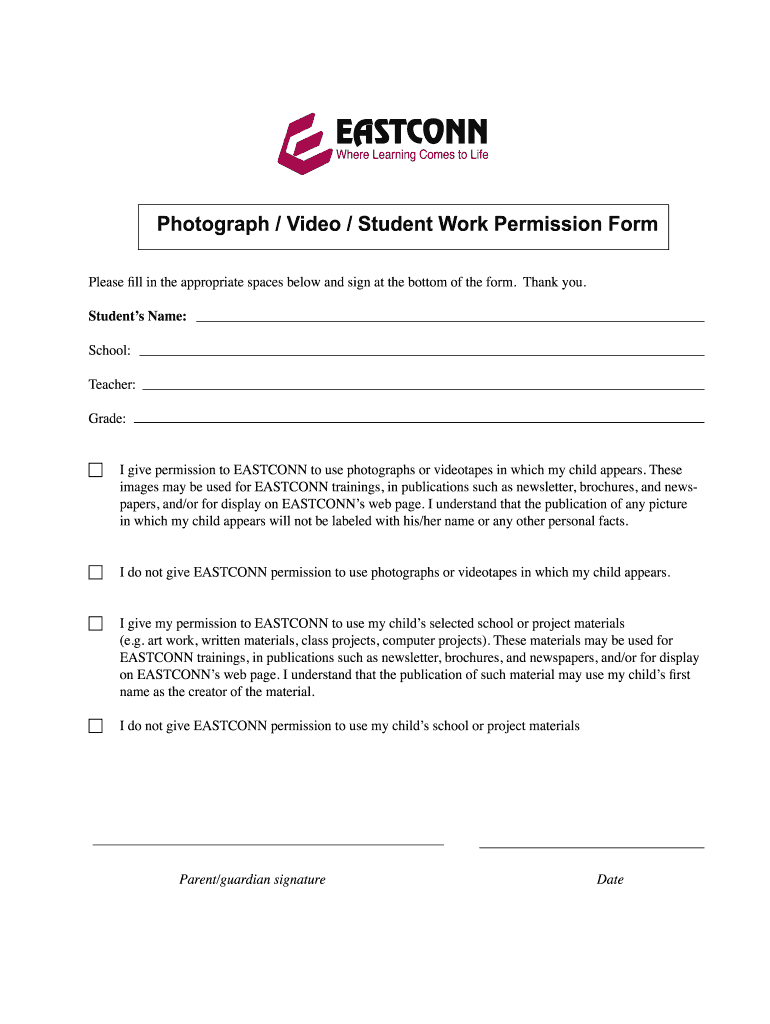
  2. Begin by entering the student’s name, school, teacher, and grade in the designated fields. Ensure all information is accurate for proper documentation.
  3. Review the permission sections carefully. Choose whether you give permission for EASTCONN to use photographs or videotapes of your child by checking the appropriate box.
  4. If you grant permission, understand that images will not be labeled with personal information. If you do not consent, check the corresponding box.
  5. Next, indicate if you allow EASTCONN to use your child’s selected school or project materials by checking the relevant box. Note that first names may be used in publications.
  6. Finally, sign and date the form at the bottom to complete your submission.

Start using our platform today for free to streamline your document editing and signing process!

be ready to get more

Complete this form in 5 minutes or less

Get form

Got questions?

We have answers to the most popular questions from our customers. If you can't find an answer to your question, please contact us.
Contact us
To be eligible to apply for an EAD, you must be: An application for adjustment of status to permanent resident. A spouse of an E1 treaty trader, E2 treaty investor or L1 intra-company transferee. A spouse or a child of a J1 exchange visitor. An F1 student seeking practical training directly related to the area of studies.
An individuals work authorization, or employment eligibility, refers to his or her legal right to work in the United States. U.S. citizens, born or naturalized, are always authorized to work in the United States, while foreign citizens may be authorized if they have an immigration status that allows them to work.
The difference between the W2 form and Form I-9 is that one is a tax form and the other is an eligibility verification form. There is no such thing as an I-9 tax form. Form I-9 is a form that verifies an employees eligibility to work in the country legally.
Documents that Establish Both Identity and Employment Authorization U.S. Passport or U.S. Passport Card. Permanent Resident Card or Alien Registration Receipt Card (Form I-551) Foreign passport that contains a temporary I-551 stamp or temporary I-551 printed notation on a machine-readable immigrant visa.
Employment and Wages Verification A paystub, payment statement, or tax form from last year that shows: A date within the 12 months before your claim. Your first name (or initial) and last name. At least the last four digits of your social security number (SSN) or your employee identification number.
be ready to get more

Complete this form in 5 minutes or less

Get form

People also ask

The U.S. Citizenship and Immigration Services is the first place to go for information, find their I-9 page at: . The actual I-9 form can found here in PDF format.
Whats the difference between Form I-765 and Form I-766? Form I-765 is the application you file to request work authorization. Form I-766 is the physical EAD card you receive if your application is approved.

Related links

