Type text, add images, blackout confidential details, add comments, highlights and more.
02. Sign it in a few clicks
Draw your signature, type it, upload its image, or use your mobile device as a signature pad.
03. Share your form with others
Send lcv certification ontario via email, link, or fax. You can also download it, export it or print it out.
How to use or fill out LCV Certificate with our platform
Ease of Setup
DocHub User Ratings on G2
Ease of Use
DocHub User Ratings on G2
Click ‘Get Form’ to open the LCV Certificate in the editor.
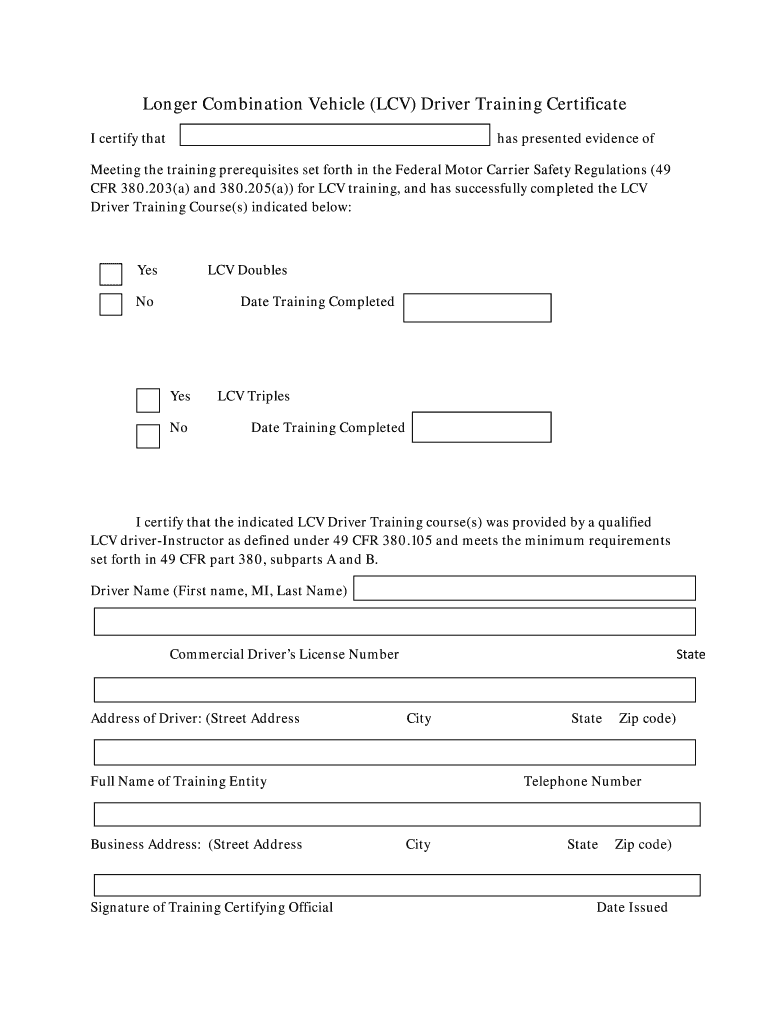
Begin by entering the driver's name in the designated field, ensuring you include their first name, middle initial, and last name.
Next, provide the driver's Commercial Driver’s License Number and address, including street address, city, state, and zip code.
Indicate whether the driver has completed training for LCV Doubles and/or Triples by selecting 'Yes' or 'No' and entering the respective training completion dates.
Fill in the full name of the training entity and its business address. Ensure all details are accurate for compliance.
Finally, have the Training Certifying Official sign in the provided space and enter their telephone number along with the date issued.
Start using our platform today to easily complete your LCV Certificate online for free!
(2) Allow, require, permit, or authorize an individual to operate an LCV which the LCV driver-training certificate, CDL, and CDL endorsement(s) do notRead more
6.2.8 Special Training for LCV and Entry-Level Drivers - CSA
Drivers who successfully complete the LCV training will be issued an LCV Driver-Training Certificate. A motor carrier is prohibited from allowing a driver toRead more
Cookie consent notice
This site uses cookies to enhance site navigation and personalize your experience.
By using this site you agree to our use of cookies as described in our Privacy Notice.
You can modify your selections by visiting our Cookie and Advertising Notice.