Type text, add images, blackout confidential details, add comments, highlights and more.
02. Sign it in a few clicks
Draw your signature, type it, upload its image, or use your mobile device as a signature pad.
03. Share your form with others
Send u4 reportable events statutory disqualification via email, link, or fax. You can also download it, export it or print it out.
How to use or fill out u4 form with our platform
Ease of Setup
DocHub User Ratings on G2
Ease of Use
DocHub User Ratings on G2
Click ‘Get Form’ to open the u4 form in the editor.
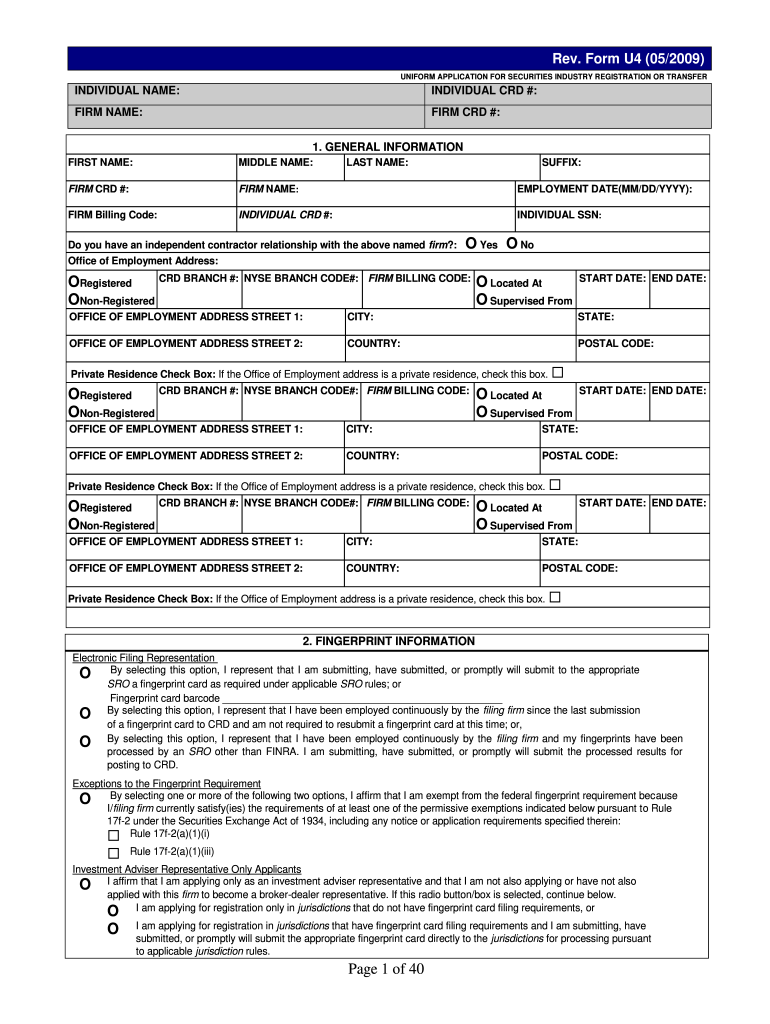
Begin by filling out the 'General Information' section. Enter your first name, middle name, last name, and individual CRD number. Ensure all details are accurate.
Proceed to the 'Employment History' section. List your employment for the past 10 years, including firm names and positions held. Be thorough and include any gaps in employment.
In the 'Disclosure Questions' section, answer all questions honestly. If you answer 'yes' to any question, be prepared to provide additional details on a Disclosure Reporting Page (DRP).
Review all sections for accuracy before submitting. Use our platform's features to save your progress and make edits as needed.
Start filling out your u4 form today for free using our platform!
I request a Temporary Registration in each jurisdiction and/or SRO requested on this Form U4, while my registration with the jurisdiction(s) and/orRead more
FINRA Registration Form U4. Book Title:Fundamentals of Broker-Dealer Regulation 2012. Format: Other Document Templates. Book Publication Date:Jun 2012.Read more
24-VAC Power Stage With Wide VIN Converter and Battery
The parasitic diodes of the P-FETs on U3 and U4 provide an initial ORing method to power up the comparator until one of the switches is closed. Figure 7. PowerRead more
Cookie consent notice
This site uses cookies to enhance site navigation and personalize your experience.
By using this site you agree to our use of cookies as described in our Privacy Notice.
You can modify your selections by visiting our Cookie and Advertising Notice.