Type text, add images, blackout confidential details, add comments, highlights and more.
02. Sign it in a few clicks
Draw your signature, type it, upload its image, or use your mobile device as a signature pad.
03. Share your form with others
Send ccmis via email, link, or fax. You can also download it, export it or print it out.
How to use or fill out 2015 OS Form - Commissioned Corps Management Information ... - dcp psc with DocHub
Ease of Setup
DocHub User Ratings on G2
Ease of Use
DocHub User Ratings on G2
Click ‘Get Form’ to open it in the editor.
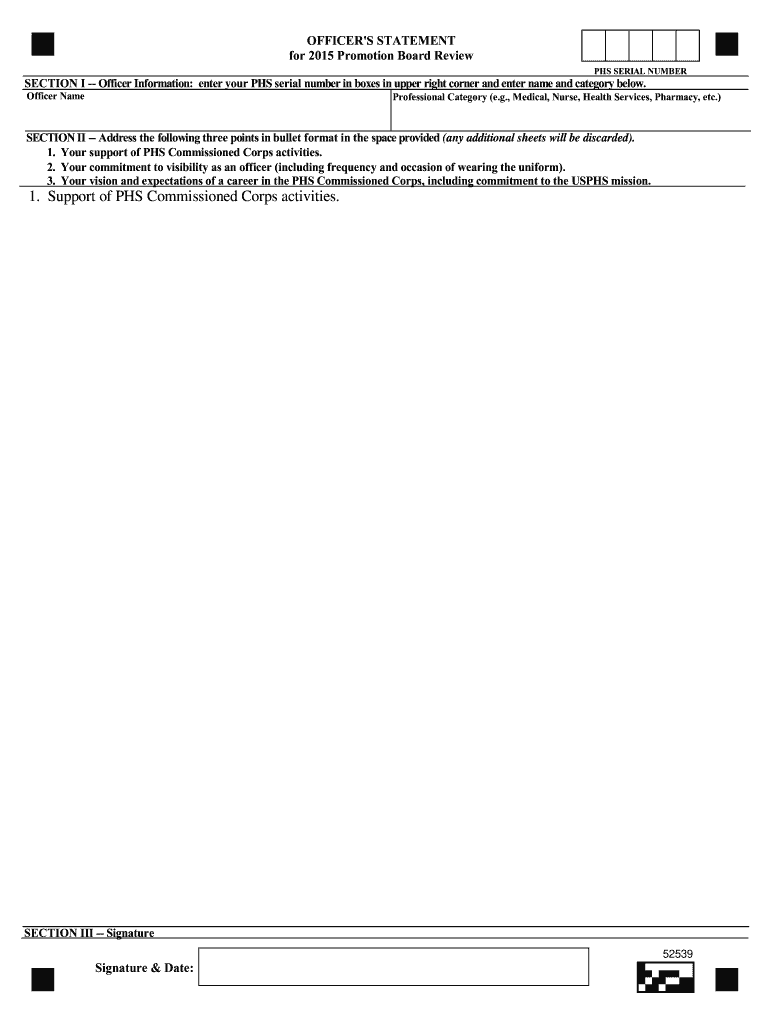
In SECTION I, enter your PHS serial number in the designated boxes at the upper right corner. Below that, fill in your Officer Name and Professional Category (e.g., Medical, Nurse, Health Services, Pharmacy).
Move to SECTION II and address the three required points in bullet format. Ensure you clearly articulate your support of PHS Commissioned Corps activities, commitment to visibility as an officer, and your vision for a career within the PHS Commissioned Corps.
Finally, navigate to SECTION III where you will provide your signature and date. Make sure this is completed before submitting the form.
Start using our platform today to effortlessly complete your forms online for free!
Fill out 2015 OS Form - Commissioned Corps Management Information ... - dcp psc online It's free
CCMISCommissioned Corps management information systemUnited States public Health Service Commissioned CorpsUSPHS ranks and payCommissioned Corps of the national oceanic and atmospheric administrationCommissioned Corps age limitCCMIS PortalCCMIS promotion
Security and compliance
At DocHub, your data security is our priority. We follow HIPAA, SOC2, GDPR, and other standards, so you can work on your documents with confidence.
Cookie consent notice
This site uses cookies to enhance site navigation and personalize your experience.
By using this site you agree to our use of cookies as described in our Privacy Notice.
You can modify your selections by visiting our Cookie and Advertising Notice.