




Here's how it works

01. Edit your vims ateneo online
Type text, add images, blackout confidential details, add comments, highlights and more.

02. Sign it in a few clicks
Draw your signature, type it, upload its image, or use your mobile device as a signature pad.

03. Share your form with others
Send ateneo vims via email, link, or fax. You can also download it, export it or print it out.
How to use or fill out vims ateneo edu with our platform

- Click ‘Get Form’ to open the vims ateneo edu application form in the editor.
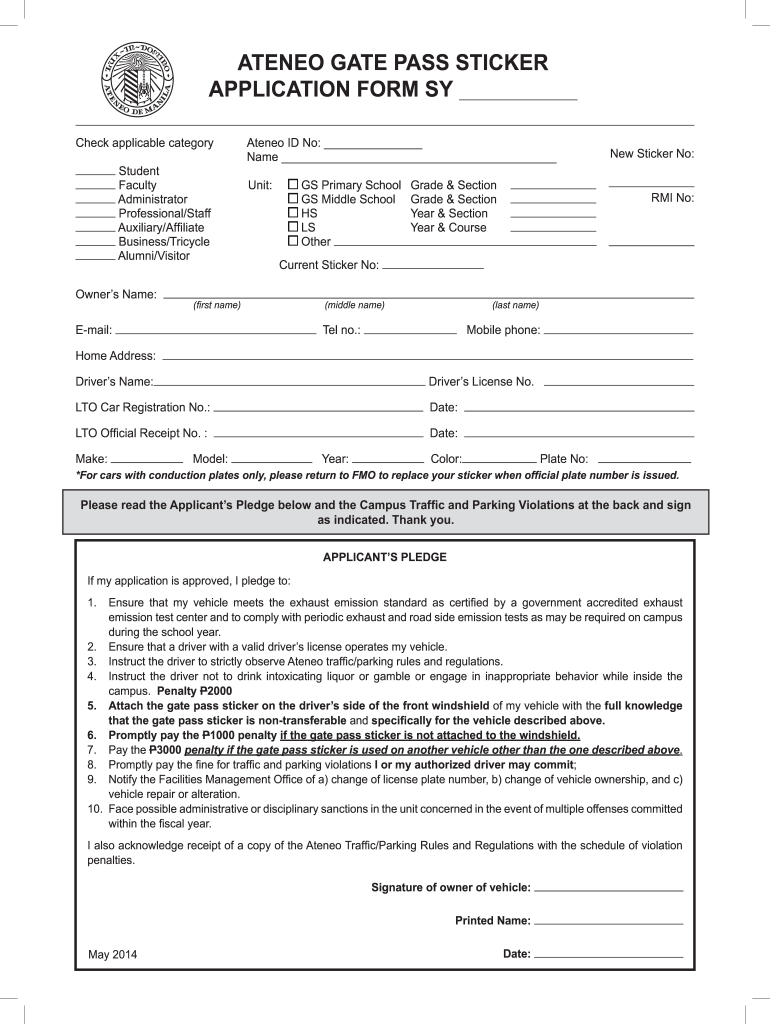
- Begin by selecting your applicable category from the options provided, such as Student, Faculty, or Alumni/Visitor.
- Fill in your personal details including Owner’s Name, Ateneo ID No., and contact information like email and phone number.
- Provide vehicle details: Make, Model, Year, Color, and Plate No. Ensure accuracy for a smooth approval process.
- Read through the Applicant’s Pledge carefully. This outlines your responsibilities regarding vehicle operation and compliance with campus rules.
- Sign the form where indicated to confirm your agreement with the terms outlined in the pledge.
- Finally, review all entered information for accuracy before submitting your application through our platform.
Start filling out your vims ateneo edu application today for free using our platform!
Fill out vims ateneo edu online
It's free
It's free
Security and compliance
At DocHub, your data security is our priority. We follow HIPAA, SOC2, GDPR, and other standards, so you can work on your documents with confidence.
Learn more




