




Here's how it works

01. Edit your form online
Type text, add images, blackout confidential details, add comments, highlights and more.

02. Sign it in a few clicks
Draw your signature, type it, upload its image, or use your mobile device as a signature pad.

03. Share your form with others
Send it via email, link, or fax. You can also download it, export it or print it out.
How to use or fill out Utah State Continuation with DocHub

- Click ‘Get Form’ to open the Utah State Continuation document in our editor.
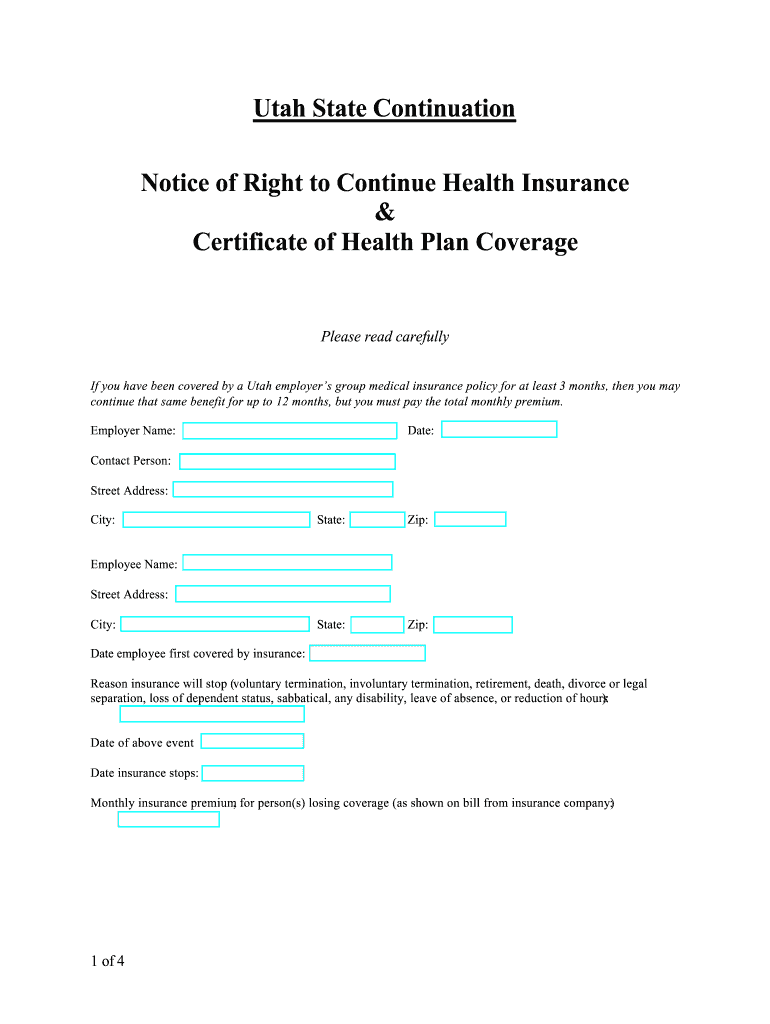
- Begin by filling in the 'Employer Name' and 'Date' fields at the top of the form. Ensure accuracy as this information is crucial for your records.
- Next, provide your personal details including 'Employee Name', 'Street Address', 'City', and the date you were first covered by insurance. This section helps establish your eligibility for continuation.
- In the 'Reason insurance will stop' field, select from options such as voluntary termination or retirement. Be specific to ensure proper processing of your request.
- Fill in the dates related to the qualifying event and when your insurance stops. This information is vital for determining your coverage timeline.
- Finally, indicate the monthly premium amount as shown on your bill from the insurance company. Make sure this matches what you have been informed about.
Start using our platform today to easily complete and manage your Utah State Continuation form for free!
Fill out Utah State Continuation online
It's free
It's free
Security and compliance
At DocHub, your data security is our priority. We follow HIPAA, SOC2, GDPR, and other standards, so you can work on your documents with confidence.
Learn more


