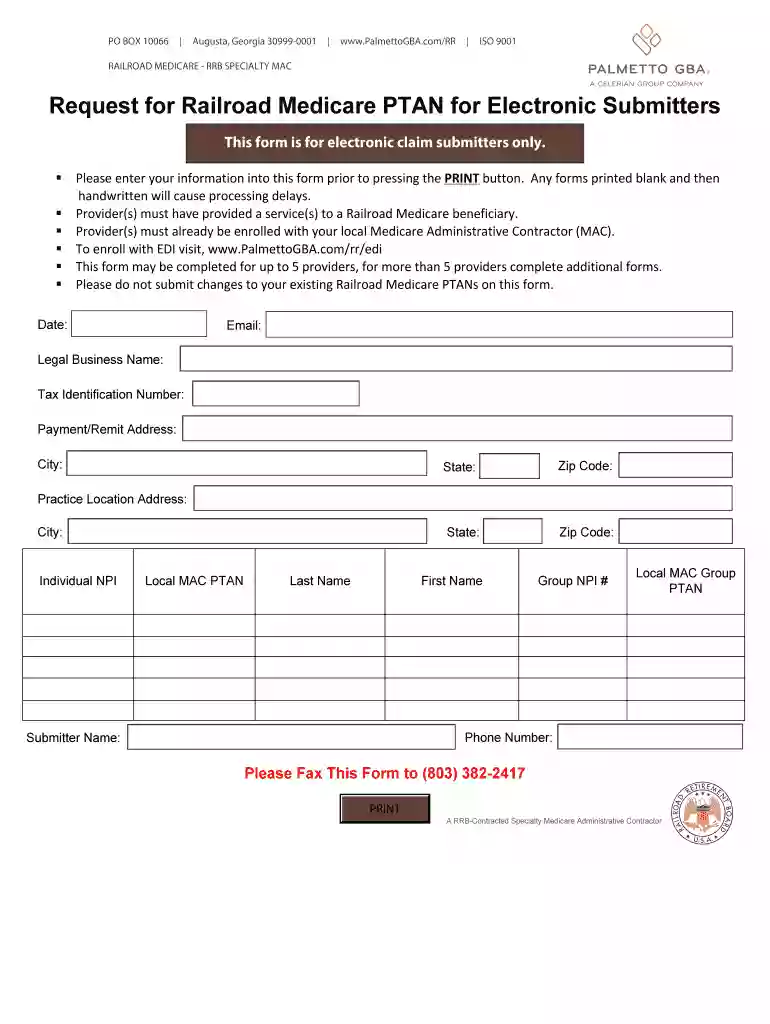
Request railroad ptan search 2025

Get Form
railroad medicare ptan lookup Preview on Page 1

Here's how it works

01. Edit your railroad medicare ptan lookup online
Type text, add images, blackout confidential details, add comments, highlights and more.

02. Sign it in a few clicks
Draw your signature, type it, upload its image, or use your mobile device as a signature pad.

03. Share your form with others
Send railroad ptan lookup via email, link, or fax. You can also download it, export it or print it out.

How to use or fill out request railroad ptan search with our platform

Form edit decoration
9.5
Ease of Setup
DocHub User Ratings on G2
9.0
Ease of Use
DocHub User Ratings on G2
  1. Click ‘Get Form’ to open it in the editor.
  2. Begin by entering the date at the top of the form. This is essential for processing your request.
  3. Fill in your email address to ensure you receive any correspondence regarding your application.
  4. Provide the Legal Business Name and Tax Identification Number (TIN) accurately, as these are critical for identification.
  5. Complete the Payment/Remit Address section, including City, State, and Zip Code. This information is necessary for billing purposes.
  6. Next, enter the Practice Location Address along with its City, State, and Zip Code.
  7. Input individual NPI and Local MAC PTAN details. If applicable, include Group NPI # and Local MAC Group PTAN as well.
  8. Finally, provide your phone number and submitter name before submitting the form electronically through our platform.

Start filling out your request railroad ptan search form today for free using our platform!

be ready to get more

Complete this form in 5 minutes or less

Get form

Got questions?

We have answers to the most popular questions from our customers. If you can't find an answer to your question, please contact us.
Contact us
You can lookup a National Provider ID (NPI) on the National Plan Provider Enumeration (NPPES) website by clicking Search NPI Registry.
Telephone Inquiries - If you would like to check the status of your Railroad Medicare Part B claim, you may call the Palmetto Interactive Voice Response (IVR) system toll-free at (800) 833-4455. From the main menu, press one 1 for claim status.
Locating Your PTAN Number Reference the notification letter sent by your MAC when your enrollment in Medicare was approved. Log in to the PECOS online portal. Click on the My Enrollments button, then View Enrollments. Locate the applicable enrollment and click on the View Medicare ID Report link.
The first step in becoming a Railroad Medicare provider is to request and receive a Railroad Medicare Provider Transaction Access Number (PTAN). You will need a separate PTAN for Railroad Medicare because we are a different jurisdiction from your local Part B Medicare Administrative Contractor (MAC).
be ready to get more

Complete this form in 5 minutes or less

Get form