8882455821 2026

Get Form
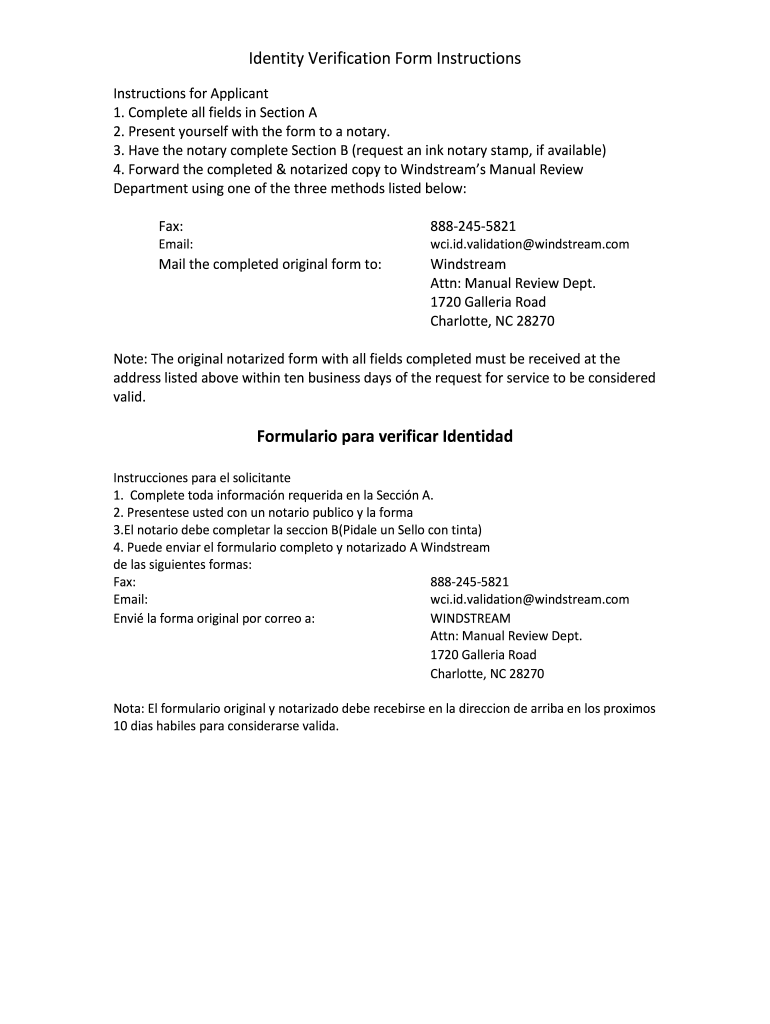
8882455821 Preview on Page 1

Here's how it works

01. Edit your form online
Type text, add images, blackout confidential details, add comments, highlights and more.
02. Sign it in a few clicks
Draw your signature, type it, upload its image, or use your mobile device as a signature pad.
03. Share your form with others
Send it via email, link, or fax. You can also download it, export it or print it out.

How to use or fill out 8882455821 with our platform

Form edit decoration
9.5
Ease of Setup
DocHub User Ratings on G2
9.0
Ease of Use
DocHub User Ratings on G2
  1. Click ‘Get Form’ to open the Identity Verification Form in the editor.
  2. In Section A, fill in your personal information, including your name, service address, and contact number. Ensure all fields are completed accurately.
  3. Once Section A is complete, present yourself with the form to a notary public for verification.
  4. Have the notary complete Section B of the form. Request an ink notary stamp if available to ensure authenticity.
  5. After notarization, you can forward the completed form via fax at 888-245-5821, email it to wci.id.validation@windstream.com, or mail it to Windstream’s Manual Review Department at the provided address.

Start using our platform today for free and streamline your document completion process!

be ready to get more

Complete this form in 5 minutes or less

Get form

Got questions?

We have answers to the most popular questions from our customers. If you can't find an answer to your question, please contact us.
Contact us

Electronic document approval requires a software solution that complies with data security and eSignature laws. DocHub is a great tool for that, since it meets all the previously mentioned requirements. Whatever method you prefer to sign your 8882455821 in DocHub, your electronic signature will be legally binding and court-admissible.

If you want to edit your 8882455821 online swiftly, it does not matter what web browser you use. DocHub’s straightforward editing tools are available using any internet browser. Simply open the appropriate tab within our editor, add your document, and fill it out without stress.

Security and compliance

At DocHub, your data security is our priority. We follow HIPAA, SOC2, GDPR, and other standards, so you can work on your documents with confidence.

Learn more
ccpa2
pci-dss
gdpr-compliance
hipaa
soc-compliance
be ready to get more

Complete this form in 5 minutes or less

Get form