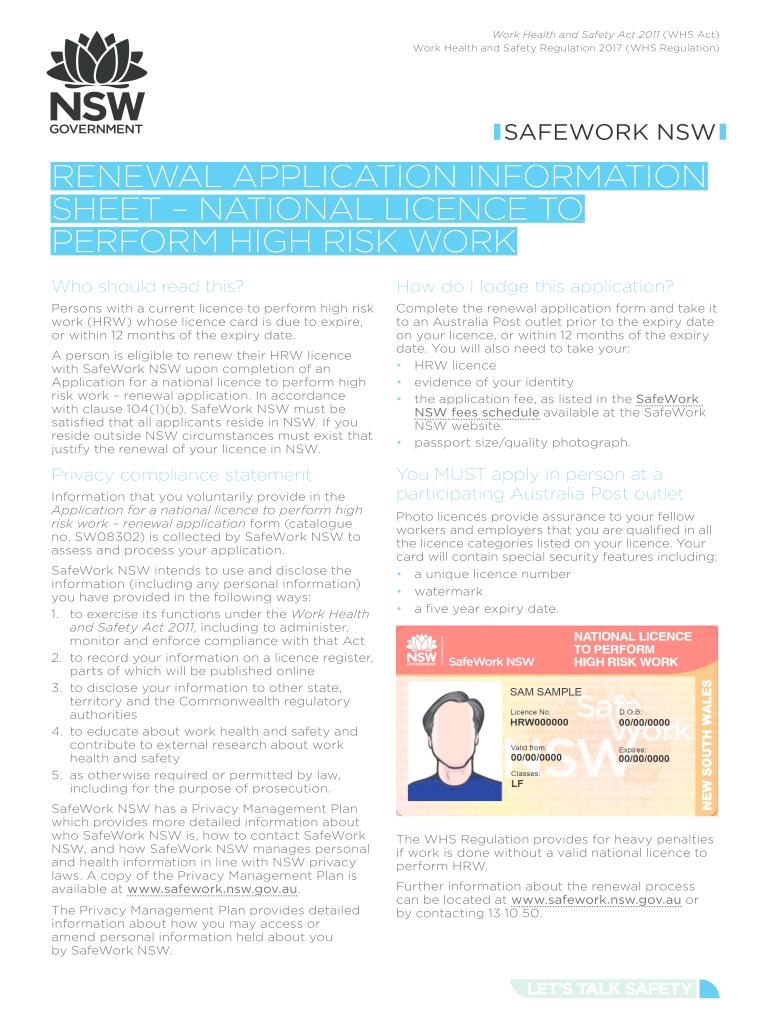
Catalogue no sw08302 2026

Get Form
catalogue no sw08302 Preview on Page 1

Here's how it works

01. Edit your form online
Type text, add images, blackout confidential details, add comments, highlights and more.
02. Sign it in a few clicks
Draw your signature, type it, upload its image, or use your mobile device as a signature pad.
03. Share your form with others
Send it via email, link, or fax. You can also download it, export it or print it out.

How to use or fill out catalogue no sw08302 with our platform

Form edit decoration
9.5
Ease of Setup
DocHub User Ratings on G2
9.0
Ease of Use
DocHub User Ratings on G2
  1. Click ‘Get Form’ to open the catalogue no sw08302 in the editor.
  2. Begin by filling out Section A, 'Details of Applicant'. Use BLOCK LETTERS and a black pen. Ensure you provide your current name, title, sex, email address, and date of birth accurately.
  3. Proceed to Section B, 'Current Address of Applicant'. Enter your residential address (must be a NSW address), including unit number, street name, suburb, and postcode. If your postal address differs, fill that in as well.
  4. Review all pre-filled information for accuracy. If any details are incorrect or if you have changed your name or residence, contact SafeWork NSW before signing.
  5. Once completed, ensure not to sign the form until you are in front of an Australia Post Customer Service Officer. Prepare your evidence of identity documents and application fee as outlined in the checklist.

Start using our platform today to streamline your application process for free!

be ready to get more

Complete this form in 5 minutes or less

Get form

Got questions?

We have answers to the most popular questions from our customers. If you can't find an answer to your question, please contact us.
Contact us

With DocHub, it’s pretty simple. The service offers users an add-on called DocHub for Gmail, which you can locate in the Google Workspace Marketplace free of charge. Install it and give it access to your Google account. Open your email with your catalogue no sw08302 attached and click on the add-on button in the right-side panel. Sign in to your DocHub account, and upload the file to our editor, where you can fill it out and sign.

You can complete and sign your catalogue no sw08302 online, even on a tight deadline. All you need to access high quality editing tools on any device is a DocHub profile, that you can sign up in a few moments. After you register, upload your document or find what you are looking for in our catalog, complete it using the editing tools you need, and place your electronic signature on it at the end.

A catalogue number (British English) or catalog number (American English) may refer to: Any number used to identify an item in a catalog (disambiguation), including: Accession number (disambiguation), in libraries and museums.
You dont have to apply to any organisation to get a catalogue number, you can make this up, it entirely up to you what you use. Generally for Vinyl records and CD pressings a catalogue number will consist of a few letters to describe the record label, and every release will have a particular number assigned to it .
How to verify the catalog version number From the local browser, right-click catalog name. Dialog box for manufacturer information will display the catalog version number. Note: for the Cloud browser the catalog version is shown to the right of the listed catalog name. Related articles. Installing a manufacturer catalog.

Security and compliance

At DocHub, your data security is our priority. We follow HIPAA, SOC2, GDPR, and other standards, so you can work on your documents with confidence.

Learn more
ccpa2
pci-dss
gdpr-compliance
hipaa
soc-compliance

People also ask

An example of a catalog number can be the three first letters of your labels name and add the release number to it, like LAB001.
On the record label, the catalogue number is often located near the centre of the label, while on the record sleeve, it may be printed along the spine or on the back cover.