Springfield veterinary sitter notes 2026

Get Form
springfield veterinary sitter notes Preview on Page 1

Here's how it works

01. Edit your form online
Type text, add images, blackout confidential details, add comments, highlights and more.
02. Sign it in a few clicks
Draw your signature, type it, upload its image, or use your mobile device as a signature pad.
03. Share your form with others
Send it via email, link, or fax. You can also download it, export it or print it out.

How to use or fill out springfield veterinary sitter notes with our platform

Form edit decoration
9.5
Ease of Setup
DocHub User Ratings on G2
9.0
Ease of Use
DocHub User Ratings on G2
  1. Click ‘Get Form’ to open the springfield veterinary sitter notes in the editor.
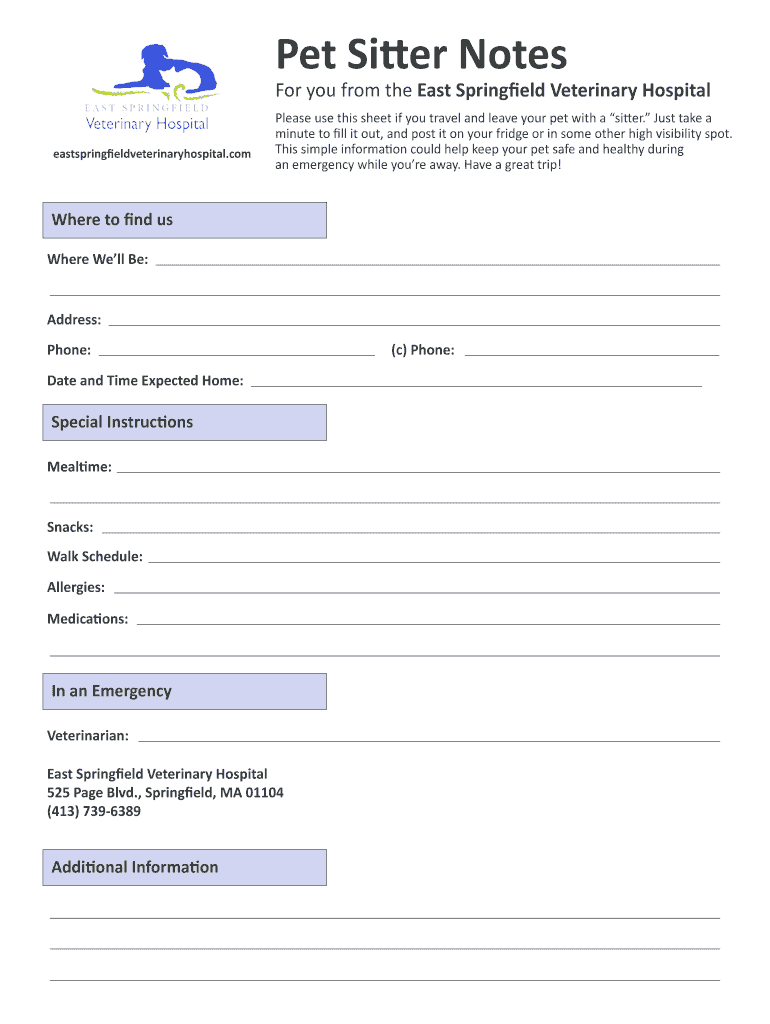
  2. Begin by filling in your contact information under 'Where to find us.' Include your address, phone number, and the date and time you expect to return home.
  3. In the 'Special Instructions' section, provide details about your pet's mealtime, snacks, walk schedule, any allergies they may have, and medications they need. This ensures the sitter has all necessary information for your pet's care.
  4. For emergencies, list your veterinarian’s name and contact information. Make sure to include East Springfield Veterinary Hospital’s address and phone number for quick access.
  5. Review all entered information for accuracy. Once satisfied, save your document and print it out or share it digitally with your pet sitter.

Start using our platform today to easily fill out and manage your springfield veterinary sitter notes for free!

be ready to get more

Complete this form in 5 minutes or less

Get form

Got questions?

We have answers to the most popular questions from our customers. If you can't find an answer to your question, please contact us.
Contact us

Sign in to your DocHub account and add your springfield veterinary sitter notes to our editor using one of its upload methods - from your device, cloud storage, protected URL, or your DocHub folders if you have already managed your document before. Open our editor, click the Sign button in the upper toolbar, and decide on your signing method. You can use an image of your handwritten signature, draw it, enter your name, or use a QR code instead.

Document editing with DocHub is equally convenient on desktop and mobile devices. You only need an internet browser to revise your springfield veterinary sitter notes on Android. Open our site and sign in to access the tools you need. Add your file and introduce your intended changes. After that, you can keep your form in your file storage or send it out right away.

Security and compliance

At DocHub, your data security is our priority. We follow HIPAA, SOC2, GDPR, and other standards, so you can work on your documents with confidence.

Learn more
ccpa2
pci-dss
gdpr-compliance
hipaa
soc-compliance