Type text, add images, blackout confidential details, add comments, highlights and more.
02. Sign it in a few clicks
Draw your signature, type it, upload its image, or use your mobile device as a signature pad.
03. Share your form with others
Send e13 form via email, link, or fax. You can also download it, export it or print it out.
How to use or fill out Photo Kit (Form E13) - transport wa gov
Ease of Setup
DocHub User Ratings on G2
Ease of Use
DocHub User Ratings on G2
Click ‘Get Form’ to open it in the editor.
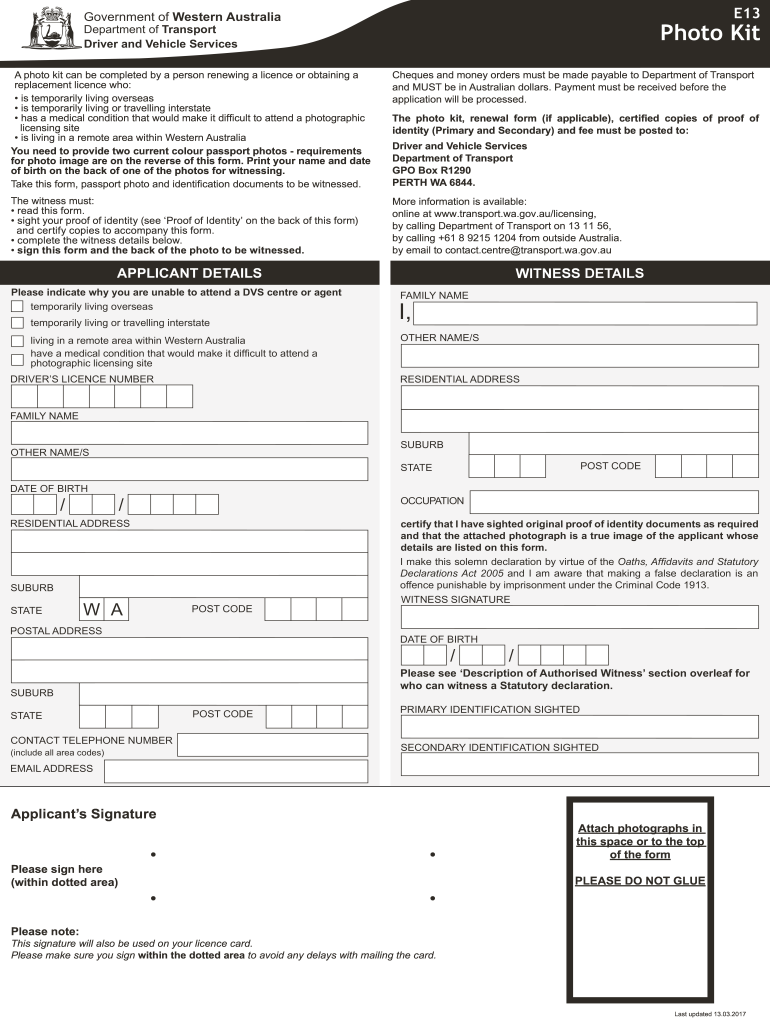
Begin by filling out the 'Applicant Details' section. Indicate your reason for not attending a DVS center, such as living overseas or having a medical condition.
Provide your Driver’s Licence Number and ensure all personal details are accurate.
In the 'Witness Details' section, have your authorized witness complete their information, including their name, address, and occupation.
Attach two current passport-sized photographs as per the specified requirements. Ensure one photo has your name and date of birth written on the back.
Submit certified copies of your identification documents as required. Make sure these are sighted and signed by your witness.
Finally, review all sections for completeness before submitting the form along with payment to the Department of Transport.
Start using our platform today to fill out Photo Kit (Form E13) easily and for free!
Fill out Photo Kit (Form E13). Photo Kit (Form E13) - transport wa gov online It's free
Photo kit form VicRoadsPhoto ID card WA Post OfficeWA Photo Card application formPhoto kit VicRoadsDrivers licence photo WAWA Photo card change of addressDrivers licence photo renewal WADrivers licence photo point locations WA
Security and compliance
At DocHub, your data security is our priority. We follow HIPAA, SOC2, GDPR, and other standards, so you can work on your documents with confidence.
development of an index of landscape development intensity for
by MB VIVAS 2007 Cited by 9 LIST OF ACRONYMS. ANOVA. Analysis of variance. BASINS. Better Assessment Science Integrating Point and Nonpoint Sources. CWA. Clean Water Act.Read more
High Performance Public Green Buildings - Washington State
EXECUTIVE SUMMARY. At the direction of the 2005 Legislature, the Department of Enterprise Services (DES) has prepared and submitted four biennial reports to
Cookie consent notice
This site uses cookies to enhance site navigation and personalize your experience.
By using this site you agree to our use of cookies as described in our Privacy Notice.
You can modify your selections by visiting our Cookie and Advertising Notice.