




Here's how it works



How to use or fill out beer line cleaning log sheet with our platform

- Click ‘Get Form’ to open the beer line cleaning log sheet in the editor.
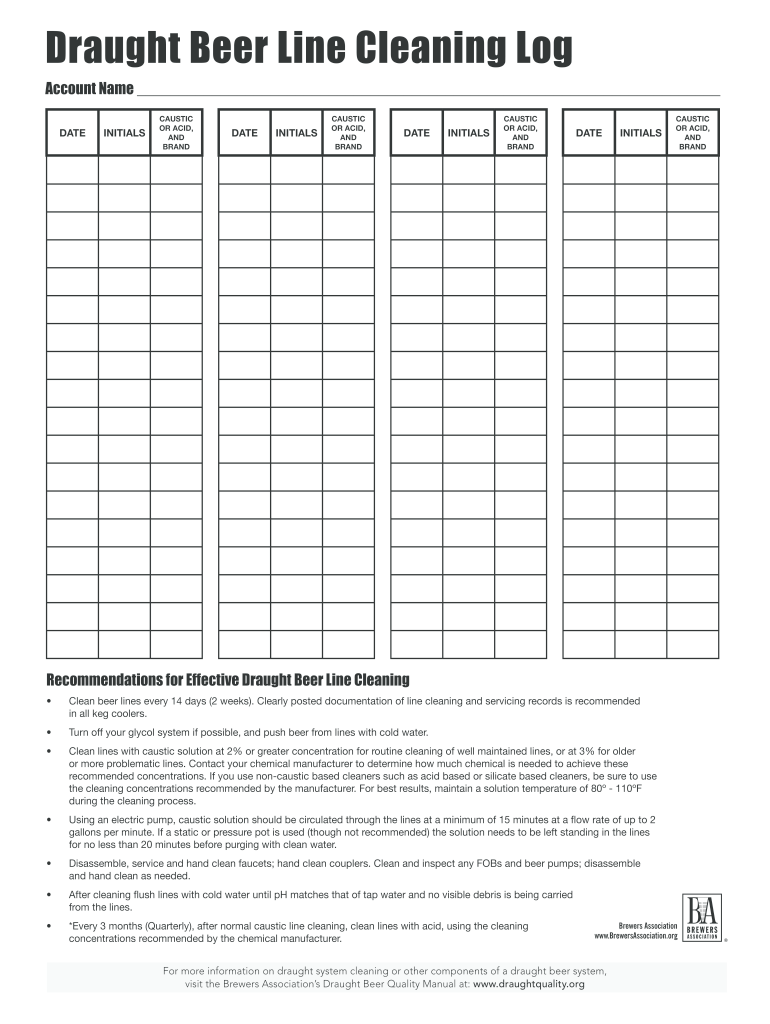
- Begin by entering your account name at the top of the form. This identifies which establishment is maintaining the beer lines.
- For each cleaning entry, fill in the date and your initials. This ensures accountability and tracking of maintenance activities.
- In the 'Caustic or Acid, and Brand' section, specify the type of cleaning solution used along with its brand. This is crucial for compliance and safety.
- Repeat steps 3 and 4 for each cleaning session as needed, ensuring all entries are accurate and up-to-date.
- Review your entries for completeness before saving or exporting the document for records.
Start using our platform today to streamline your beer line cleaning documentation for free!
It's free
Got questions?
Can I complete and sign my beer line cleaning log online?
Sure, and it’s really straightforward! DocHub is an online PDF editor with advanced document management features that allow you rapidly modify your forms, fill out blank fields and drop new ones for other people to fill out, and create eSignatures in several ways. Import your beer line cleaning log, give information as required, and select how you want to eSign your document - by typing your name, drawing your signature, uploading its image, or using a QR code.
How do you complete line cleaning log online?
You can complete and eSign your line cleaning log online, even on a tight deadline. All you need to access high quality editing tools on any device is a DocHub profile, that you can register within a couple of moments. After you register, add your file or find what you are looking for in our catalog, complete it utilizing the editing tools you need, and put your electronic signature on it at the end.
What can I clean my beer lines with?
When should you clean beer lines?
How do you clean a bar line?
Security and compliance
At DocHub, your data security is our priority. We follow HIPAA, SOC2, GDPR, and other standards, so you can work on your documents with confidence.
Learn more


