Real estate cover sheet 2026

Get Form
real estate deal sheet template Preview on Page 1

Here's how it works

01. Edit your real estate deal sheet template online
Type text, add images, blackout confidential details, add comments, highlights and more.
02. Sign it in a few clicks
Draw your signature, type it, upload its image, or use your mobile device as a signature pad.
03. Share your form with others
Send deal sheet template via email, link, or fax. You can also download it, export it or print it out.

How to use or fill out real estate cover sheet with our platform

Form edit decoration
9.5
Ease of Setup
DocHub User Ratings on G2
9.0
Ease of Use
DocHub User Ratings on G2
  1. Click ‘Get Form’ to open the real estate cover sheet in the editor.
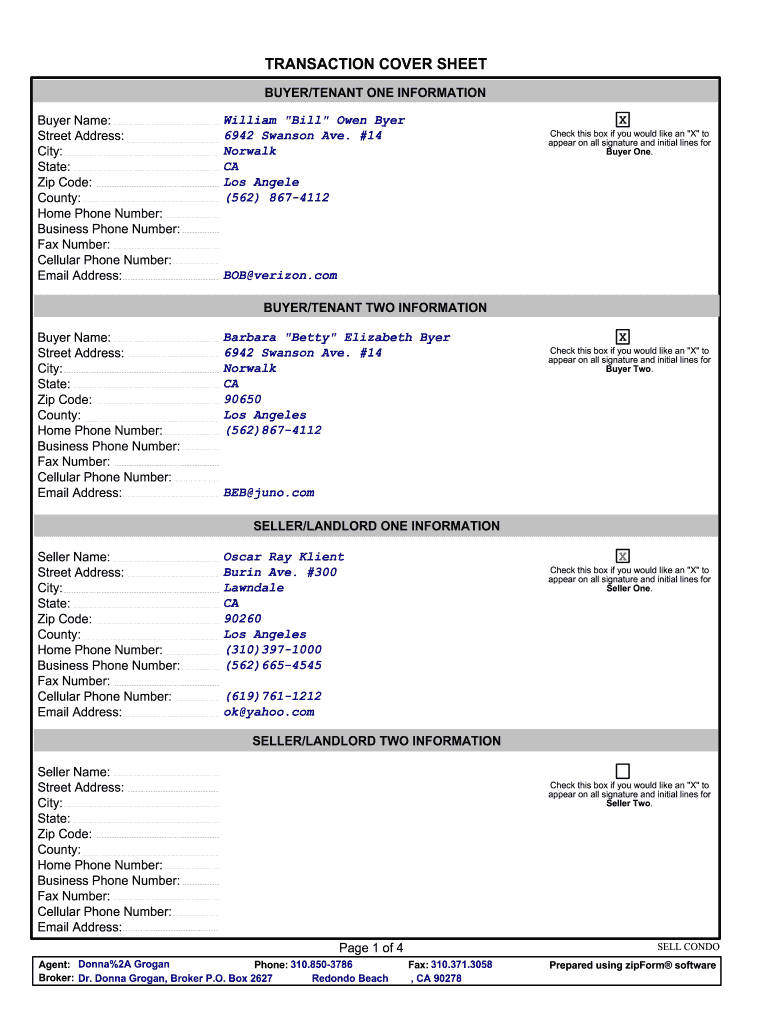
  2. Begin by filling out the 'Buyer/Tenant One Information' section. Enter the buyer's name, address, contact numbers, and email. If desired, check the box for an 'X' on signature lines.
  3. Proceed to 'Buyer/Tenant Two Information' and repeat the process for the second buyer. Ensure all details are accurate.
  4. Next, complete the 'Seller/Landlord Information' sections for both sellers, providing their respective details as you did for buyers.
  5. Fill in the 'Property Information' section with specifics like MLS number, street address, legal description, and financial details such as listing price and mortgage balances.
  6. Continue through sections for escrow information, broker details, lender information, appraisal information, pest control data, disclosure information, home warranty protection details, and homeowners association info as applicable.

Start using our platform today to streamline your real estate transactions effortlessly!

be ready to get more

Complete this form in 5 minutes or less

Get form

Got questions?

We have answers to the most popular questions from our customers. If you can't find an answer to your question, please contact us.
Contact us

Electronic document signing demands a software solution that complies with data protection and eSignature regulations. DocHub is a perfect tool for that, as it meets all the above mentioned requirements. Whatever method you prefer to sign your real estate deal sheet in DocHub, your eSignature will be legally binding and court-admissible.

With DocHub, you have several convenient methods to edit your deal sheet real estate online. You can drag and drop the form and modify it straight at the DocHub website or use our browser extension to fill out your form immediately. On top of that, you can modify your PDF on your smartphone, as DocHub is compatible with all the accessible mobile platforms.

What should a cover letter include? Information about the applicant. A bit about their hobbies. Working background and other personal information. Tenants should also explain why they're moving and why they like the property, making sure to include the actual address of the property.
1. COVER SHEET \u2013 COMPLETELY FILLED OUT AND SIGNED BY BUYERS AGENT. 2. FAR-BAR AS-IS CONTRACT WITH ALL ADDENDA.
Dear [Mention the name], I am writing this letter to express my deep interest in applying for the[Mention the name of the job] within [Mention the name], Which has been advertised on Indeed.com as I am certain the combination of my career history and developed skills set makes me an ideal candidate for the role.

Security and compliance

At DocHub, your data security is our priority. We follow HIPAA, SOC2, GDPR, and other standards, so you can work on your documents with confidence.

Learn more
ccpa2
pci-dss
gdpr-compliance
hipaa
soc-compliance

People also ask

3 real estate cover letter writing tips Start with a well-written introduction (even with no experience) Hiring managers typically review dozens of applications for a single realtor position. ... Highlight your real estate agent skills. ... Provide examples of your achievements (with numbers)

fill in provide cover