



Affidavit service certified form 2026

Get Form
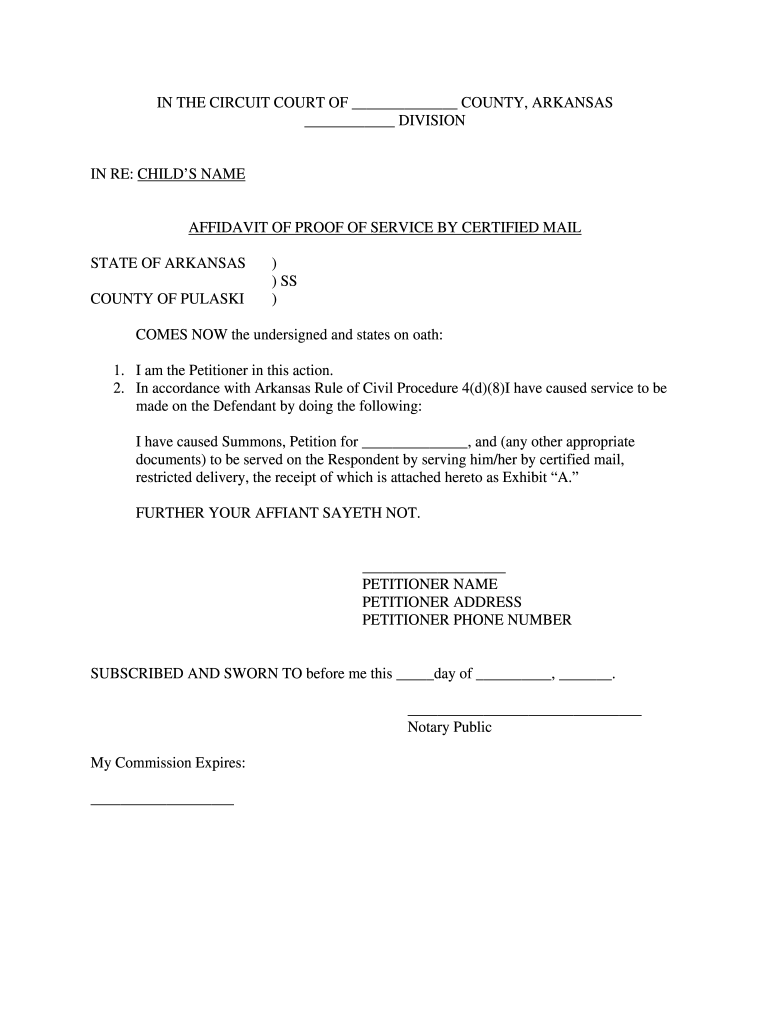
affidavit of service of summons Preview on Page 1

Here's how it works

01. Edit your affidavit of service of summons online
Type text, add images, blackout confidential details, add comments, highlights and more.

02. Sign it in a few clicks
Draw your signature, type it, upload its image, or use your mobile device as a signature pad.

03. Share your form with others
Send affidavit of service of summons format via email, link, or fax. You can also download it, export it or print it out.

How to use or fill out affidavit service certified form with our platform

Form edit decoration
9.5
Ease of Setup
DocHub User Ratings on G2
9.0
Ease of Use
DocHub User Ratings on G2
  1. Click ‘Get Form’ to open the affidavit service certified form in the editor.
  2. Begin by filling in the 'Child’s Name' at the top of the form, ensuring accuracy as this is crucial for identification.
  3. In the section labeled 'Petitioner Name', enter your full name as the individual initiating this action.
  4. Provide your address and phone number in the designated fields to ensure proper communication.
  5. Detail how you served the Defendant by checking off or writing in any additional documents served alongside the Summons and Petition.
  6. Attach any necessary receipts or evidence of service as Exhibit 'A' to substantiate your claims.
  7. Finally, sign and date the form where indicated, and ensure it is notarized by a Notary Public for validation.

Start using our platform today to fill out your affidavit service certified form online for free!

be ready to get more

Complete this form in 5 minutes or less

Get form

Got questions?

We have answers to the most popular questions from our customers. If you can't find an answer to your question, please contact us.
Contact us
It ensures due process by proving service was attempted or completed according to court rules. A process server must include specific details such as time, date, method, and identity of the person served. States have varying requirements for the affidavit, and using the wrong form or method may invalidate service.
An affidavit is a sworn statement put in writing. When you use an affidavit, youre claiming that the information within the document is true and correct to the best of your knowledge. Like taking an oath in court, an affidavit is only valid when you make it voluntarily and without any coercion.
The form can be docHubd at the courthouse or town hall. The affidavit of service should be used if: You have been hired to serve court documents as a process server. You have hired someone else to act as a process server and need proof that the job was complete.
An Affidavit of Service is a formal sworn statement that you have either personally served or mailed specific documents to another individual. A Certificate of Service also indicates that copies of legal documents have been served, however, it can generally be found as a section at the bottom of a pleading or motion.
After the documents are served, the process server signs the affidavit, has their signature properly docHubd, and files the affidavit with the court. A person who signs an affidavit containing false information can be subject to criminal penalties.

Security and compliance

At DocHub, your data security is our priority. We follow HIPAA, SOC2, GDPR, and other standards, so you can work on your documents with confidence.

Learn more
ccpa2
pci-dss
gdpr-compliance
hipaa
soc-compliance

People also ask

How to Fill Out an Affidavit of Service Provide Process Server Information. Include the name and address of the process server delivering the papers. Add a Description of Service. List the Receiving Partys Information. Choose a Service Method. Obtain Notary Acknowledgment.
After the Affidavit of Service has been created, it may need to be docHubd before being submitted to the courts. (This will depend on your jurisdiction.) When your Affidavit is ready to be submitted to the court, make sure to double-check everything!

Related links

