




01. Edit your form online
Type text, add images, blackout confidential details, add comments, highlights and more.

Type text, add images, blackout confidential details, add comments, highlights and more.

Draw your signature, type it, upload its image, or use your mobile device as a signature pad.

Send it via email, link, or fax. You can also download it, export it or print it out.
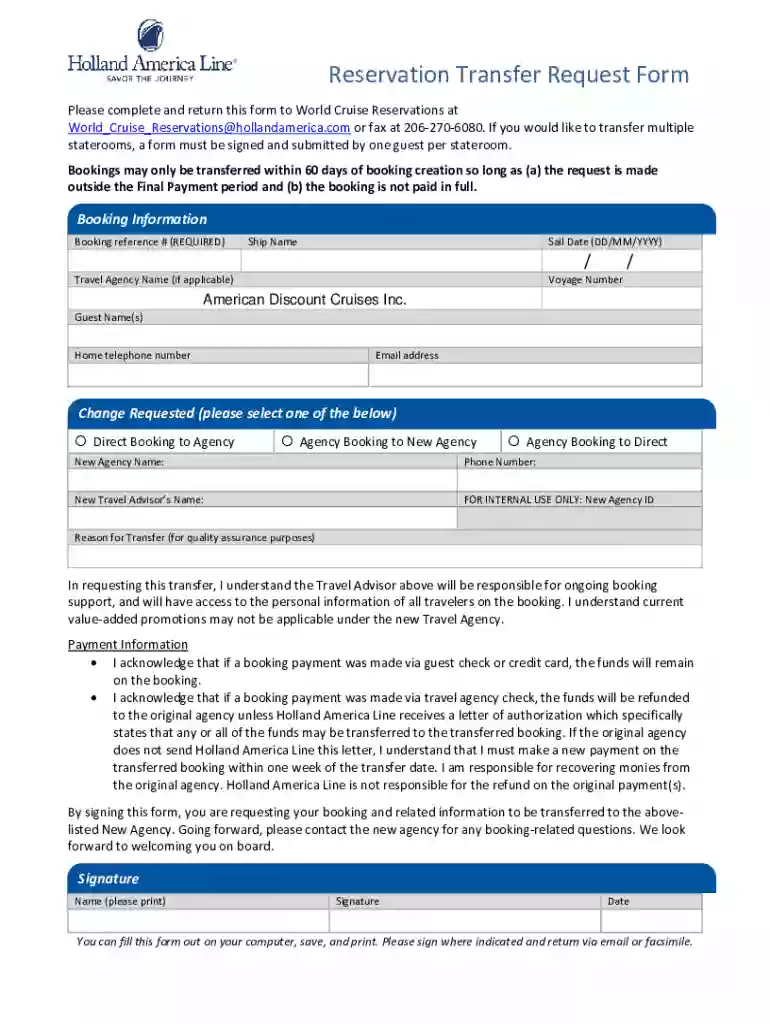
A Reservation Transfer Request Form is a document used to request the transfer of a reservation from one party to another. This form is often used in scenarios such as transferring vacation bookings, event tickets, or accommodation reservations. It ensures that all necessary details are formally recorded to authorize the transfer and update the involved parties about the change.
To access a Reservation Transfer Request Form, one can typically download it from the website of the organization managing the reservations, such as a travel agency or event organizer. If unavailable online, contacting customer service or visiting the office in person may be necessary. It's important to obtain the form from a reputable source to ensure its validity and acceptance by the organization.
The legal use of a Reservation Transfer Request Form ensures that the rights and privileges of a reservation are properly and lawfully transferred from one party to another. This legal documentation protects the interests of both the transferor and transferee by explicitly outlining the terms of the transfer and obtaining necessary approvals. It is crucial to ensure that all parties involved fully understand and comply with the terms outlined in the form.
Most organizations offer multiple methods to submit the Reservation Transfer Request Form. Online submissions may be facilitated through dedicated portals or email, while others might require sending the form via mail or in-person handover at an office. The choice of submission method can impact processing time, so it's advisable to confirm the preferred options directly with the organization.
Consider a cruise booking originally under a name that needs to be transferred due to the original traveler's inability to attend. The form is used to transfer the booking to another interested party, ensuring a seamless handover of reservations without incurring cancellation fees. Similarly, event organizers often use this form for ticket transfers to maintain accurate attendee records and manage event entry credentials.
At DocHub, your data security is our priority. We follow HIPAA, SOC2, GDPR, and other standards, so you can work on your documents with confidence.
Dec 4, 2024 HR related checklist workflow for dept. transfer or promotion requests with an approval. 2nd stage of the checklist is assigned to theRead more
Please complete this form to declare your intention take a business course at a U.S. college/university and transfer the course back to BU. After you submitRead more


