
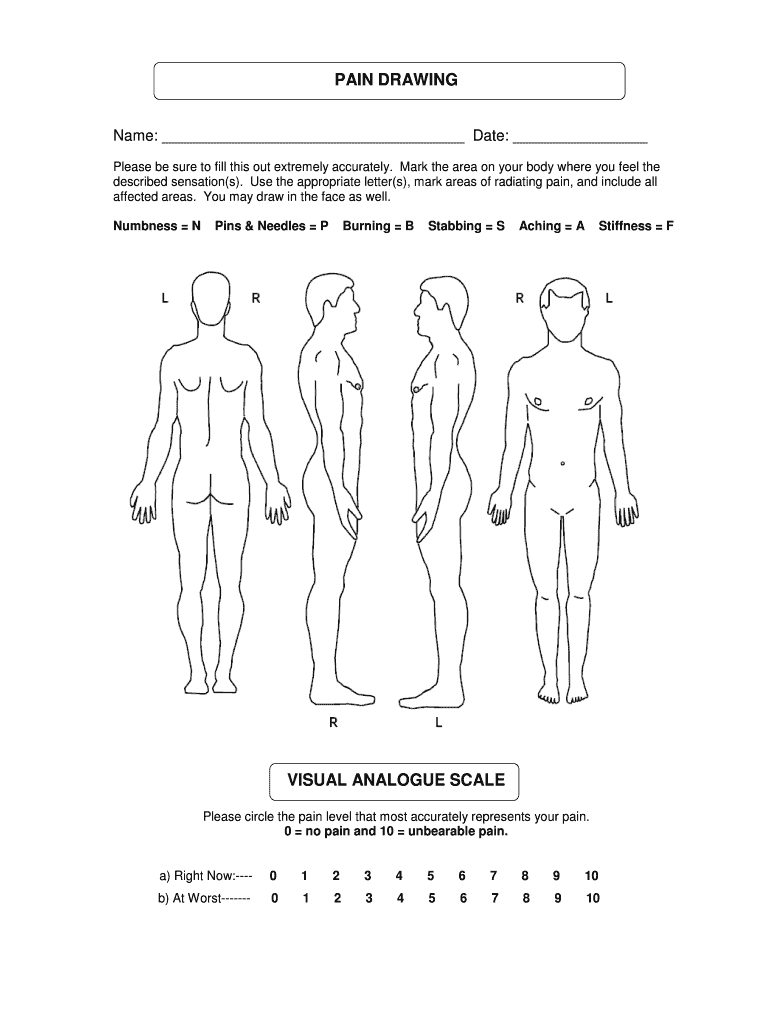







Understanding the Pain Drawing Form
The Pain Drawing Form is commonly employed in medical settings to help patients accurately communicate areas of discomfort on their body. This form allows individuals to mark regions where they experience pain and indicate the type of sensation they feel. By providing an intuitive visual tool, the form facilitates effective communication between patients and healthcare professionals. Clinicians can analyze these submissions to diagnose underlying conditions or form treatment plans suited to the patient's specific needs.
Steps to Complete the Pain Drawing Form
Completing the Pain Drawing Form requires careful attention to accurately reflect one's pain experience. This step-by-step guide ensures clarity:
-
Obtain the Form: Access the Pain Drawing Form from your healthcare provider or download it from an online healthcare portal.
-
Review Sections: Familiarize yourself with different areas on the form, focusing on diagrams and labeled body sections.
-
Mark Pain Areas: Indicate pain zones on the diagram using specified symbols or letters for different pain types (e.g., “B” for burning).
-
Detail Pain Sensations: Explicitly note sensations like sharp, dull, or radiating pain next to corresponding areas.
-
Verify Completeness: Double-check all marked areas and noted sensations for accuracy before submission.
How to Use the Pain Drawing Form
The Pain Drawing Form serves as an instrumental tool in the diagnostic process. Here’s how patients and practitioners make the most of it:
-
Patients: Gain enhanced self-awareness of pain patterns by visualizing them on the form. Accurately depicting pain zones supports comprehensive medical evaluations.
-
Doctors: Use the form to compare reported pain areas with typical pain mapping for specific conditions, aiding in accurate diagnosis and treatment design.
Who Typically Uses the Pain Drawing Form
The Pain Drawing Form is primarily used by:
- Patients: Especially those with chronic pain, to provide a comprehensive overview of their condition during doctor consultations.
- Clinicians: Doctors, physiotherapists, and pain specialists who need detailed assessments of patient-reported pain locations for diagnosis.
- Researchers: In clinical studies focused on pain management and treatment effectiveness, where patient-reported data enhances research validity.


Importance of the Pain Drawing Form in Healthcare
The Pain Drawing Form is crucial for several reasons:
- Enhanced Communication: Reduces miscommunication by visually conveying pain experiences from patients to caregivers.
- Diagnostic Aid: Serves as supplementary data for diagnosis, especially in complex cases with overlapping symptoms.
- Treatment Monitoring: Tracks changes in pain over time, aiding in evaluating treatment efficacy.
Legal Use of the Pain Drawing Form
In the context of patient rights and data protection:
- Privacy Compliance: Forms are subject to patient confidentiality laws ensuring secure usage and storage.
- Informed Consent: Patients must understand and consent to the form's completion and its integration into their medical records.
- Legal Documentation: Can serve as documentation in legal scenarios involving medical care disputes or injury claims.
Key Elements of the Pain Drawing Form
Essential elements of the Pain Drawing Form include:
- Body Diagrams: Typically anterior and posterior views for comprehensive area marking.
- Pain Annotation Legends: Symbols or codes indicating pain type, intensity, and duration.
- Narrative Sections: Spaces for describing pain experiences in more detail, providing context for marked areas.
Digital vs. Paper Version of the Pain Drawing Form
Comparing digital and paper forms:
- Digital Version: May include interactive elements such as clickable diagrams for more precise area marking. Facilitates easier storage and retrieval.
- Paper Version: Offers simplicity but requires manual input for sharing and record-keeping. Often used due to accessibility without needing technical devices.
Software Compatibility and Utilization
Understanding compatibility can enhance form utilization:
- DocHub: Ideal for annotation and filling of digital Pain Drawing Forms. Integrates with cloud storage solutions for accessibility.
- Other Software: Platforms like TurboTax or QuickBooks are irrelevant for this form, emphasizing the specialization needed in healthcare-specific digital tools.
Through these structured steps and insights, users of the Pain Drawing Form can gain a detailed understanding of its purpose, application, and role in healthcare settings.




