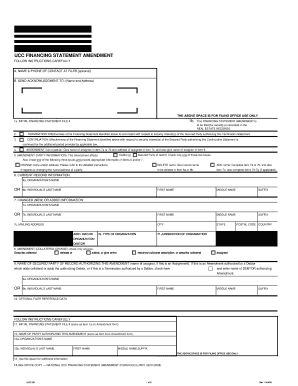
Definition & Purpose of the Employee Data Card
The Employee Data Card is a form used to collect essential personal and contact information from employees. Its primary purpose is to ensure that employers have all necessary details to contact employees quickly, especially in emergency situations. This form typically includes information such as the employee's name, social security number, date of birth, hire date, position, phone numbers, mailing address, and email. It also provides sections for optional demographic data like ethnic identification, gender, and veteran status, alongside critical emergency contact details, which must list two contacts.
Key Elements on the Form
- Personal Information: Captures the employee's fundamental details such as name, social security number, and birth date.
- Contact Information: Provides phone numbers, email addresses, and mailing addresses to maintain open communication.
- Emergency Contacts: Includes fields to list at least two emergency contacts, ensuring swift action in case of emergencies.
- Demographic Data: Optional fields for ethnic identification, veteran status, gender, marital status, and disability status.
How to Use the Employee Data Card
The use of the Employee Data Card involves several clear steps to ensure that all information is accurate and complete. Employees should gather all required details beforehand to facilitate a smooth filling process.
-
Gather Information: Employees should have on hand their social security number, birth date, and contact details. Additionally, obtaining contact information for two emergency contacts is necessary.
-
Complete Form Sections: Begin by filling out personal, contact, and demographic sections. Ensure all data is accurate to avoid future complications.
-
Review and Update: Employees should periodically review their data card to reflect any changes in personal or emergency contact information.
Steps to Complete the Form
Completing the Employee Data Card can be straightforward by following these steps:
-
Start with Personal Information:
- Full name: Ensure spelling matches official documents.
- Social Security Number: Double-check for accuracy.
-
Provide Contact Details:
- Phone numbers: Include home and mobile numbers for versatility.
- Email and mailing address: Confirm they are up to date.
-
Emergency Contacts:
- List two contacts: Include a close relative or friend and provide their relationship to you.
- Phone numbers: Add multiple contact numbers if possible.
Reasons for Using the Employee Data Card
The Employee Data Card is a practical tool for both employers and employees, serving several critical functions.
- Emergency Situations: Having immediate access to emergency contact details ensures that employers can swiftly inform family members if necessary.
- Employee Record Keeping: Maintains a comprehensive record of employee information, aiding HR departments in managing workforce details effectively.
- Compliance and Best Practices: Following organizational policies and complying with legal requirements for employee data collection.
Who Typically Uses the Form
The Employee Data Card is generally used by:
- Human Resources Departments: Responsible for maintaining and updating employee records.
- New Employees: Required to complete the form during onboarding to ensure emergency contact information is available from day one.


Key Elements of the Form
Understanding the core components of the Employee Data Card is essential for accurate completion.
- Social Security Number: A must for employment and tax purposes, though it requires careful handling due to its sensitive nature.
- Emergency Contacts: Mandatory for all employees to provide, ensuring contacts can be reached quickly in case of need.
- Optional Demographic Information: These fields are not required but can help organizations improve diversity and inclusion efforts.
State-Specific Rules
Though the Employee Data Card is widely used, some state-specific rules and regulations may affect how employee information is processed or stored.
- Compliance with Local Regulations: Employers should ensure the format and data collection methods meet state privacy laws.
- Diverse Requirements: Texas, for example, might have different privacy rules compared to California, impacting how data is handled.
Examples of Using the Form
Let's consider a practical scenario:
- Tech Start-Up: A growing team in a tech start-up uses the Employee Data Card to manage contact information and ensure emergency readiness, crucial in fast-paced environments.
- Manufacturing Plant: In a manufacturing setup, having emergency contacts readily available is critical due to the heightened risk of workplace accidents.
Each industry may implement slight variations in how the form is used, tailored to their unique operational needs.