






Definition and Meaning of the Application for Work Permit Signed by Employee
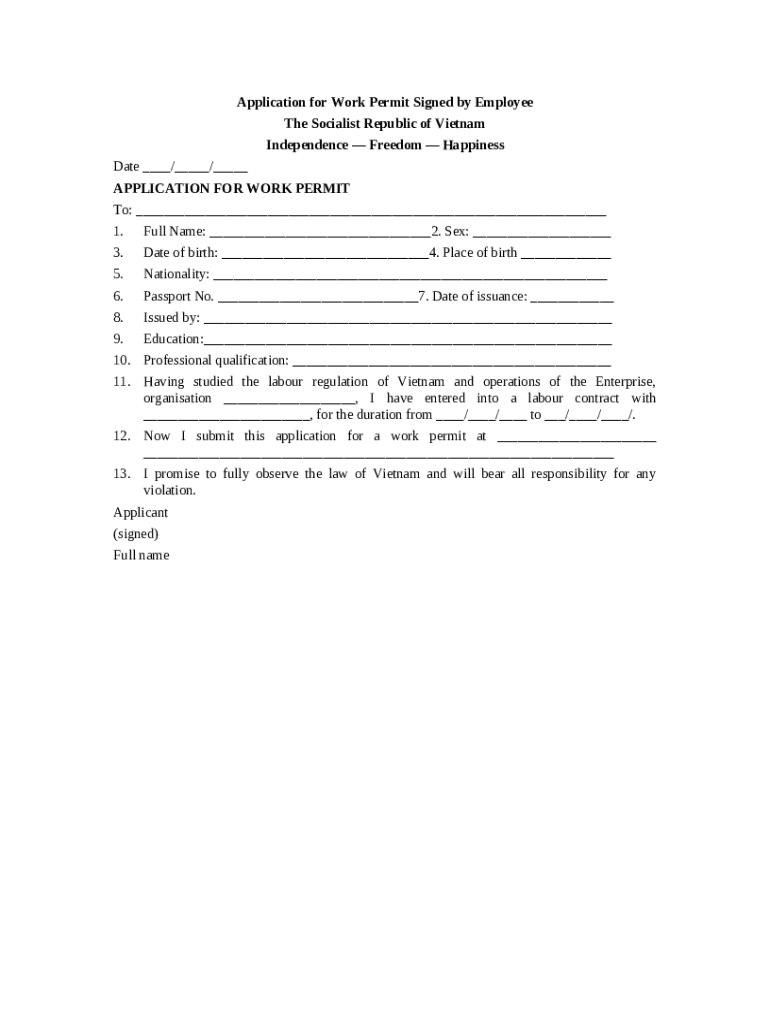
An "Application for Work Permit Signed by Employee" is a formal request submitted by a prospective employee or a current worker seeking authorization to work within a specific jurisdiction. This document is crucial for non-citizens or individuals who need governmental permission to secure employment legally. It is also essential for organizations wishing to employ foreign workers, as it establishes a legal basis for the employment relationship. The document often includes the applicant's personal information, their intended employer's details, and any necessary legal declarations or agreements specific to the employment situation.
Key Components
- Applicant Details: Personal information such as name, date of birth, and nationality are fundamental sections of the application.
- Employer Information: Critical details about the employer, including company name, address, and contact information, are also required.
- Employment Purpose: The document outlines the specific job role, employment duration, and the nature of the work.
- Legal Declarations: Statements confirming the authenticity of the information and the applicant's agreement with any local labor laws or regulations.
Steps to Complete the Application for Work Permit Signed by Employee
Completing the application requires careful attention to detail to ensure compliance with legal standards. Below is a step-by-step guide:
- Gather Necessary Information: Collect all personal and employer-related data, including identification numbers, addresses, and contact details.
- Download the Form: Obtain the most current version of the work permit application from the official government or labor department website.
- Fill Out Personal Information: Enter personal details such as full name, date of birth, and address.
- Provide Employer Information: Complete the section requiring the employer's name, address, and contact details.
- Specify Job Details: Clearly outline the nature of the employment, including job title, description, and expected duration.
- Review for Accuracy: Double-check all entries for accuracy to prevent delays or rejection.
- Sign the Form: Ensure the application is signed by the employee and, in some instances, co-signed by the employer.
- Submit the Application: Depending on the jurisdiction, submit the form online, by mail, or in person along with any required supporting documents.
How to Obtain the Application for Work Permit Signed by Employee
Acquiring the application is a straightforward process, but may vary based on local requirements.
- Online Access: Most government websites provide downloadable PDF versions of the application form. This option allows for quick access and efficient distribution.
- In-Person Collection: Certain jurisdictions may require applicants to obtain forms directly from a local labor office or embassy.
- Workplace Provision: Some employers may supply this form as part of their onboarding process for foreign workers.
Who Typically Uses the Application for Work Permit Signed by Employee
This application is predominantly used by non-citizens seeking employment and employers hiring foreign workers. It is crucial for:
- International Students: Those studying under a visa who wish to work while completing their education.
- Temporary Workers: Individuals who find employment opportunities in another country or state for a limited time.
- Refugees and Asylum Seekers: Often require this form to gain permission to work while their status is being processed.
- Employers: Businesses looking to hire international talent or relocate employees across borders.


Important Terms Related to the Application for Work Permit Signed by Employee
Familiarity with these terms enhances comprehension of the application process:
- Non-Immigrant Visa: A temporary visa allowing individuals to reside in a country for a specific purpose, such as employment.
- Sponsorship: Often required by employers willing to hire non-citizens, which involves a guarantee of employment and legal compliance.
- Immigration Status: Legal authorization determining the ability of a person to reside and work in a certain country.
- Labor Certification: A government-issued document sometimes necessary to prove that hiring a foreign worker will not negatively impact the local labor market.
Legal Use of the Application for Work Permit Signed by Employee
The application serves as a legally binding document granting the right to work and specifying conditions of employment. Employers and employees must adhere strictly to the terms articulated in the permit to avoid legal repercussions such as penalties, fines, or revocation of the work permit. Compliance with both local labor laws and immigration regulations is mandatory.
State-Specific Rules for the Application for Work Permit Signed by Employee
Different states may have variations in the process or additional requirements.
- Documentation Requirements: Some states may demand extra identification documents or evidence of employment conditions.
- Processing Times: Variability in processing times, with some states offering expedited services.
- Age Regulations: Specific states might have unique age-related work permissions for minors.
Understanding these variations is critical for timely and successful application submissions.