Type text, add images, blackout confidential details, add comments, highlights and more.
02. Sign it in a few clicks
Draw your signature, type it, upload its image, or use your mobile device as a signature pad.
03. Share your form with others
Send it via email, link, or fax. You can also download it, export it or print it out.
How to use or fill out cdpe forms with our platform
Ease of Setup
DocHub User Ratings on G2
Ease of Use
DocHub User Ratings on G2
Click ‘Get Form’ to open the cdpe form in the editor.
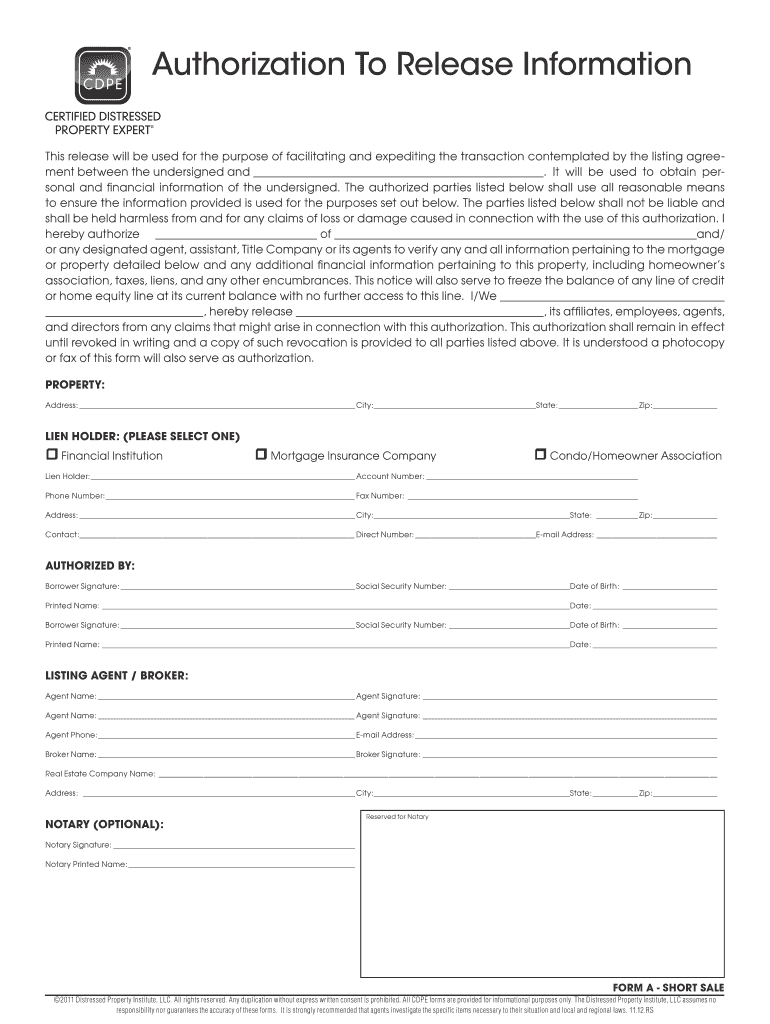
Begin by filling in the property address, including city, state, and zip code. This information is crucial for identifying the property involved in the transaction.
Select the appropriate lien holder from the options provided: Financial Institution, Mortgage Insurance Company, or Condo/Homeowner Association. Ensure you provide accurate details for the selected entity.
Enter the lien holder's name, account number, phone number, and fax number. This information will facilitate communication regarding your financial obligations.
In the 'Authorized By' section, have all borrowers sign and print their names. Include social security numbers and dates of birth for verification purposes.
Complete the listing agent/broker section with names and signatures. Ensure that contact details are accurate to maintain effective communication throughout the process.
If applicable, leave space for a notary signature at the end of the form to validate your authorization.
Start using our platform today to easily fill out your cdpe forms online for free!
A Certified Distressed Property Expert is a real estate professional with specific understanding of the complex issues confronting the real estate industry, and the foreclosure avoidance options available to homeowners.
What are the three types of coverage forms?
When structuring your insurance policy, the coverage form selected plays a docHub role in determining which perils are covered for your property should a loss occur. There are three types of coverage forms to choose from, Basic, Broad, and Special.
Related Searches
Cdpe forms pdfCdpe forms 2021
Security and compliance
At DocHub, your data security is our priority. We follow HIPAA, SOC2, GDPR, and other standards, so you can work on your documents with confidence.
These control operations are always used as single statements, and typically per- form some useful operation on VU or SPARC registers and/or memory locations.Read more
Cookie consent notice
This site uses cookies to enhance site navigation and personalize your experience.
By using this site you agree to our use of cookies as described in our Privacy Notice.
You can modify your selections by visiting our Cookie and Advertising Notice.