Definition and Meaning of Elf on the Shelf Letterhead Word Template
The "Elf on the Shelf letterhead Word template" refers to a customizable document design used to create personalized letters that coordinate with the Elf on the Shelf holiday tradition. This template typically includes themed graphics and a predefined layout that mimics official stationery, enhancing the visual appeal of the letter. It serves as a convenient tool for parents, schools, or businesses looking to engage children and audiences in a festive manner during the holiday season. The template can be edited in Microsoft Word, providing users the flexibility to insert personalized messages, adjust fonts, and incorporate images that fit their specific needs.
How to Obtain the Elf on the Shelf Letterhead Word Template
Obtaining the Elf on the Shelf letterhead Word template can be as simple as downloading it from online document management platforms or creative template websites. Here are steps to find and download the template:
-
Search Online Template Libraries: Use search engines or visit dedicated template websites that offer free or premium document designs. Enter keywords like "Elf on the Shelf Word template" for targeted results.
-
Visit Educational and Parent Blogs: Many blogs catering to parents and educators provide downloadable templates for holiday activities, including themed letterhead templates.
-
Document Management Platforms: Platforms like DocHub may offer customizable templates that can be used for a variety of documents, including themed letterheads.
-
Direct Download from Creative Marketplaces: Websites like Etsy or Creative Market often have unique designs available for purchase. Select a template that suits your style and download it directly.
Steps to Complete the Elf on the Shelf Letterhead Word Template
Once you have obtained the template, follow these steps to complete your Elf on the Shelf letter:
-
Open the Template in Microsoft Word: Start by opening the template file in the Word application on your computer or mobile device.
-
Personalize the Header: Modify any predefined header information, such as the sender's name or address. This adds personalization to your letter.
-
Insert Your Message: Use the text editing tools to write your letter. You can create a playful narrative or provide instructions consistent with the Elf on the Shelf tradition.
-
Add Images or Graphics: Enhance your letter with festive graphics or personal images. Insert pictures of your elf or upload holiday-themed symbols.
-
Adjust Font and Style: Customize the font type, size, and color to match the holiday theme or to suit personal preferences.
-
Proofread and Finalize: Review the content for any spelling or grammatical errors. Correct any mistakes before saving the final document.
Key Elements of the Elf on the Shelf Letterhead Word Template
The Elf on the Shelf letterhead Word template may include several key elements designed to capture the festive spirit:
-
Holiday-Themed Borders and Backgrounds: These often feature images of elves, snowflakes, or Christmas trees to establish a cheerful atmosphere.
-
Predefined Fonts and Styles: Some templates come with recommended fonts that align with the cheerful and whimsical tone typical of holiday letters.
-
Customizable Sections: These segments allow you to input personalized information and narratives, tailoring the letter to the recipient.
-
Alignment and Spacing Adjustments: Ensures that text and images can fit seamlessly within the desired layout without affecting readability.
Examples of Using the Elf on the Shelf Letterhead Word Template
There are many creative ways to utilize the Elf on the Shelf letterhead Word template during the holiday season:
-
Personalized Santa Letters: Craft letters that appear to be from Santa and include personalized messages to children, enhancing the magic of Christmas.
-
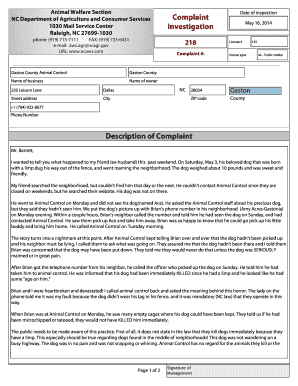
Elf Reports or Updates: Use the template to send periodic updates from the family's elf, detailing their adventures or providing behavioral encouragement to children.
-
Invitations to Holiday Events: Schools or community groups can use the template to invite students and families to holiday-themed events or activities.
-
Business Holiday Greetings: Companies can adapt the template to send festive greetings or updates to clients, maintaining a professional yet celebratory tone.
Who Typically Uses the Elf on the Shelf Letterhead Word Template
Various groups find the Elf on the Shelf letterhead Word template beneficial:
-
Parents: Often use the template to enhance the tradition at home by creating letters and messages from their elf.
-
Educators: Schools and teachers may employ the template for classroom activities, sending home elf letters or inviting participation in holiday projects.
-
Event Organizers: Use the letterhead for promoting holiday-themed events, ensuring the invites are eye-catching and festive.
-
Businesses: Corporate entities might use such templates to send special messages to customers, making their communications more engaging during the holiday season.


Software Compatibility for the Elf on the Shelf Letterhead Word Template
The Elf on the Shelf letterhead Word template is primarily designed for use in Microsoft Word due to its .doc or .docx file format. However, it has compatibility with several other programs and applications:
-
Google Docs: Users can upload and edit the template in Google Docs, although some formatting may require adjustment.
-
LibreOffice: This open-source suite supports Word templates, making it a viable alternative for users without Microsoft applications.
-
Apple's Pages: Users on Apple devices can import and modify the template, although some features may vary between software versions.
The versatility of the Word format ensures that most text-editing programs can open and handle template modifications with ease.