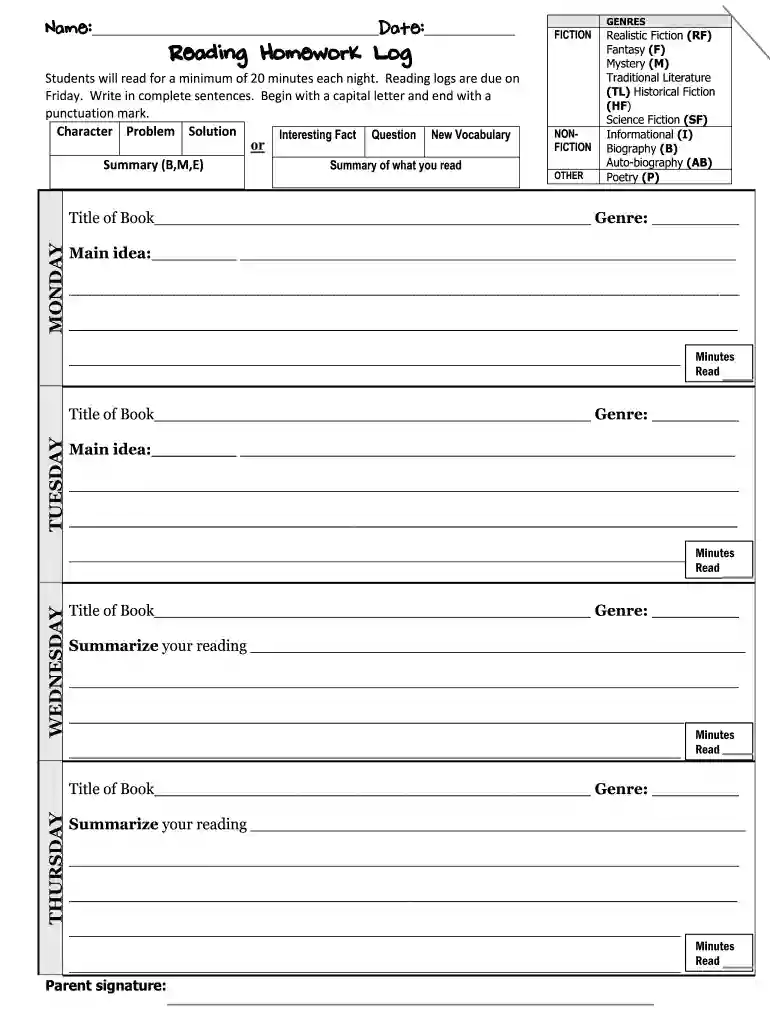
granbury isd login Preview on Page 1

Reading Homework Log - Granbury ISD 2026

Here's how it works

  • 01. Edit your granbury isd login online

    Type text, add images, blackout confidential details, add comments, highlights and more.

  • 02. Sign it in a few clicks

    Draw your signature, type it, upload its image, or use your mobile device as a signature pad.

  • 03. Share your form with others

    Send it via email, link, or fax. You can also download it, export it or print it out.

How to use or fill out Reading Homework Log - Granbury ISD with our platform

Form edit decoration
9.5
Ease of Setup
DocHub User Ratings on G2
9.0
Ease of Use
DocHub User Ratings on G2
  1. Click ‘Get Form’ to open the Reading Homework Log in the editor.
  2. Begin by entering your name and the date at the top of the form. This personalizes your log and ensures proper tracking.
  3. For each day of the week, fill in the title of the book you read along with its genre. Choose from options like Fiction, Nonfiction, or other specified genres.
  4. In the 'Main Idea' section for each day, summarize what you learned or found interesting about your reading. Use complete sentences that start with a capital letter and end with punctuation.
  5. On Wednesday and Thursday, provide a summary of your reading. Focus on key points and insights gained during your reading sessions.
  6. Finally, ensure a parent signature is included at the end of the week to validate your reading log. Don’t forget to record total minutes read for each day!

Start using our platform today to easily manage and complete your Reading Homework Log for free!

be ready to get more

Complete this form in 5 minutes or less

Got questions?

We have answers to the most popular questions from our customers. If you can't find an answer to your question, please contact us.

Most eSignature solutions require users to have a paid subscription. With DocHub, there are two options for you to create an electronic signature to your Reading Homework Log - Granbury ISD free of charge:

  • You can do it during a 7-day trial period;
  • You can sign up for a free plan.

The second option, however, has restrictions on the number of signatures, sign requests, emails, and documents for adjusting available per month. You can check for full details here.

If your go-to electronic mail service is Gmail, it is simple to integrate your DocHub editor into your work. Modify your Reading Homework Log - Granbury ISD with DocHub tools and attach it to your drafts in Gmail. See how straightforward it is to exchange files and work together with a swift PDF editing solution at hand.

Security and compliance

At DocHub, your data security is our priority. We follow HIPAA, SOC2, GDPR, and other standards, so you can work on your documents with confidence.

Related links

Grade-Level Retention in Texas Public Schools

In addition, student retention and promotion data are reported with data on the performance of students in Grades 3-10 on the Texas. Assessment of Knowledge andRead more

Learn more
If you believe that this page should be taken down, please follow our DMCA take down process here