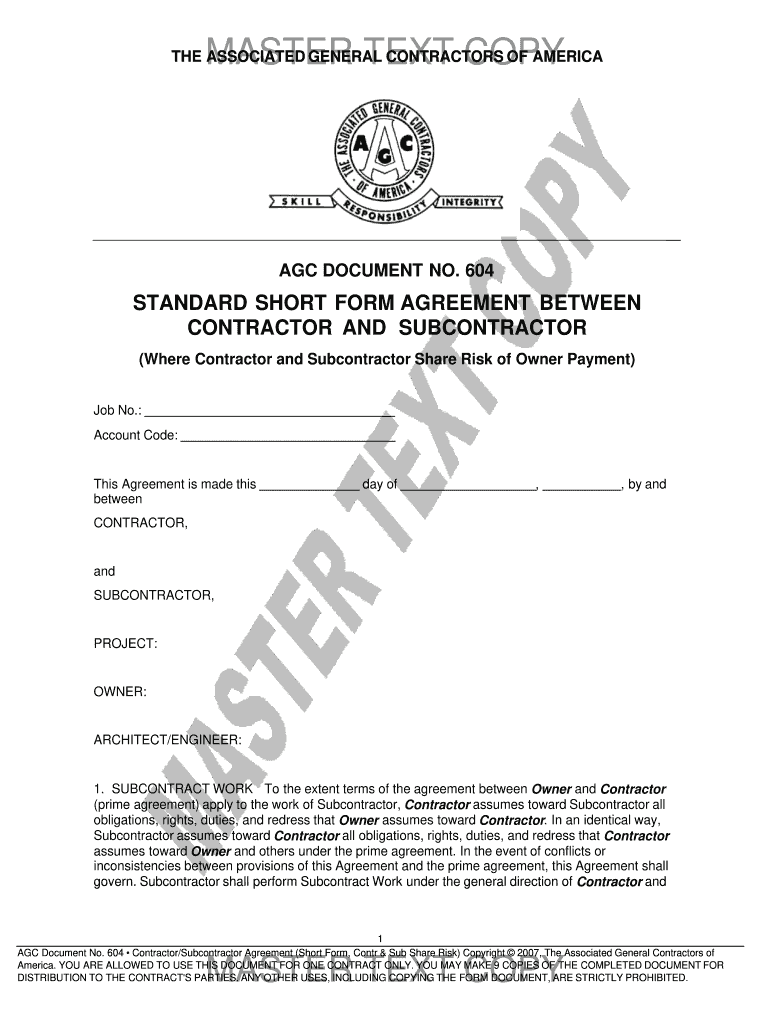
Agc document no 205 2026

Get Form
agc document no 205 Preview on Page 1

Here's how it works

01. Edit your form online
Type text, add images, blackout confidential details, add comments, highlights and more.
02. Sign it in a few clicks
Draw your signature, type it, upload its image, or use your mobile device as a signature pad.
03. Share your form with others
Send it via email, link, or fax. You can also download it, export it or print it out.

How to use or fill out agc document no 205 with our platform

Form edit decoration
9.5
Ease of Setup
DocHub User Ratings on G2
9.0
Ease of Use
DocHub User Ratings on G2
  1. Click ‘Get Form’ to open the AGC Document No. 205 in the editor.
  2. Begin by filling in the Job Number and Account Code at the top of the form. These identifiers are crucial for tracking your project.
  3. In the 'Contractor' and 'Subcontractor' sections, enter the names of both parties involved in the agreement. Ensure accuracy to avoid any legal complications.
  4. Provide details about the Project, Owner, and Architect/Engineer as required. This information is essential for clarity on responsibilities.
  5. Complete the 'Subcontract Work' section by describing the work to be performed. Refer to Exhibit A for detailed specifications if necessary.
  6. Fill in the Subcontract Amount and Retainage percentages clearly, ensuring they align with your financial agreements.
  7. Review all fields for completeness and accuracy before saving or sending your document for signatures.

Start using our platform today to streamline your document editing and signing process for free!

be ready to get more

Complete this form in 5 minutes or less

Get form

Got questions?

We have answers to the most popular questions from our customers. If you can't find an answer to your question, please contact us.
Contact us

Yes, and it’s really straightforward! DocHub is a web-based PDF editor with advanced document processing functions that allow you quickly edit your forms, complete blank fields and add new ones for other people to fill out, and create electronic signatures in several ways. Upload your agc document no 205, give information as required, and decide how you want to eSign your template - by typing your name, drawing your signature, uploading its image, or using a QR code.

In case your go-to electronic mail service is Gmail, it is simple to integrate your DocHub editor in your work. Modify your agc document no 205 with DocHub tools and connect it to your drafts in Gmail. See how straightforward it can be to exchange documents and collaborate having a swift PDF editing solution at hand.

The Construction Manager / General Contractor (CM/GC) project delivery method allows an owner to engage a construction manager during the design process to provide constructability input. The Construction Manager is generally selected on the basis of qualifications, past experience or a best-value basis.
Contractor's Right to Perform Subcontractor's Responsibilities and Termination of Agreement (article 10): See ASA comments under article 8 pertaining to prevailing Parties in disputes.
ConsensusDocs is a not-for-profit coalition of national associations representing diverse interests in the design and construction industry. ConsensusDocs collaboratively develops and promotes standard form construction contract documents that advance the construction process.

Security and compliance

At DocHub, your data security is our priority. We follow HIPAA, SOC2, GDPR, and other standards, so you can work on your documents with confidence.

Learn more
ccpa2
pci-dss
gdpr-compliance
hipaa
soc-compliance