Type text, add images, blackout confidential details, add comments, highlights and more.
02. Sign it in a few clicks
Draw your signature, type it, upload its image, or use your mobile device as a signature pad.
03. Share your form with others
Send pairs cricket score sheet 10 a side via email, link, or fax. You can also download it, export it or print it out.
How to use or fill out kwik cricket score sheet 10 a side with our platform
Ease of Setup
DocHub User Ratings on G2
Ease of Use
DocHub User Ratings on G2
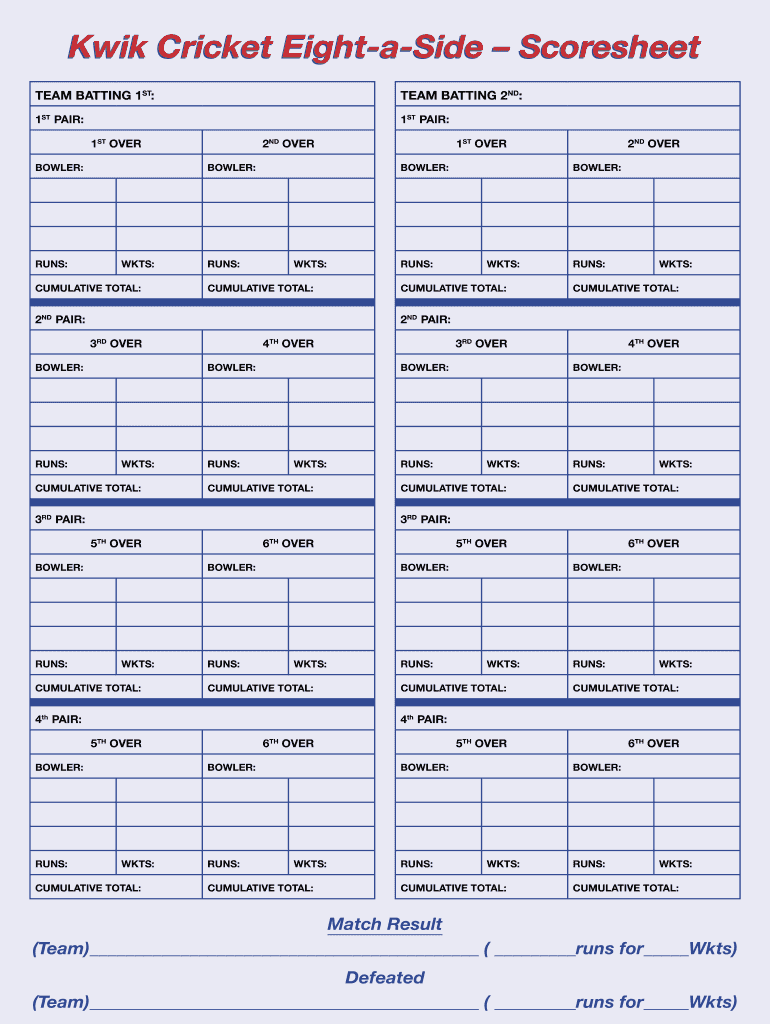
Click ‘Get Form’ to open the kwik cricket score sheet in the editor.
Begin by entering the names of the teams batting first and second in the designated fields at the top of the form.
For each pair of players, fill in their names under '1ST PAIR', '2ND PAIR', etc. Ensure you record their performance for each over.
As you progress through each over, input the bowler's name, runs scored, and wickets taken in the respective sections. Keep track of cumulative totals after each over.
At the end of the match, document the final scores and results in the 'Match Result' section to summarize team performances.
Start using our platform today to easily fill out your kwik cricket score sheet for free!
Fill out kwik cricket score sheet 10 a side online It's free
Kwik cricket score sheet 10 a side pdf free downloadKwik cricket score sheet 10 a side pdf downloadKwik cricket score sheet 10 a side pdfT20 Cricket Score Sheet PDF Free Download6 a side Cricket Score SheetT20 Cricket Score Sheet pdf a4 sizeCricket Score Sheet Excel format PDFFree printable Cricket score sheet
Security and compliance
At DocHub, your data security is our priority. We follow HIPAA, SOC2, GDPR, and other standards, so you can work on your documents with confidence.
Cookie consent notice
This site uses cookies to enhance site navigation and personalize your experience.
By using this site you agree to our use of cookies as described in our Privacy Notice.
You can modify your selections by visiting our Cookie and Advertising Notice.